Dark Night Backrooms NextBots

Dark Night Backrooms NextBots

Action

| Mission Club

Play on PC with BlueStacks or from our cloud

  • Overview
  • Game Features
  • How to Play

Page Modified On: July 27, 2026

Play Dark Night Backrooms NextBots on PC or Mac

Bring your A-game to Dark Night Backrooms NextBots, the Action game sensation from Mission Club. Give your gameplay the much-needed boost with precise game controls, high FPS graphics, and top-tier features on your PC or Mac with BlueStacks.

About the Game

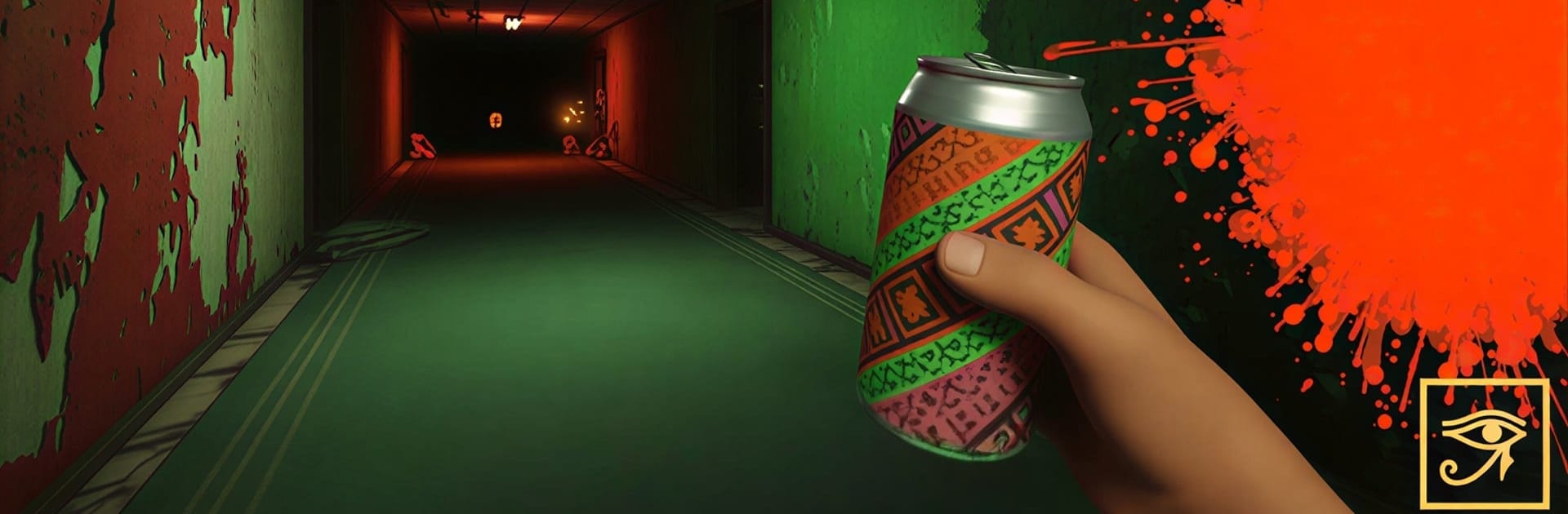
Dark Night Backrooms NextBots drops you into a claustrophobic maze where the walls hum, the lights flicker, and something fast is on your tail. It’s tense, messy, and wonderfully unpredictable—one wrong turn and you’re toast, one clever move and you’re gone before they notice. Prefer playing on a bigger screen with tight controls? It feels great on BlueStacks, too.

Game Features

  • Genre: Action
  • A high-pressure Action experience that blends horror, stealth, and split-second decision-making.

  • Two Ways to Play

  • Become the relentless hunter or the desperate runner. Chasing is a rush; escaping is pure adrenaline.

  • Smarter-Than-You Think NextBots

  • These things don’t just follow; they corner, pressure, and push you into mistakes. Outsmarting them is half the fun.

  • Noclip Movement

  • Slip past walls and obstacles with noclip mechanics to dodge pursuit or set up ambushes. It feels wrong in the best way.

  • Unnerving Backrooms

  • Endless connected rooms buzzing with electrical hums, harsh flashes, and eerie liminal spaces that make you second-guess every hallway.

  • High-Stakes Cat-and-Mouse

  • Quick bursts of chaos where silence turns to panic in a heartbeat. Beat them with speed, nerve, and weird routes no one expects.

  • Sensory Tension

  • Sound cues and sharp lighting tell you when to sprint, hide, or cut through a wall—if you’re paying attention.

  • Pick-Up-and-Play Flow

  • Jump in, learn the spaces, and start experimenting with risky paths and risky escapes. It’s easy to try; it’s hard to master.

Ready to top the leaderboard? We bet you do. Let precise controls and sharp visuals optimized on BlueStacks lead you to victory.


Game Features

Enhancements

  • Macros
  • Multi Instance
  • Multi Instance Sync
  • Eco Mode
  • Enhancements
Macros

Macros

Skip the boring parts of a game. Play Dark Night Backrooms NextBots with Macros and get the edge. Simply record a sequence of commands and execute them at any moment.
Multi Instance

Multi Instance

Why limit to one game on your phone when you can play many on your PC? Open multiple instances of Dark Night Backrooms NextBots at once with Multi-Instance. Leverage the power of different accounts by doing more.
Multi Instance Sync

Multi Instance Sync

Get the best out of Dark Night Backrooms NextBots with Multi-Instance Sync. Play the game from different accounts and build your own empire. Use Multi-instance sync to repeat the action in the main BlueStacks instance on all other instances.
Eco Mode

Eco Mode

Find the rarest heroes by making multiple summons in Dark Night Backrooms NextBots. And while you are at it, reduce your PC’s resource consumption with the Eco Mode. Farm efficiently. Get the best results.
Read More

How to Download and Play Dark Night Backrooms NextBots on PC or Mac

  • Download and install BlueStacks on your PC or Mac

  • Complete Google sign-in to access the Play Store, or do it later

  • Look for Dark Night Backrooms NextBots in the search bar at the top right corner

  • Click to install Dark Night Backrooms NextBots from the search results

  • Complete Google sign-in (if you skipped step 2) to install Dark Night Backrooms NextBots

  • Click the Dark Night Backrooms NextBots icon on the home screen to start playing

video
Watch Video

Minimum System Requirements

With BlueStacks 5, you can get started on a PC that fulfills the following requirements.

  • Operating System

    Microsoft Windows 7 or above, macOS 11 (Big Sur) or above

  • Processor

    Intel, AMD or Apple Silicon Processor

  • RAM

    at least 4GB

  • HDD

    10GB Free Disk Space

Note:

* You must be an Administrator on your PC. Up to date graphics drivers from Microsoft or the chipset vendor.

Dark Night Backrooms NextBots - FAQs

  • How to play Dark Night Backrooms NextBots on Windows PC & Mac?

    Play Dark Night Backrooms NextBots on your PC or Mac by following these simple steps.

    • Click on 'Play Dark Night Backrooms NextBots on PC’ to download BlueStacks
    • Install it and log-in to Google Play Store
    • Launch and play the game.
  • Why is BlueStacks the fastest and safest platform to play games on PC?

    BlueStacks respects your privacy and is always safe and secure to use. It does not carry any malware, spyware, or any sort of additional software that could harm your PC.

    It is engineered to optimize speed and performance for a seamless gaming experience.

  • What are Dark Night Backrooms NextBots PC requirements?

    Minimum requirement to run Dark Night Backrooms NextBots on your PC

    • OS: Microsoft Windows 7 or above MacOS 11 (Big Sur) or above
    • Processor: Intel, AMD or Apple Silicon Processor
    • RAM: Your PC must have at least 4GB of RAM. (Note that having 4GB or more disk space is not a substitute for RAM)
    • HDD: 10GB Free Disk Space.
    • You must be an Administrator on your PC.