Firing Squad Shooter Arena: Fire Free Special Ops

Firing Squad Shooter Arena: Fire Free Special Ops

Action

| Gamelauncher Studio

Play on PC with BlueStacks or from our cloud

  • Overview
  • Game Features
  • How to Play

Page Modified On: August 29, 2025

Play Firing Squad Shooter Arena: Fire Free Special Ops on PC or Mac

Firing Squad Shooter Arena: Fire Free Special Ops brings the Action genre to life, and throws up exciting challenges for gamers. Developed by Top Trends – Apps & Games, this Android game is best experienced on BlueStacks, the World’s #1 app player for PC and Mac users.

About the Game

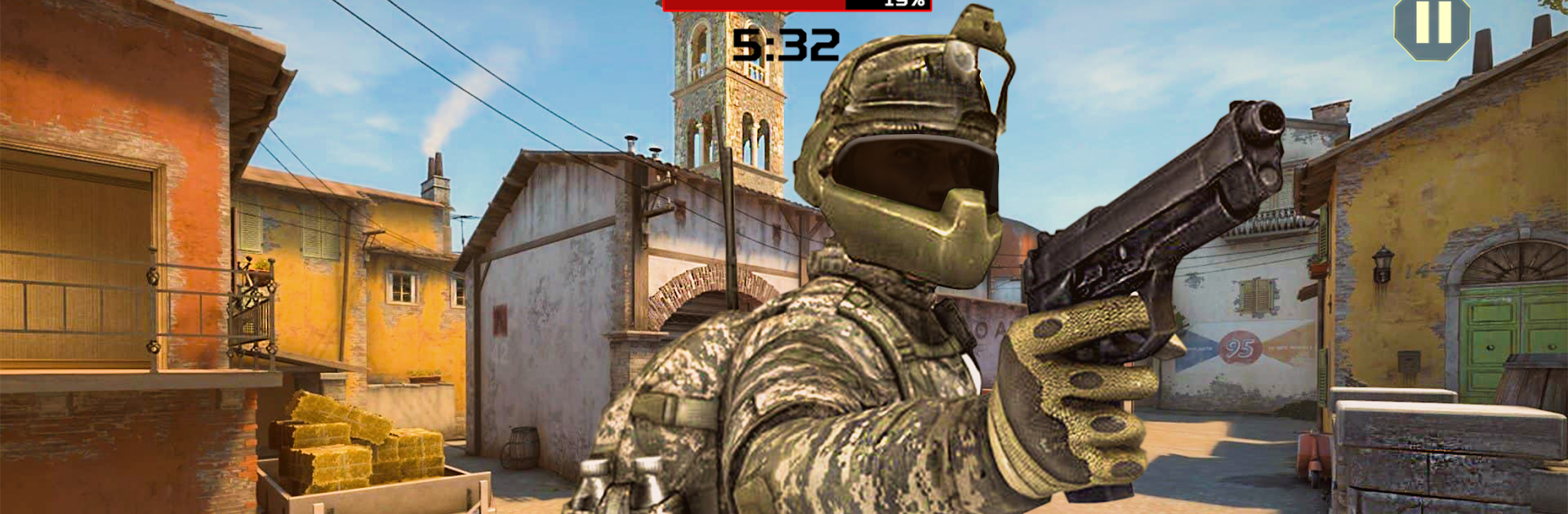
Firing Squad Shooter Arena: Fire Free Special Ops throws you into gritty, fast-paced shootouts where every decision matters. It blends survival battleground tension with special ops vibes, letting you swap between lone-wolf clutch plays and tight squad teamwork. It’s an Action title from Top Trends – Apps & Games that’s all about sharp aim, smart positioning, and that “last player standing” rush.

Game Features

  • Last-Man-Standing Survival
    Face off against rival operators in tense battle royale scenarios where outsmarting and outlasting your enemies is the whole game.

  • Special Ops Missions
    Jump into focused operations with a counter terrorist edge—secure zones, break enemy lines, and hold your ground when the heat kicks in.

  • Squad Tactics That Matter
    Roll with a survival squad, cover lanes, and time your pushes. Clean angles and good comms can flip a fight in seconds.

  • Modern Arsenal, Real Punch
    Work with assault rifles, SMGs, shotguns, and sniper rifles, plus throwables for cover and disruption. Pick what fits your style—close-quarters bruiser or patient marksman.

  • SWAT Sniper or Frontline Commando
    Switch roles depending on the match. Hold a sightline as a calm sniper or lead the charge with aggressive, in-your-face play.

  • Varied Battlegrounds
    Engage in open fields, tight alleys, and contested choke points. Expect clear sightlines one minute and claustrophobic corners the next.

  • Responsive Controls, Flexible Play
    Snappy movement and aiming keep firefights feeling fair. Prefer a keyboard and mouse? Playing on PC with BlueStacks gives you crisp control without changing the core feel.

  • Competitive PvP Energy
    Quick decisions, punchy time-to-kill, and constant pressure make every round a story—sometimes heroic, sometimes chaotic, always intense.

Get ready for a buttery smooth, high-performance gaming action only on BlueStacks.

Game Features

Enhancements

  • Macros
  • Multi Instance
  • Multi Instance Sync
  • Eco Mode
  • Enhancements
Macros

Macros

Skip the boring parts of a game. Play Firing Squad Shooter Arena: Fire Free Special Ops with Macros and get the edge. Simply record a sequence of commands and execute them at any moment.
Multi Instance

Multi Instance

Why limit to one game on your phone when you can play many on your PC? Open multiple instances of Firing Squad Shooter Arena: Fire Free Special Ops at once with Multi-Instance. Leverage the power of different accounts by doing more.
Multi Instance Sync

Multi Instance Sync

Get the best out of Firing Squad Shooter Arena: Fire Free Special Ops with Multi-Instance Sync. Play the game from different accounts and build your own empire. Use Multi-instance sync to repeat the action in the main BlueStacks instance on all other instances.
Eco Mode

Eco Mode

Find the rarest heroes by making multiple summons in Firing Squad Shooter Arena: Fire Free Special Ops. And while you are at it, reduce your PC’s resource consumption with the Eco Mode. Farm efficiently. Get the best results.
Read More

How to Download and Play Firing Squad Shooter Arena: Fire Free Special Ops on PC or Mac

  • Download and install BlueStacks on your PC or Mac

  • Complete Google sign-in to access the Play Store, or do it later

  • Look for Firing Squad Shooter Arena: Fire Free Special Ops in the search bar at the top right corner

  • Click to install Firing Squad Shooter Arena: Fire Free Special Ops from the search results

  • Complete Google sign-in (if you skipped step 2) to install Firing Squad Shooter Arena: Fire Free Special Ops

  • Click the Firing Squad Shooter Arena: Fire Free Special Ops icon on the home screen to start playing

video
Watch Video

Minimum System Requirements

With BlueStacks 5, you can get started on a PC that fulfills the following requirements.

  • Operating System

    Microsoft Windows 7 or above, macOS 11 (Big Sur) or above

  • Processor

    Intel, AMD or Apple Silicon Processor

  • RAM

    at least 4GB

  • HDD

    10GB Free Disk Space

Note:

* You must be an Administrator on your PC. Up to date graphics drivers from Microsoft or the chipset vendor.

Firing Squad Shooter Arena: Fire Free Special Ops - FAQs

  • How to play Firing Squad Shooter Arena: Fire Free Special Ops on Windows PC & Mac?

    Play Firing Squad Shooter Arena: Fire Free Special Ops on your PC or Mac by following these simple steps.

    • Click on 'Play Firing Squad Shooter Arena: Fire Free Special Ops on PC’ to download BlueStacks
    • Install it and log-in to Google Play Store
    • Launch and play the game.
  • Why is BlueStacks the fastest and safest platform to play games on PC?

    BlueStacks respects your privacy and is always safe and secure to use. It does not carry any malware, spyware, or any sort of additional software that could harm your PC.

    It is engineered to optimize speed and performance for a seamless gaming experience.

  • What are Firing Squad Shooter Arena: Fire Free Special Ops PC requirements?

    Minimum requirement to run Firing Squad Shooter Arena: Fire Free Special Ops on your PC

    • OS: Microsoft Windows 7 or above MacOS 11 (Big Sur) or above
    • Processor: Intel, AMD or Apple Silicon Processor
    • RAM: Your PC must have at least 4GB of RAM. (Note that having 4GB or more disk space is not a substitute for RAM)
    • HDD: 10GB Free Disk Space.
    • You must be an Administrator on your PC.