Gangster Mafia Crime 3d Game

Gangster Mafia Crime 3d Game

Action

| GameSpirit

Play on PC with BlueStacks or from our cloud

  • Overview
  • Game Features
  • How to Play

Page Modified On: June 25, 2026

Play Gangster Mafia Crime 3d Game on PC or Mac

Gangster Mafia Crime 3d Game brings the Action genre to life, and throws up exciting challenges for gamers. Developed by GameSpirit, this Android game is best experienced on BlueStacks, the World’s #1 app player for PC and Mac users.

About the Game

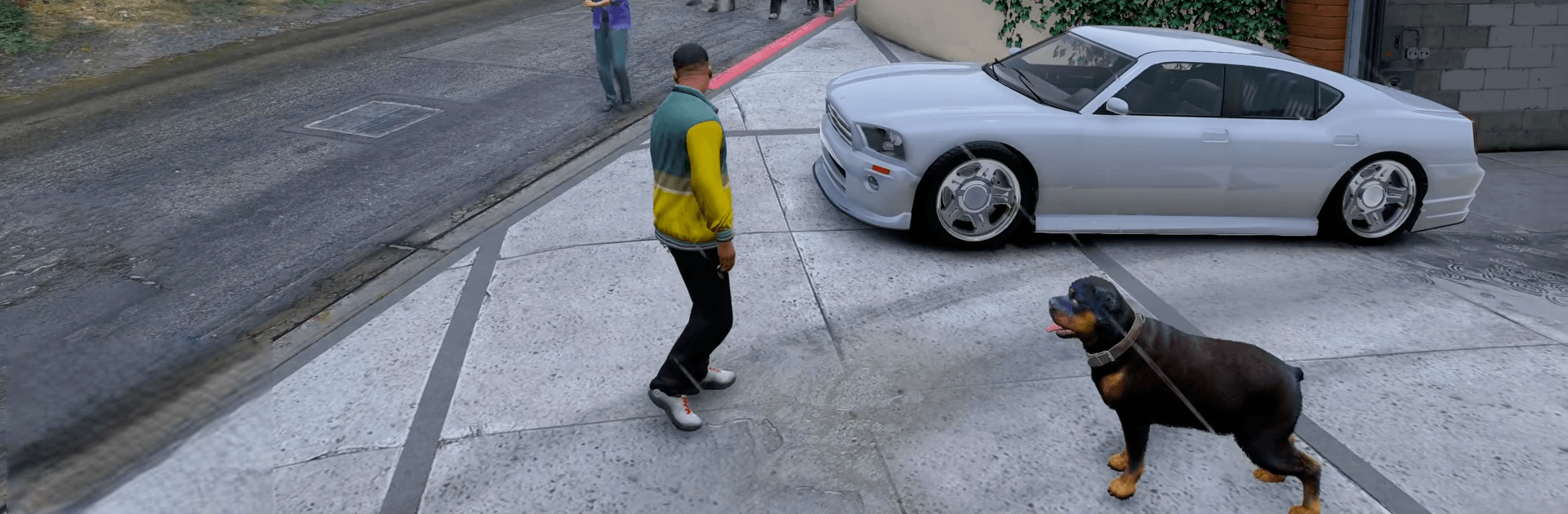
Gangster Mafia Crime 3d Game is an Action sandbox where you start as a small-time hustler and hustle your way into running the streets. It’s a big, messy, living city full of jobs to take, turf to claim, and trouble to outrun—playable completely offline. If you’re into playing on PC, it also feels great on BlueStacks with crisp controls.

Game Features

  • Open-world city: Wander through busy streets, shadowy alleys, rooftops, ports, and highways packed with traffic, pedestrians, and unexpected moments.
  • Vehicles and stunts: Jump into cars and bikes or take to the skies in a helicopter. Drift, hit ramps, and pull off wild jumps as you blaze across town.
  • Missions and heists: Tackle story-driven jobs, crack big scores, and fight for turf against rival crews while dodging the heat.
  • Turf wars: Push into enemy neighborhoods, defend what’s yours, and build a name that carries weight on every block.
  • Character and gear upgrades: Switch up your look, improve your loadout, and unlock tougher rides as your rep grows.
  • Crew building: Bring in loyal teammates to back you up during raids and street battles, then expand your operation one territory at a time.
  • Smooth play, anywhere: Responsive controls and punchy 3D visuals keep action tight, whether you’re chasing, escaping, or just causing chaos.
  • Offline anytime: No connection needed—pick up a quick mission or free roam whenever you’ve got a few minutes (or a few hours).

Ready to top the leaderboard? We bet you do. Let precise controls and sharp visuals optimized on BlueStacks lead you to victory.


Game Features

Enhancements

  • Macros
  • Multi Instance
  • Multi Instance Sync
  • Eco Mode
  • Enhancements
Macros

Macros

Skip the boring parts of a game. Play Gangster Mafia Crime 3d Game with Macros and get the edge. Simply record a sequence of commands and execute them at any moment.
Multi Instance

Multi Instance

Why limit to one game on your phone when you can play many on your PC? Open multiple instances of Gangster Mafia Crime 3d Game at once with Multi-Instance. Leverage the power of different accounts by doing more.
Multi Instance Sync

Multi Instance Sync

Get the best out of Gangster Mafia Crime 3d Game with Multi-Instance Sync. Play the game from different accounts and build your own empire. Use Multi-instance sync to repeat the action in the main BlueStacks instance on all other instances.
Eco Mode

Eco Mode

Find the rarest heroes by making multiple summons in Gangster Mafia Crime 3d Game. And while you are at it, reduce your PC’s resource consumption with the Eco Mode. Farm efficiently. Get the best results.
Read More

How to Download and Play Gangster Mafia Crime 3d Game on PC or Mac

  • Download and install BlueStacks on your PC or Mac

  • Complete Google sign-in to access the Play Store, or do it later

  • Look for Gangster Mafia Crime 3d Game in the search bar at the top right corner

  • Click to install Gangster Mafia Crime 3d Game from the search results

  • Complete Google sign-in (if you skipped step 2) to install Gangster Mafia Crime 3d Game

  • Click the Gangster Mafia Crime 3d Game icon on the home screen to start playing

video
Watch Video

Minimum System Requirements

With BlueStacks 5, you can get started on a PC that fulfills the following requirements.

  • Operating System

    Microsoft Windows 7 or above, macOS 11 (Big Sur) or above

  • Processor

    Intel, AMD or Apple Silicon Processor

  • RAM

    at least 4GB

  • HDD

    10GB Free Disk Space

Note:

* You must be an Administrator on your PC. Up to date graphics drivers from Microsoft or the chipset vendor.

Gangster Mafia Crime 3d Game - FAQs

  • How to play Gangster Mafia Crime 3d Game on Windows PC & Mac?

    Play Gangster Mafia Crime 3d Game on your PC or Mac by following these simple steps.

    • Click on 'Play Gangster Mafia Crime 3d Game on PC’ to download BlueStacks
    • Install it and log-in to Google Play Store
    • Launch and play the game.
  • Why is BlueStacks the fastest and safest platform to play games on PC?

    BlueStacks respects your privacy and is always safe and secure to use. It does not carry any malware, spyware, or any sort of additional software that could harm your PC.

    It is engineered to optimize speed and performance for a seamless gaming experience.

  • What are Gangster Mafia Crime 3d Game PC requirements?

    Minimum requirement to run Gangster Mafia Crime 3d Game on your PC

    • OS: Microsoft Windows 7 or above MacOS 11 (Big Sur) or above
    • Processor: Intel, AMD or Apple Silicon Processor
    • RAM: Your PC must have at least 4GB of RAM. (Note that having 4GB or more disk space is not a substitute for RAM)
    • HDD: 10GB Free Disk Space.
    • You must be an Administrator on your PC.