
Exclusive Gaming Content. And More.
Get the latest updates on the BlueStacks Blog.
See More

Note: GTA VI is not yet available on Android
Page Modified On: November 13, 2026
Grand Theft Auto VI is an Action-Adventure game developed by Rockstar Games. It launches on November 19, 2026 for PlayStation 5 and Xbox Series X|S. BlueStacks is the World’s #1 app player for playing Android games on PC and Mac, and this page will be updated if GTA VI comes to Android.
About the Game
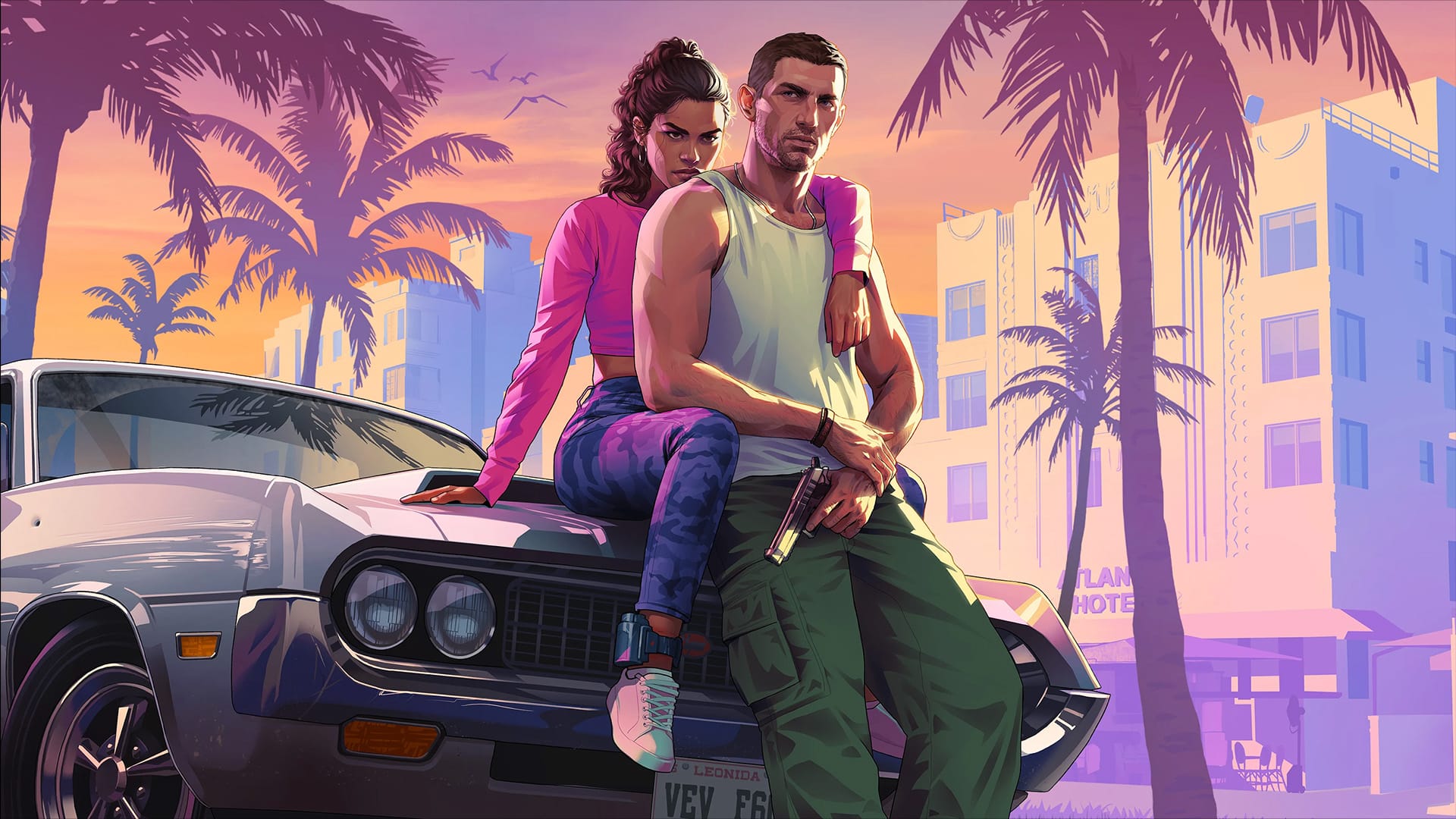
Grand Theft Auto VI takes you to the state of Leonida, home to the neon-soaked streets of Vice City and beyond. The story follows Jason Duval and Lucia Caminos, two partners in crime whose plans collapse when an easy score goes wrong. Pulled into a conspiracy stretching across the state, they have to rely on each other to make it out alive. It’s the first new mainline Grand Theft Auto since GTA V in 2013.
Game Features
Note: Grand Theft Auto VI is not currently available on Android, and Rockstar Games has not announced an Android version. Sign up to get a BlueStacks alert if that changes. Apps on mobile stores using the GTA VI name are not the official game.
Automate the predictable in Grand Theft Auto VI and transform your gameplay with Macros. Get access to inventive Macros in the BlueStacks Macro Community
Play Grand Theft Auto VI on one window. And chat with your friend on the other. Press CTRL + Shift + 8 to open the Multi-Instance Manager. And start creating fresh instances or clone an existing one.
Play Grand Theft Auto VI with the power of Multi-Instance Sync. Replicate what you are doing on the main instance on all other instances. Level up faster, play more.
Script your way to gaming glory in Grand Theft Auto VI with BlueStacks Script. Write and run a set of commands to automate repeated tasks. Trigger the command by assigning it to any key.
Download and install BlueStacks on your PC or Mac
Complete Google sign-in to access the Play Store, or do it later
Look for Grand Theft Auto VI in the search bar at the top right corner
Click to install Grand Theft Auto VI from the search results
Complete Google sign-in (if you skipped step 2) to install Grand Theft Auto VI
Click the Grand Theft Auto VI icon on the home screen to start playing
With BlueStacks 5, you can get started on a PC that fulfills the following requirements.
Microsoft Windows 7 or above, macOS 11 (Big Sur) or above
Intel, AMD or Apple Silicon Processor
at least 4GB
10GB Free Disk Space
* You must be an Administrator on your PC. Up to date graphics drivers from Microsoft or the chipset vendor.
Leave your email and we will notify
you when the game launches
Play Grand Theft Auto VI on your PC or Mac by following these simple steps.
BlueStacks respects your privacy and is always safe and secure to use. It does not carry any malware, spyware, or any sort of additional software that could harm your PC.
It is engineered to optimize speed and performance for a seamless gaming experience.
Minimum requirement to run Grand Theft Auto VI on your PC

Since you are on your phone, we are going to send you to the Google Play page.
In some cases BlueStacks uses affiliate links when linking to Google Play
BlueStacks 4 is not available on Windows XP. You must have Windows 7 or higher. Windows 10 is recommended.