Gun God: 5v5 TDM Arena

Gun God: 5v5 TDM Arena

Action

| Blast+

Play on PC with BlueStacks or from our cloud

  • Overview
  • Game Features
  • How to Play

Page Modified On: August 14, 2026

Play Gun God: 5v5 TDM Arena on PC or Mac

Gun God: 5v5 TDM Arena by Blast+ has plenty to keep you busy. BlueStacks lets you play it on PC or Mac with more screen space, better control, and fewer mobile limits.

About the Game

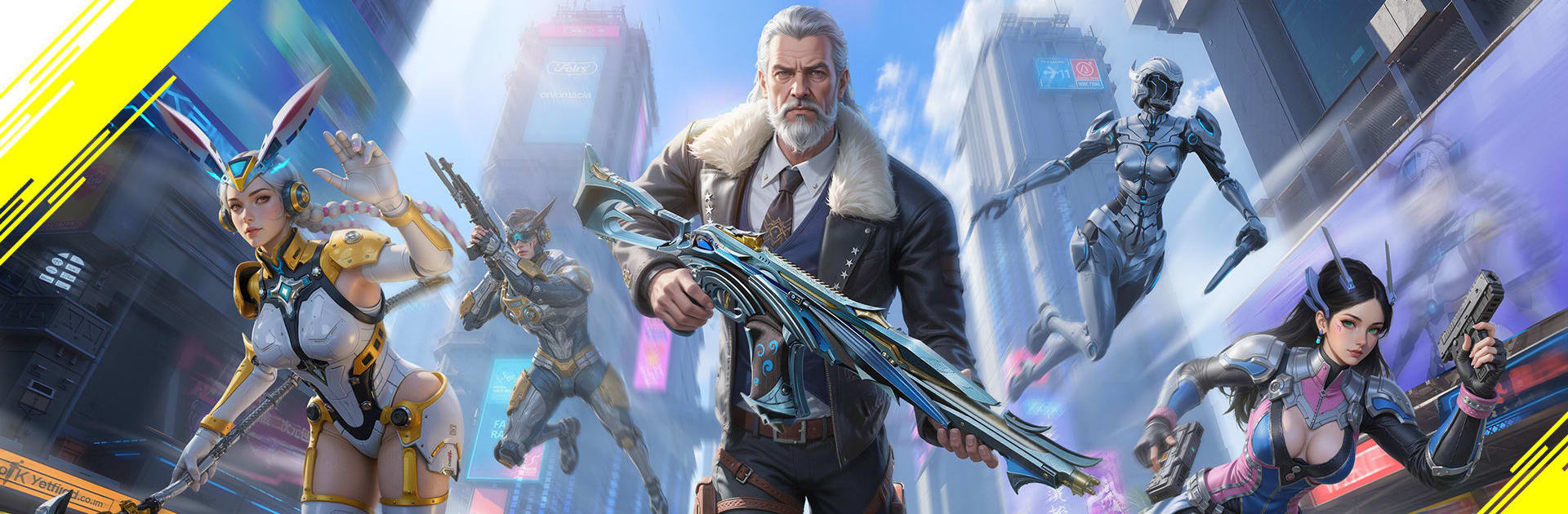
Gun God: 5v5 TDM Arena is all about fast firefights, goofy guns, and tight teamwork. This Action shooter mixes quick, competitive rounds with a playful arsenal, so one minute you’re clearing a site and the next you’re blasting someone with a Chicken Gun. Expect compact maps, speedy respawns, and a weapon system that lets you get creative without getting complicated. It even plays nicely on BlueStacks if you like a bigger screen and crisp controls.

Game Features

  • Lightweight install: A tiny download (around 40 MB) that’s quick to grab and easy on storage, with smooth performance on everyday hardware.
  • 5v5 multiplayer mayhem: Squad up, push objectives, and keep the pace high thanks to near-instant, two-second respawns in Team Deathmatch.
  • Modes for every mood: Pick from 20+ options, including Classic TDM, 5v5 Bomb Defuse, Zombie Survival, and the wonderfully chaotic Big Head Mode.
  • Meme-worthy arsenal: Swing between serious and silly with the Chicken Gun, Corgi Gun, and slick sci‑fi blasters that turn highlight reels into comedy shows.
  • Craft your own power: Merge parts in the Gun Factory to build over-the-top creations tailored to your aim style and favorite engagements.
  • Earn as you play: Unlock new weapons and stylish skins by putting in matches—performance decides your progress, not purchases.
  • Easy to pick up: Smart auto-aim gives newcomers a gentle assist without taking over, so you can focus on positioning, timing, and making those shots count.
  • Snappy match flow: Short rounds, quick queues, and fast resets let you jump in for a few clutch plays or grind a longer session without downtime.

Ready to top the leaderboard? We bet you do. Let precise controls and sharp visuals optimized on BlueStacks lead you to victory.


Game Features

Enhancements

  • Macros
  • Multi Instance
  • Multi Instance Sync
  • Eco Mode
  • Enhancements
Macros

Macros

Skip the boring parts of a game. Play Gun God: 5v5 TDM Arena with Macros and get the edge. Simply record a sequence of commands and execute them at any moment.
Multi Instance

Multi Instance

Why limit to one game on your phone when you can play many on your PC? Open multiple instances of Gun God: 5v5 TDM Arena at once with Multi-Instance. Leverage the power of different accounts by doing more.
Multi Instance Sync

Multi Instance Sync

Get the best out of Gun God: 5v5 TDM Arena with Multi-Instance Sync. Play the game from different accounts and build your own empire. Use Multi-instance sync to repeat the action in the main BlueStacks instance on all other instances.
Eco Mode

Eco Mode

Find the rarest heroes by making multiple summons in Gun God: 5v5 TDM Arena. And while you are at it, reduce your PC’s resource consumption with the Eco Mode. Farm efficiently. Get the best results.
Read More

How to Download and Play Gun God: 5v5 TDM Arena on PC or Mac

  • Download and install BlueStacks on your PC or Mac

  • Complete Google sign-in to access the Play Store, or do it later

  • Look for Gun God: 5v5 TDM Arena in the search bar at the top right corner

  • Click to install Gun God: 5v5 TDM Arena from the search results

  • Complete Google sign-in (if you skipped step 2) to install Gun God: 5v5 TDM Arena

  • Click the Gun God: 5v5 TDM Arena icon on the home screen to start playing

video
Watch Video

Minimum System Requirements

With BlueStacks 5, you can get started on a PC that fulfills the following requirements.

  • Operating System

    Microsoft Windows 7 or above, macOS 11 (Big Sur) or above

  • Processor

    Intel, AMD or Apple Silicon Processor

  • RAM

    at least 4GB

  • HDD

    10GB Free Disk Space

Note:

* You must be an Administrator on your PC. Up to date graphics drivers from Microsoft or the chipset vendor.

Gun God: 5v5 TDM Arena - FAQs

  • How to play Gun God: 5v5 TDM Arena on Windows PC & Mac?

    Play Gun God: 5v5 TDM Arena on your PC or Mac by following these simple steps.

    • Click on 'Play Gun God: 5v5 TDM Arena on PC’ to download BlueStacks
    • Install it and log-in to Google Play Store
    • Launch and play the game.
  • Why is BlueStacks the fastest and safest platform to play games on PC?

    BlueStacks respects your privacy and is always safe and secure to use. It does not carry any malware, spyware, or any sort of additional software that could harm your PC.

    It is engineered to optimize speed and performance for a seamless gaming experience.

  • What are Gun God: 5v5 TDM Arena PC requirements?

    Minimum requirement to run Gun God: 5v5 TDM Arena on your PC

    • OS: Microsoft Windows 7 or above MacOS 11 (Big Sur) or above
    • Processor: Intel, AMD or Apple Silicon Processor
    • RAM: Your PC must have at least 4GB of RAM. (Note that having 4GB or more disk space is not a substitute for RAM)
    • HDD: 10GB Free Disk Space.
    • You must be an Administrator on your PC.