Nextbots in backrooms Obunga

Nextbots in backrooms Obunga

Action

| Payge Limited

Play on PC with BlueStacks or from our cloud

  • Overview
  • Game Features
  • How to Play

Page Modified On: October 24, 2025

Play Nextbots in backrooms Obunga on PC or Mac

Step into the World of Nextbots in backrooms Obunga, a thrilling Action game from the house of Payge Limited. Play this Android game on BlueStacks App Player and experience immersive gaming on PC or Mac.

About the Game

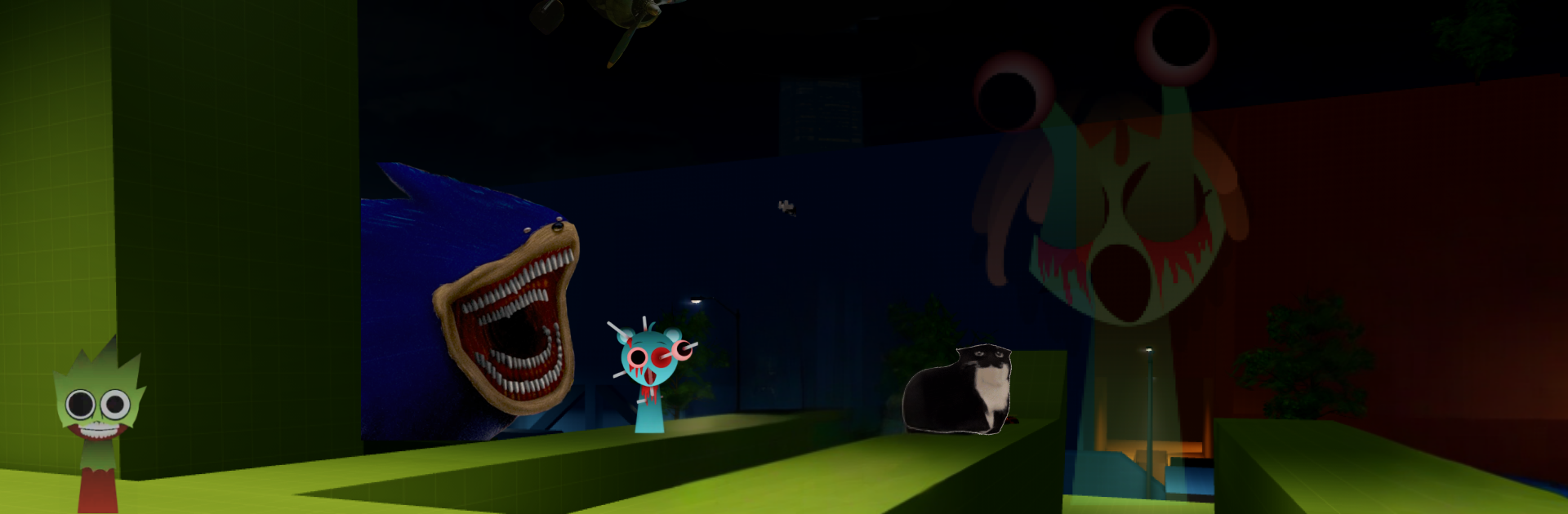
Nextbots in backrooms Obunga throws you into a nerve-wracking maze where internet-famous nightmares won’t stop chasing. This Action thriller from Payge Limited is all about quick thinking, quick feet, and listening for the one sound you don’t want to hear. Every run reshuffles the labyrinth, so you’re never comfy for long—think you know the path? Think again. Prefer a keyboard and mouse? It plays smoothly on BlueStacks, too.

Game Features

  • Relentless Nextbots: Unsettling, meme-fueled pursuers with distinct personalities and pace keep the pressure on from the first corner to the last.
  • Shifting Backrooms: Wander a sprawling maze that rearranges each session, packed with looping halls, dead ends, and just enough light to make you question every turn.
  • Meme Hunter Mode: Unlock wild, collectible characters with unique abilities in a dedicated mode built for experimentation and bragging rights.
  • Fast, High-Stakes Escapes: Sprint, juke, and thread tight angles to extend your run by seconds—because seconds matter here.
  • Tension-Heavy Atmosphere: Eerie sound cues, echoing footsteps, and sudden chases turn simple paths into panic-inducing decisions.
  • Pick-Up-and-Play Sessions: Short runs, endless replay value; chase personal bests and see how long you can actually hold your nerve.
  • Smooth on PC with BlueStacks: If you like tighter movement and precise inputs, playing through BlueStacks feels right at home without changing the vibe.

Make your gaming sessions memorable with precise controls that give you an edge in close combats and visuals that pop up, bringing every character to life.


Game Features

Enhancements

  • Macros
  • Multi Instance
  • Multi Instance Sync
  • Eco Mode
  • Enhancements
Macros

Macros

Skip the boring parts of a game. Play Nextbots in backrooms Obunga with Macros and get the edge. Simply record a sequence of commands and execute them at any moment.
Multi Instance

Multi Instance

Why limit to one game on your phone when you can play many on your PC? Open multiple instances of Nextbots in backrooms Obunga at once with Multi-Instance. Leverage the power of different accounts by doing more.
Multi Instance Sync

Multi Instance Sync

Get the best out of Nextbots in backrooms Obunga with Multi-Instance Sync. Play the game from different accounts and build your own empire. Use Multi-instance sync to repeat the action in the main BlueStacks instance on all other instances.
Eco Mode

Eco Mode

Find the rarest heroes by making multiple summons in Nextbots in backrooms Obunga. And while you are at it, reduce your PC’s resource consumption with the Eco Mode. Farm efficiently. Get the best results.
Read More

How to Download and Play Nextbots in backrooms Obunga on PC or Mac

  • Download and install BlueStacks on your PC or Mac

  • Complete Google sign-in to access the Play Store, or do it later

  • Look for Nextbots in backrooms Obunga in the search bar at the top right corner

  • Click to install Nextbots in backrooms Obunga from the search results

  • Complete Google sign-in (if you skipped step 2) to install Nextbots in backrooms Obunga

  • Click the Nextbots in backrooms Obunga icon on the home screen to start playing

video
Watch Video

Minimum System Requirements

With BlueStacks 5, you can get started on a PC that fulfills the following requirements.

  • Operating System

    Microsoft Windows 7 or above, macOS 11 (Big Sur) or above

  • Processor

    Intel, AMD or Apple Silicon Processor

  • RAM

    at least 4GB

  • HDD

    10GB Free Disk Space

Note:

* You must be an Administrator on your PC. Up to date graphics drivers from Microsoft or the chipset vendor.

Nextbots in backrooms Obunga - FAQs

  • How to play Nextbots in backrooms Obunga on Windows PC & Mac?

    Play Nextbots in backrooms Obunga on your PC or Mac by following these simple steps.

    • Click on 'Play Nextbots in backrooms Obunga on PC’ to download BlueStacks
    • Install it and log-in to Google Play Store
    • Launch and play the game.
  • Why is BlueStacks the fastest and safest platform to play games on PC?

    BlueStacks respects your privacy and is always safe and secure to use. It does not carry any malware, spyware, or any sort of additional software that could harm your PC.

    It is engineered to optimize speed and performance for a seamless gaming experience.

  • What are Nextbots in backrooms Obunga PC requirements?

    Minimum requirement to run Nextbots in backrooms Obunga on your PC

    • OS: Microsoft Windows 7 or above MacOS 11 (Big Sur) or above
    • Processor: Intel, AMD or Apple Silicon Processor
    • RAM: Your PC must have at least 4GB of RAM. (Note that having 4GB or more disk space is not a substitute for RAM)
    • HDD: 10GB Free Disk Space.
    • You must be an Administrator on your PC.