Ninja Archer Assassin FPS Shooter: 3D Offline Game

Ninja Archer Assassin FPS Shooter: 3D Offline Game

Action

| Vital Games Production

Play on PC with BlueStacks or from our cloud

  • Overview
  • Game Features
  • How to Play

Page Modified On: June 17, 2026

Play Ninja Archer Assassin FPS Shooter: 3D Offline Game on PC or Mac

Play Ninja Archer Assassin FPS Shooter: 3D Offline Game by Vital Games Production on PC or Mac with BlueStacks. Use a bigger screen, mouse and keyboard controls, and smoother performance while you play.

About the Game

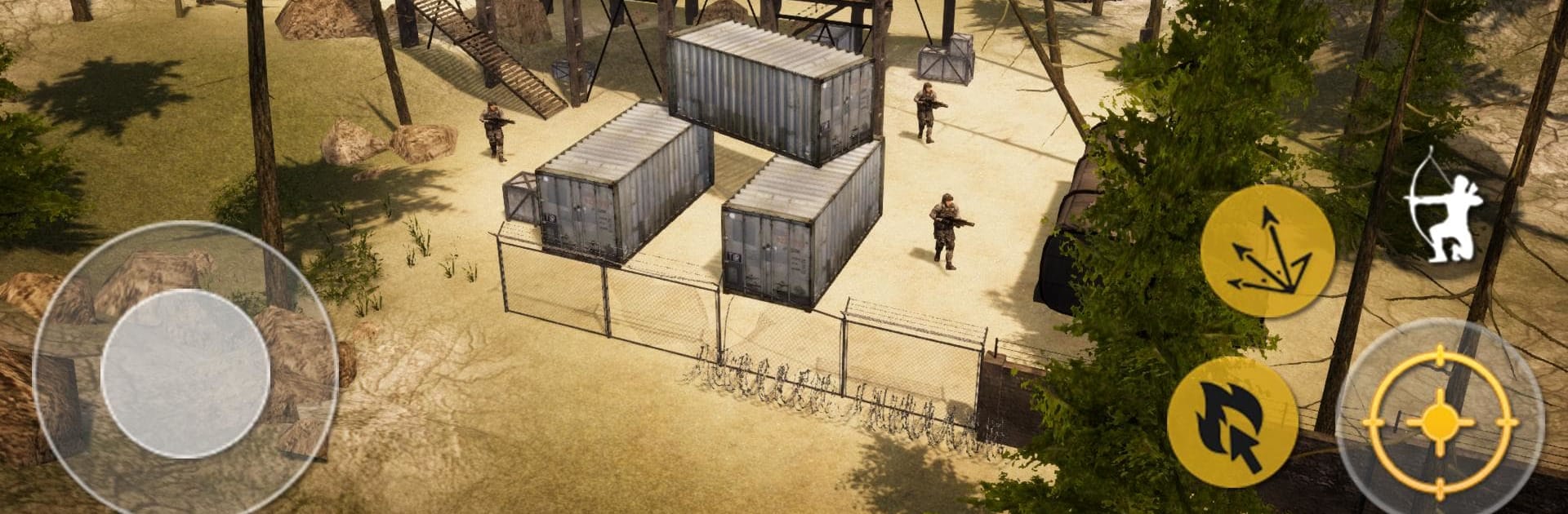
Ninja Archer Assassin FPS Shooter: 3D Offline Game puts a bow in your hands and dares you to outsmart squads with guns. It’s a first-person Action mix of stealth and razor‑quick shots, where a single well-placed arrow can turn a messy fight into a clean getaway. Expect tense infiltration, rooftop angles, and that sweet rush when your shot lands exactly where you aimed.

Game Features

  • Archery-first FPS – Swap gunfire for precision bows and arrows. Line up quiet headshots, snap-shoot under pressure, and make every release count.
  • Sneak, sprint, and strike – Slip past patrols, pop from cover, and use rooftops to nail perfect vantage points before anyone knows you’re there.
  • Mission-based progression – Clear outposts and push through chapters as tougher defenses appear and new objectives raise the stakes.
  • Your tactical toolkit – Try different bows and arrow types to match your style—range, power, or rapid follow-ups.
  • Smooth, responsive aiming – Snappy controls keep the focus on timing and accuracy. If a shot whiffs, that’s on you, not the interface.
  • Crisp 3D presentation – Clean animations, sharp environments, and satisfying sound make each draw and release feel legit.
  • Plays great offline – Jump into missions anytime, no connection required after install.
  • PC-friendly with BlueStacks – Prefer mouse precision and steady frames? It runs nicely there without changing the core feel.

BlueStacks gives you more room to focus on the game and less time adjusting around mobile limitations.


Game Features

Enhancements

  • Macros
  • Multi Instance
  • Multi Instance Sync
  • Eco Mode
  • Enhancements
Macros

Macros

Skip the boring parts of a game. Play Ninja Archer Assassin FPS Shooter: 3D Offline Game with Macros and get the edge. Simply record a sequence of commands and execute them at any moment.
Multi Instance

Multi Instance

Why limit to one game on your phone when you can play many on your PC? Open multiple instances of Ninja Archer Assassin FPS Shooter: 3D Offline Game at once with Multi-Instance. Leverage the power of different accounts by doing more.
Multi Instance Sync

Multi Instance Sync

Get the best out of Ninja Archer Assassin FPS Shooter: 3D Offline Game with Multi-Instance Sync. Play the game from different accounts and build your own empire. Use Multi-instance sync to repeat the action in the main BlueStacks instance on all other instances.
Eco Mode

Eco Mode

Find the rarest heroes by making multiple summons in Ninja Archer Assassin FPS Shooter: 3D Offline Game. And while you are at it, reduce your PC’s resource consumption with the Eco Mode. Farm efficiently. Get the best results.
Read More

How to Download and Play Ninja Archer Assassin FPS Shooter: 3D Offline Game on PC or Mac

  • Download and install BlueStacks on your PC or Mac

  • Complete Google sign-in to access the Play Store, or do it later

  • Look for Ninja Archer Assassin FPS Shooter: 3D Offline Game in the search bar at the top right corner

  • Click to install Ninja Archer Assassin FPS Shooter: 3D Offline Game from the search results

  • Complete Google sign-in (if you skipped step 2) to install Ninja Archer Assassin FPS Shooter: 3D Offline Game

  • Click the Ninja Archer Assassin FPS Shooter: 3D Offline Game icon on the home screen to start playing

video
Watch Video

Minimum System Requirements

With BlueStacks 5, you can get started on a PC that fulfills the following requirements.

  • Operating System

    Microsoft Windows 7 or above, macOS 11 (Big Sur) or above

  • Processor

    Intel, AMD or Apple Silicon Processor

  • RAM

    at least 4GB

  • HDD

    10GB Free Disk Space

Note:

* You must be an Administrator on your PC. Up to date graphics drivers from Microsoft or the chipset vendor.

Ninja Archer Assassin FPS Shooter: 3D Offline Game - FAQs

  • How to play Ninja Archer Assassin FPS Shooter: 3D Offline Game on Windows PC & Mac?

    Play Ninja Archer Assassin FPS Shooter: 3D Offline Game on your PC or Mac by following these simple steps.

    • Click on 'Play Ninja Archer Assassin FPS Shooter: 3D Offline Game on PC’ to download BlueStacks
    • Install it and log-in to Google Play Store
    • Launch and play the game.
  • Why is BlueStacks the fastest and safest platform to play games on PC?

    BlueStacks respects your privacy and is always safe and secure to use. It does not carry any malware, spyware, or any sort of additional software that could harm your PC.

    It is engineered to optimize speed and performance for a seamless gaming experience.

  • What are Ninja Archer Assassin FPS Shooter: 3D Offline Game PC requirements?

    Minimum requirement to run Ninja Archer Assassin FPS Shooter: 3D Offline Game on your PC

    • OS: Microsoft Windows 7 or above MacOS 11 (Big Sur) or above
    • Processor: Intel, AMD or Apple Silicon Processor
    • RAM: Your PC must have at least 4GB of RAM. (Note that having 4GB or more disk space is not a substitute for RAM)
    • HDD: 10GB Free Disk Space.
    • You must be an Administrator on your PC.