OverPeak : Action Game

OverPeak : Action Game

Action

| R-USER Games

Play on PC with BlueStacks or from our cloud

  • Overview
  • Game Features
  • How to Play

Page Modified On: October 07, 2026

Play OverPeak : Action Game on PC or Mac

Play OverPeak : Action Game by R-USER Games on PC or Mac with BlueStacks. Use a bigger screen, mouse and keyboard controls, and smoother performance while you play.

About the Game

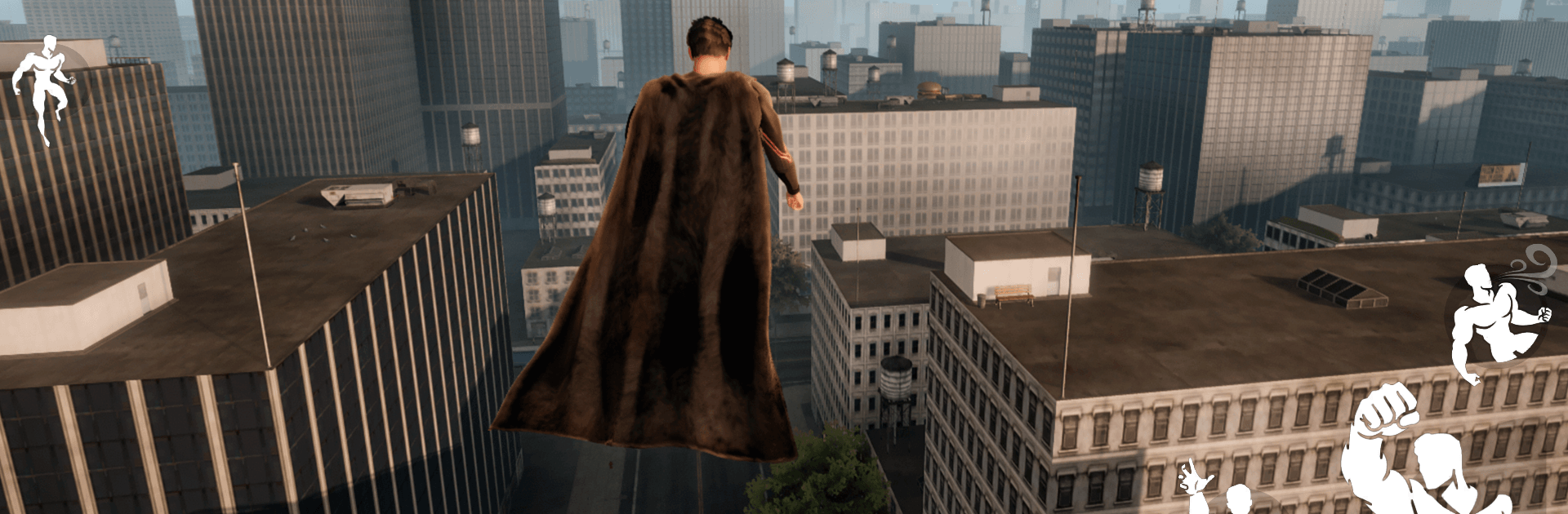
OverPeak : Action Game throws you into Prism City as Jason Fieldway—Subject OP—dragged back from the grave with frightening new abilities. This open-world sandbox leans hard into the Action vibe, letting you tear through structures, bend the elements to your will, and decide whether you’re the city’s protector or its worst nightmare; it even plays nicely on BlueStacks if you prefer keyboard-and-mouse control. Your revenge against the corporation that broke you is messy, personal, and entirely in your hands.

Game Features

  • Destructible City Sandbox: Turn entire blocks into debris by blasting holes through walls, cracking supports, and shredding props across the map.
  • Structural Damage and Collapses: Target weak points and watch buildings buckle, pancake, and reshape the battlefield in real time.
  • Elemental Powers: Unleash thermal beams, freeze foes solid, hurl explosive fire bursts, and whip up cutting winds to dominate any encounter.
  • Free Flight and Space Travel: Soar over skyscrapers, hover for precision attacks, then punch through the clouds and head into orbit whenever you feel like it.
  • Brutal Combat and Gore: Expect savage takedowns, high-impact hits, and fights that get messy fast.
  • Save-or-Destroy Choices: Rescue civilians, sow chaos, or remove anyone in your way—the game keeps track of every call you make.
  • Dynamic Reputation: Your actions change how authorities and bystanders treat you, from cautious praise to sheer panic.
  • Story of Resurrection and Revenge: Step into the boots of a resurrected test subject pursuing payback against the suits who turned him into a weapon.
  • Emergent Chaos: Chain powers, traversal, and destruction to create spontaneous set pieces and wildly unpredictable moments.

Ready to top the leaderboard? We bet you do. Let precise controls and sharp visuals optimized on BlueStacks lead you to victory.


Game Features

Enhancements

  • Macros
  • Multi Instance
  • Multi Instance Sync
  • Eco Mode
  • Enhancements
Macros

Macros

Skip the boring parts of a game. Play OverPeak : Action Game with Macros and get the edge. Simply record a sequence of commands and execute them at any moment.
Multi Instance

Multi Instance

Why limit to one game on your phone when you can play many on your PC? Open multiple instances of OverPeak : Action Game at once with Multi-Instance. Leverage the power of different accounts by doing more.
Multi Instance Sync

Multi Instance Sync

Get the best out of OverPeak : Action Game with Multi-Instance Sync. Play the game from different accounts and build your own empire. Use Multi-instance sync to repeat the action in the main BlueStacks instance on all other instances.
Eco Mode

Eco Mode

Find the rarest heroes by making multiple summons in OverPeak : Action Game. And while you are at it, reduce your PC’s resource consumption with the Eco Mode. Farm efficiently. Get the best results.
Read More

How to Download and Play OverPeak : Action Game on PC or Mac

  • Download and install BlueStacks on your PC or Mac

  • Complete Google sign-in to access the Play Store, or do it later

  • Look for OverPeak : Action Game in the search bar at the top right corner

  • Click to install OverPeak : Action Game from the search results

  • Complete Google sign-in (if you skipped step 2) to install OverPeak : Action Game

  • Click the OverPeak : Action Game icon on the home screen to start playing

video
Watch Video

Minimum System Requirements

With BlueStacks 5, you can get started on a PC that fulfills the following requirements.

  • Operating System

    Microsoft Windows 7 or above, macOS 11 (Big Sur) or above

  • Processor

    Intel, AMD or Apple Silicon Processor

  • RAM

    at least 4GB

  • HDD

    10GB Free Disk Space

Note:

* You must be an Administrator on your PC. Up to date graphics drivers from Microsoft or the chipset vendor.

OverPeak : Action Game - FAQs

  • How to play OverPeak : Action Game on Windows PC & Mac?

    Play OverPeak : Action Game on your PC or Mac by following these simple steps.

    • Click on 'Play OverPeak : Action Game on PC’ to download BlueStacks
    • Install it and log-in to Google Play Store
    • Launch and play the game.
  • Why is BlueStacks the fastest and safest platform to play games on PC?

    BlueStacks respects your privacy and is always safe and secure to use. It does not carry any malware, spyware, or any sort of additional software that could harm your PC.

    It is engineered to optimize speed and performance for a seamless gaming experience.

  • What are OverPeak : Action Game PC requirements?

    Minimum requirement to run OverPeak : Action Game on your PC

    • OS: Microsoft Windows 7 or above MacOS 11 (Big Sur) or above
    • Processor: Intel, AMD or Apple Silicon Processor
    • RAM: Your PC must have at least 4GB of RAM. (Note that having 4GB or more disk space is not a substitute for RAM)
    • HDD: 10GB Free Disk Space.
    • You must be an Administrator on your PC.