Ragdoll Dismount: Bone Breaker

Ragdoll Dismount: Bone Breaker

Action

| OneSky Game

Play on PC with BlueStacks or from our cloud

  • Overview
  • Game Features
  • How to Play

Page Modified On: August 11, 2025

Play Ragdoll Dismount: Bone Breaker on PC or Mac

Bring your A-game to Ragdoll Dismount: Bone Breaker, the Action game sensation from OneSky Game. Give your gameplay the much-needed boost with precise game controls, high FPS graphics, and top-tier features on your PC or Mac with BlueStacks.

About the Game

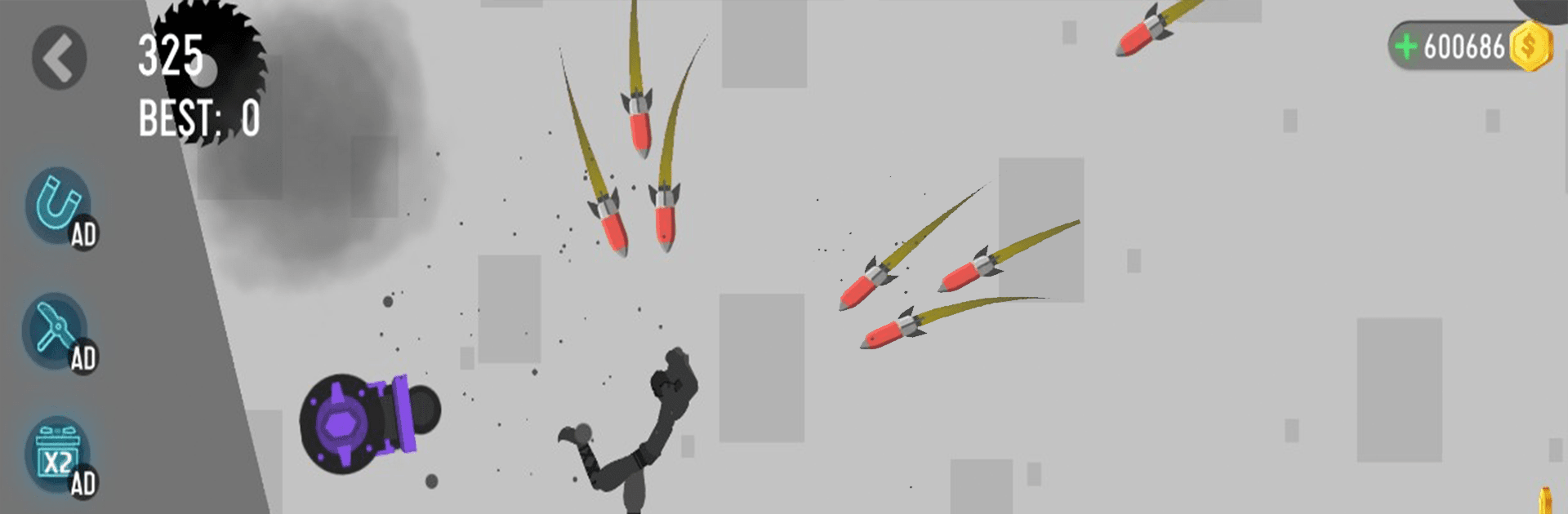
Ragdoll Dismount: Bone Breaker isn’t your everyday action game—it’s way more chaotic, unexpected, and honestly, a little hilarious. Here, your goal isn’t just to win, but to launch your stickman into some truly wild situations, watching as they tumble, crash, and collect as many bone-breaking moments as possible. Get ready for those laugh-out-loud stunts and a whole bunch of creative mayhem each round.

Game Features

  • Wild Stunt Physics
    You’ll find over-the-top ragdoll physics front and center. The harder you push your stickman, the more ridiculous (and entertaining) their crash landings will get.

  • Tons of Tricks and Deadly Traps
    It’s not just about going down a hill—there are all kinds of objects and traps to smash into: think spiky floors, spinning blades, and plenty of other surprises you definitely wouldn’t want to meet in real life.

  • Choose Your Ride
    Feel like ramping up the chaos? Pick from a selection of vehicles, whether you want to speed off in a car or test your luck with a motorbike. Each one flings your stickman in its own special way.

  • Mix Up Poses and Gear
    Decide on the most hilarious or hazardous pose before you send your stickman flying. Want to shake things up? Swap out gear and vehicles to experiment with just how much damage you can pile on.

  • Endless Levels, Crazy Challenges
    There’s no shortage of bone-breaking fun here, with an unlimited number of levels and traps. New obstacles keep things fresh, and you never really know what’s around the next corner.

  • Realistic Crashes and Smashes
    Each fall, flip, and impact makes you wince—and laugh at the same time—thanks to collisions that just look and sound spot-on.

  • Easy Controls, Unexpected Outcomes
    Just hold to boost your launch power and set your unlucky stickman on their doomed path. Simple to play, but you’ll want to try every combination just to see what happens.

If you want to see even bigger chaos, you can fire up Ragdoll Dismount: Bone Breaker on BlueStacks and enjoy all the cartilage-crunching action on a larger screen.

Get ready for a buttery smooth, high-performance gaming action only on BlueStacks.

Game Features

Enhancements

  • Macros
  • Multi Instance
  • Multi Instance Sync
  • Eco Mode
  • Enhancements
Macros

Macros

Skip the boring parts of a game. Play Ragdoll Dismount: Bone Breaker with Macros and get the edge. Simply record a sequence of commands and execute them at any moment.
Multi Instance

Multi Instance

Why limit to one game on your phone when you can play many on your PC? Open multiple instances of Ragdoll Dismount: Bone Breaker at once with Multi-Instance. Leverage the power of different accounts by doing more.
Multi Instance Sync

Multi Instance Sync

Get the best out of Ragdoll Dismount: Bone Breaker with Multi-Instance Sync. Play the game from different accounts and build your own empire. Use Multi-instance sync to repeat the action in the main BlueStacks instance on all other instances.
Eco Mode

Eco Mode

Find the rarest heroes by making multiple summons in Ragdoll Dismount: Bone Breaker. And while you are at it, reduce your PC’s resource consumption with the Eco Mode. Farm efficiently. Get the best results.
Read More

How to Download and Play Ragdoll Dismount: Bone Breaker on PC or Mac

  • Download and install BlueStacks on your PC or Mac

  • Complete Google sign-in to access the Play Store, or do it later

  • Look for Ragdoll Dismount: Bone Breaker in the search bar at the top right corner

  • Click to install Ragdoll Dismount: Bone Breaker from the search results

  • Complete Google sign-in (if you skipped step 2) to install Ragdoll Dismount: Bone Breaker

  • Click the Ragdoll Dismount: Bone Breaker icon on the home screen to start playing

video
Watch Video

Minimum System Requirements

With BlueStacks 5, you can get started on a PC that fulfills the following requirements.

  • Operating System

    Microsoft Windows 7 or above, macOS 11 (Big Sur) or above

  • Processor

    Intel, AMD or Apple Silicon Processor

  • RAM

    at least 4GB

  • HDD

    10GB Free Disk Space

Note:

* You must be an Administrator on your PC. Up to date graphics drivers from Microsoft or the chipset vendor.

Ragdoll Dismount: Bone Breaker - FAQs

  • How to play Ragdoll Dismount: Bone Breaker on Windows PC & Mac?

    Play Ragdoll Dismount: Bone Breaker on your PC or Mac by following these simple steps.

    • Click on 'Play Ragdoll Dismount: Bone Breaker on PC’ to download BlueStacks
    • Install it and log-in to Google Play Store
    • Launch and play the game.
  • Why is BlueStacks the fastest and safest platform to play games on PC?

    BlueStacks respects your privacy and is always safe and secure to use. It does not carry any malware, spyware, or any sort of additional software that could harm your PC.

    It is engineered to optimize speed and performance for a seamless gaming experience.

  • What are Ragdoll Dismount: Bone Breaker PC requirements?

    Minimum requirement to run Ragdoll Dismount: Bone Breaker on your PC

    • OS: Microsoft Windows 7 or above MacOS 11 (Big Sur) or above
    • Processor: Intel, AMD or Apple Silicon Processor
    • RAM: Your PC must have at least 4GB of RAM. (Note that having 4GB or more disk space is not a substitute for RAM)
    • HDD: 10GB Free Disk Space.
    • You must be an Administrator on your PC.