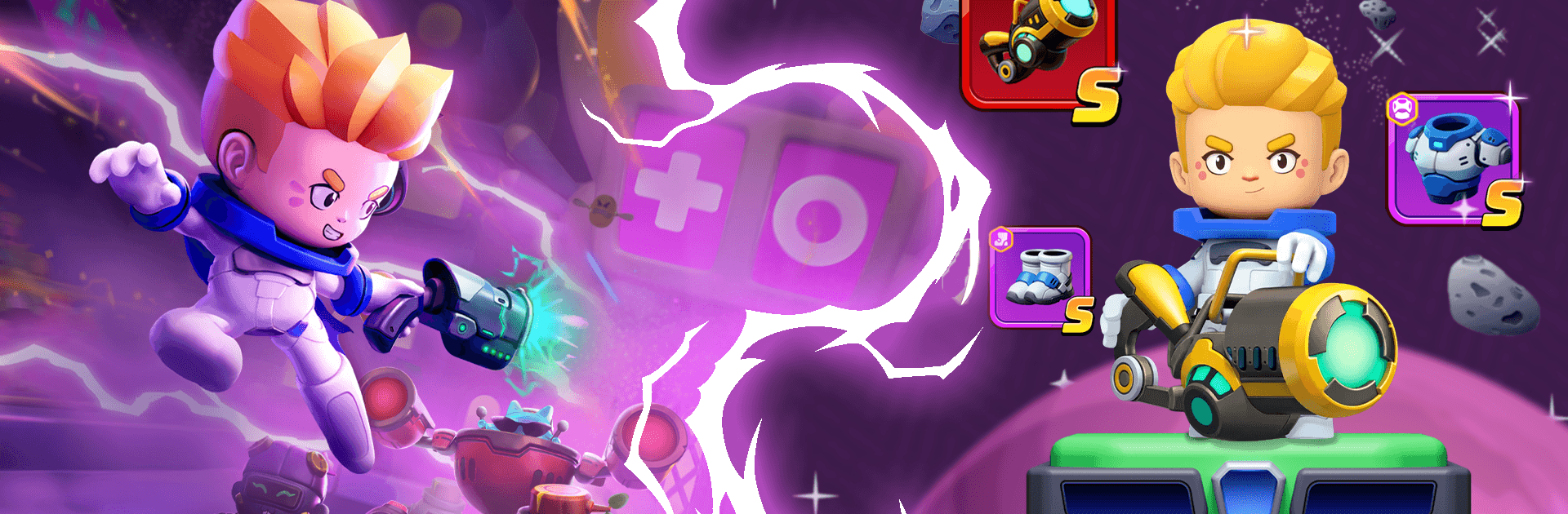
Star Blaster: Shooting Game

Star Blaster: Shooting Game

Action

| Enigma Publishing Limited

Play on PC with BlueStacks or from our cloud

  • Overview
  • Game Features
  • How to Play

Page Modified On: April 24, 2026

Play Star Blaster: Shooting Game on PC or Mac

Star Blaster: Shooting Game brings the Action genre to life, and throws up exciting challenges for gamers. Developed by Enigma Publishing Limited, this Android game is best experienced on BlueStacks, the World’s #1 app player for PC and Mac users.

About the Game

Star Blaster: Shooting Game throws you into fast, chaotic space combat with a roguelike twist. It’s an Action title from Enigma Publishing Limited where every run feels fresh, every choice matters, and every close call gets your heart racing. Build a scrappy, overpowered pilot on the fly, then see how far you can push through hostile sectors and surprise encounters.

Game Features

  • Procedural encounters: No two runs line up the same. Expect shifting enemy formations, tricky hazards, and unpredictable rewards that keep you reacting and experimenting.
  • Big sci‑fi arsenal: From crisp energy blasters to heavy plasma cannons, each weapon has its own rhythm and punch. Mix fire modes, stack upgrades, and find a loadout that fits your reflexes.
  • Power Card builds: Slot in cards to shape your playstyle—burst damage, survivability, crowd control, or wild combo chains. Smart synergies can turn a tight spot into a highlight reel.
  • Disk collectibles: Track down rare Disks that grant passive boosts and unique perks. The right set can tilt tough fights in your favor and open up bold strategies.
  • Explore strange space: Hop between eerie planets, derelict stations, and cosmic anomalies. Hidden stashes and optional challenges reward curiosity and nerve.
  • Adaptive progression: Tougher foes demand tweaks on the fly. Upgrade your pilot between encounters, refine your kit, and stay one step ahead of escalating threats.
  • Quick, responsive play: Snappy controls make it easy to jump in for a short session—or grind a deep run that snowballs into screen-filling chaos.
  • PC-friendly option: Prefer a bigger screen and precise aim? It plays comfortably on BlueStacks with keyboard and mouse support.

Get ready for a buttery smooth, high-performance gaming action only on BlueStacks.

Game Features

Enhancements

  • Macros
  • Multi Instance
  • Multi Instance Sync
  • Eco Mode
  • Enhancements
Macros

Macros

Skip the boring parts of a game. Play Star Blaster: Shooting Game with Macros and get the edge. Simply record a sequence of commands and execute them at any moment.
Multi Instance

Multi Instance

Why limit to one game on your phone when you can play many on your PC? Open multiple instances of Star Blaster: Shooting Game at once with Multi-Instance. Leverage the power of different accounts by doing more.
Multi Instance Sync

Multi Instance Sync

Get the best out of Star Blaster: Shooting Game with Multi-Instance Sync. Play the game from different accounts and build your own empire. Use Multi-instance sync to repeat the action in the main BlueStacks instance on all other instances.
Eco Mode

Eco Mode

Find the rarest heroes by making multiple summons in Star Blaster: Shooting Game. And while you are at it, reduce your PC’s resource consumption with the Eco Mode. Farm efficiently. Get the best results.
Read More

How to Download and Play Star Blaster: Shooting Game on PC or Mac

  • Download and install BlueStacks on your PC or Mac

  • Complete Google sign-in to access the Play Store, or do it later

  • Look for Star Blaster: Shooting Game in the search bar at the top right corner

  • Click to install Star Blaster: Shooting Game from the search results

  • Complete Google sign-in (if you skipped step 2) to install Star Blaster: Shooting Game

  • Click the Star Blaster: Shooting Game icon on the home screen to start playing

video
Watch Video

Minimum System Requirements

With BlueStacks 5, you can get started on a PC that fulfills the following requirements.

  • Operating System

    Microsoft Windows 7 or above, macOS 11 (Big Sur) or above

  • Processor

    Intel, AMD or Apple Silicon Processor

  • RAM

    at least 4GB

  • HDD

    10GB Free Disk Space

Note:

* You must be an Administrator on your PC. Up to date graphics drivers from Microsoft or the chipset vendor.

Star Blaster: Shooting Game - FAQs

  • How to play Star Blaster: Shooting Game on Windows PC & Mac?

    Play Star Blaster: Shooting Game on your PC or Mac by following these simple steps.

    • Click on 'Play Star Blaster: Shooting Game on PC’ to download BlueStacks
    • Install it and log-in to Google Play Store
    • Launch and play the game.
  • Why is BlueStacks the fastest and safest platform to play games on PC?

    BlueStacks respects your privacy and is always safe and secure to use. It does not carry any malware, spyware, or any sort of additional software that could harm your PC.

    It is engineered to optimize speed and performance for a seamless gaming experience.

  • What are Star Blaster: Shooting Game PC requirements?

    Minimum requirement to run Star Blaster: Shooting Game on your PC

    • OS: Microsoft Windows 7 or above MacOS 11 (Big Sur) or above
    • Processor: Intel, AMD or Apple Silicon Processor
    • RAM: Your PC must have at least 4GB of RAM. (Note that having 4GB or more disk space is not a substitute for RAM)
    • HDD: 10GB Free Disk Space.
    • You must be an Administrator on your PC.