Survival Squad War - FPS Games

Survival Squad War - FPS Games

Action

| 9 Pixels

Play on PC with BlueStacks or from our cloud

  • Overview
  • Game Features
  • How to Play

Page Modified On: September 07, 2026

Play Survival Squad War - FPS Games on PC or Mac

Explore a whole new adventure with Survival Squad War – FPS Games, a Action game created by 9 Pixels. Experience great gameplay with BlueStacks, the most popular gaming platform to play Android games on your PC or Mac.

About the Game

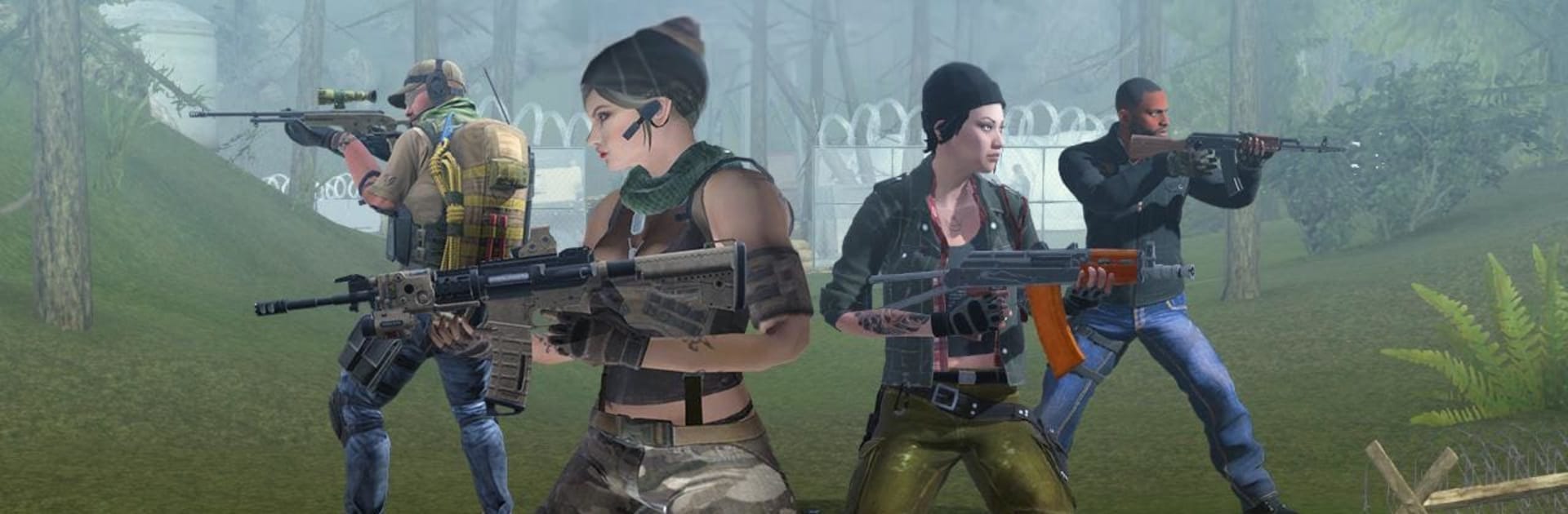
Survival Squad War – FPS Games puts you in the boots of a lone commando on tense rescue and sabotage missions across hostile jungle zones. This is an Action shooter that blends stealth, tight gunplay, and a few wild surprises—yes, even a trusty fry pan that can turn the tide when bullets run low. Prefer playing on a bigger screen? It runs smoothly on BlueStacks with crisp controls and steady aim.

Game Features

  • Tactical Objectives: Sneak into enemy strongholds, free hostages, and defuse explosives before the clock runs out.
  • Signature Fry Pan: A quirky, brutal melee option that’s surprisingly effective for silent takedowns and last‑second saves.
  • Guns That Matter: Unlock and equip sniper rifles, shotguns, and more as missions get tougher and your loadout needs evolve.
  • Helicopter Drops: Start certain missions by jumping from a chopper and landing straight in the hot zone.
  • Stealth or Loud: Pick your approach—clear patrols quietly or kick doors open and let the firefight erupt.
  • Jungle Warzones: Navigate dense foliage, hidden sightlines, and tight corridors across fully 3D environments.
  • Rising Difficulty: Expect smarter guards, tighter patrol routes, and tougher setups the deeper you go.
  • Snappy Controls: Smooth, console‑style handling makes aiming, swapping weapons, and melee swings feel fast and natural.
  • Punchy Audio: Weighty gun sounds and tense music keep every encounter sharp and immersive.
  • Play Offline: Jump into missions wherever you are, no connection required.
  • Impactful Physics: Clean hit reactions and slick animations give every shot, swing, and explosion real punch.

Get ready for a buttery smooth, high-performance gaming action only on BlueStacks.

Game Features

Enhancements

  • Macros
  • Multi Instance
  • Multi Instance Sync
  • Eco Mode
  • Enhancements
Macros

Macros

Skip the boring parts of a game. Play Survival Squad War - FPS Games with Macros and get the edge. Simply record a sequence of commands and execute them at any moment.
Multi Instance

Multi Instance

Why limit to one game on your phone when you can play many on your PC? Open multiple instances of Survival Squad War - FPS Games at once with Multi-Instance. Leverage the power of different accounts by doing more.
Multi Instance Sync

Multi Instance Sync

Get the best out of Survival Squad War - FPS Games with Multi-Instance Sync. Play the game from different accounts and build your own empire. Use Multi-instance sync to repeat the action in the main BlueStacks instance on all other instances.
Eco Mode

Eco Mode

Find the rarest heroes by making multiple summons in Survival Squad War - FPS Games. And while you are at it, reduce your PC’s resource consumption with the Eco Mode. Farm efficiently. Get the best results.
Read More

How to Download and Play Survival Squad War - FPS Games on PC or Mac

  • Download and install BlueStacks on your PC or Mac

  • Complete Google sign-in to access the Play Store, or do it later

  • Look for Survival Squad War - FPS Games in the search bar at the top right corner

  • Click to install Survival Squad War - FPS Games from the search results

  • Complete Google sign-in (if you skipped step 2) to install Survival Squad War - FPS Games

  • Click the Survival Squad War - FPS Games icon on the home screen to start playing

video
Watch Video

Minimum System Requirements

With BlueStacks 5, you can get started on a PC that fulfills the following requirements.

  • Operating System

    Microsoft Windows 7 or above, macOS 11 (Big Sur) or above

  • Processor

    Intel, AMD or Apple Silicon Processor

  • RAM

    at least 4GB

  • HDD

    10GB Free Disk Space

Note:

* You must be an Administrator on your PC. Up to date graphics drivers from Microsoft or the chipset vendor.

Survival Squad War - FPS Games - FAQs

  • How to play Survival Squad War - FPS Games on Windows PC & Mac?

    Play Survival Squad War - FPS Games on your PC or Mac by following these simple steps.

    • Click on 'Play Survival Squad War - FPS Games on PC’ to download BlueStacks
    • Install it and log-in to Google Play Store
    • Launch and play the game.
  • Why is BlueStacks the fastest and safest platform to play games on PC?

    BlueStacks respects your privacy and is always safe and secure to use. It does not carry any malware, spyware, or any sort of additional software that could harm your PC.

    It is engineered to optimize speed and performance for a seamless gaming experience.

  • What are Survival Squad War - FPS Games PC requirements?

    Minimum requirement to run Survival Squad War - FPS Games on your PC

    • OS: Microsoft Windows 7 or above MacOS 11 (Big Sur) or above
    • Processor: Intel, AMD or Apple Silicon Processor
    • RAM: Your PC must have at least 4GB of RAM. (Note that having 4GB or more disk space is not a substitute for RAM)
    • HDD: 10GB Free Disk Space.
    • You must be an Administrator on your PC.