Squad Commando 3D - Gun Games

Squad Commando 3D - Gun Games

Adventure

| 9 Pixels

Play on PC with BlueStacks or from our cloud

  • Overview
  • Game Features
  • How to Play

Page Modified On: September 07, 2026

Play Squad Commando 3D - Gun Games on PC or Mac

Step into the World of Squad Commando 3D – Gun Games, a thrilling Adventure game from the house of 9 Pixels. Play this Android game on BlueStacks App Player and experience immersive gaming on PC or Mac.

About the Game

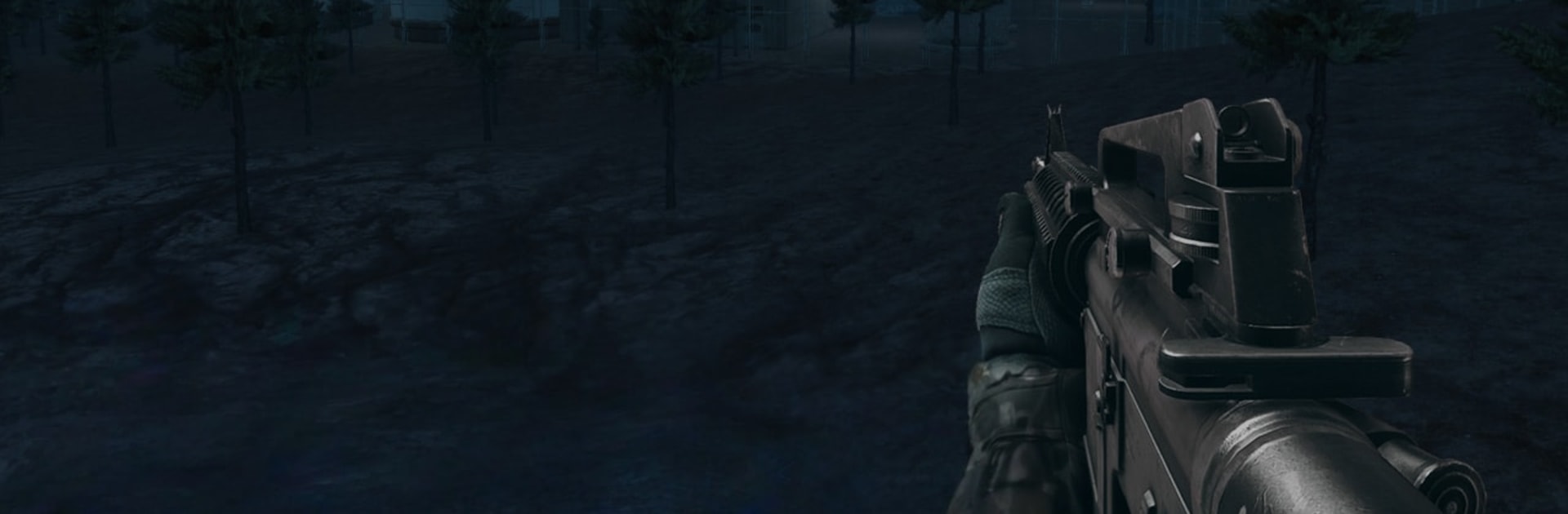
Squad Commando 3D – Gun Games throws you into tense first-person shootouts where every second counts. You’re the covert operative sent behind enemy lines to reclaim a city under siege—sneak in, take the shot, and make it out in one piece. It’s an Adventure that blends stealthy infiltrations with loud, high-stakes firefights, and it feels great on a bigger screen with BlueStacks if you like extra precision.

Game Features

  • Story-Driven Ops: Push through a city taken over by a ruthless force, clear key locations, and piece the narrative together mission by mission.
  • Stealth Under Pressure: Slip past patrols, stick to the shadows, and beat time-based objectives that punish noise and hesitation.
  • Mission Variety: Breach buildings, hold positions, pull off night raids, and tackle tense escape runs that change the pace constantly.
  • Guns That Matter: Handle pistols, shotguns, AK-style rifles, and beefy machine guns—each with distinct kick, range, and impact.
  • Earn and Upgrade: Complete objectives to bag rewards, unlock heavier firepower, and chase dozens of achievements as your skills grow.
  • Tight FPS Combat: Snappy aiming and quick target switches make every counter-terrorist encounter feel sharp and reactive.
  • Rich 3D Locales: Fight through detailed interiors and moody winter nights, from narrow corridors to wide city blocks.
  • Special Robot Encounters: Face mechanized threats in select missions for a different combat rhythm and tougher target priorities.
  • Optional PC Play with BlueStacks: Prefer a bigger view and steadier aim? It runs smoothly on BlueStacks for comfortable, precise control.

Ready to top the leaderboard? We bet you do. Let precise controls and sharp visuals optimized on BlueStacks lead you to victory.


Game Features

Enhancements

  • Macros
  • Multi Instance
  • Multi Instance Sync
  • Script
  • Enhancements
Macros

Macros

Automate the predictable in Squad Commando 3D - Gun Games and transform your gameplay with Macros. Get access to inventive Macros in the BlueStacks Macro Community
Multi Instance

Multi Instance

Play Squad Commando 3D - Gun Games on one window. And chat with your friend on the other. Press CTRL + Shift + 8 to open the Multi-Instance Manager. And start creating fresh instances or clone an existing one.
Multi Instance Sync

Multi Instance Sync

Play Squad Commando 3D - Gun Games with the power of Multi-Instance Sync. Replicate what you are doing on the main instance on all other instances. Level up faster, play more.
Script

Script

Script your way to gaming glory in Squad Commando 3D - Gun Games with BlueStacks Script. Write and run a set of commands to automate repeated tasks. Trigger the command by assigning it to any key.
Read More

How to Download and Play Squad Commando 3D - Gun Games on PC or Mac

  • Download and install BlueStacks on your PC or Mac

  • Complete Google sign-in to access the Play Store, or do it later

  • Look for Squad Commando 3D - Gun Games in the search bar at the top right corner

  • Click to install Squad Commando 3D - Gun Games from the search results

  • Complete Google sign-in (if you skipped step 2) to install Squad Commando 3D - Gun Games

  • Click the Squad Commando 3D - Gun Games icon on the home screen to start playing

video
Watch Video

Minimum System Requirements

With BlueStacks 5, you can get started on a PC that fulfills the following requirements.

  • Operating System

    Microsoft Windows 7 or above, macOS 11 (Big Sur) or above

  • Processor

    Intel, AMD or Apple Silicon Processor

  • RAM

    at least 4GB

  • HDD

    10GB Free Disk Space

Note:

* You must be an Administrator on your PC. Up to date graphics drivers from Microsoft or the chipset vendor.

Squad Commando 3D - Gun Games - FAQs

  • How to play Squad Commando 3D - Gun Games on Windows PC & Mac?

    Play Squad Commando 3D - Gun Games on your PC or Mac by following these simple steps.

    • Click on 'Play Squad Commando 3D - Gun Games on PC’ to download BlueStacks
    • Install it and log-in to Google Play Store
    • Launch and play the game.
  • Why is BlueStacks the fastest and safest platform to play games on PC?

    BlueStacks respects your privacy and is always safe and secure to use. It does not carry any malware, spyware, or any sort of additional software that could harm your PC.

    It is engineered to optimize speed and performance for a seamless gaming experience.

  • What are Squad Commando 3D - Gun Games PC requirements?

    Minimum requirement to run Squad Commando 3D - Gun Games on your PC

    • OS: Microsoft Windows 7 or above MacOS 11 (Big Sur) or above
    • Processor: Intel, AMD or Apple Silicon Processor
    • RAM: Your PC must have at least 4GB of RAM. (Note that having 4GB or more disk space is not a substitute for RAM)
    • HDD: 10GB Free Disk Space.
    • You must be an Administrator on your PC.