Void Squad
Void Squad

Void Squad

Action

| FortySe7en Games

Play on PC with BlueStacks or from our cloud

  • Overview
  • Game Features
  • How to Play

Page Modified On: September 18, 2026

Play Void Squad on PC or Mac

Void Squad by FortySe7en Games has plenty to keep you busy. BlueStacks lets you play it on PC or Mac with more screen space, better control, and fewer mobile limits.

About the Game

Space isn’t on your side, and Void Squad makes that clear fast. This Action top-down survival shooter puts you in charge of a tight three‑unit team fighting through hostile planets, juggling objectives, and holding off swarms of ravenous aliens. It’s easy to sink into for a quick run or a long session, and it plays smoothly on BlueStacks if you like the bigger‑screen feel.

Game Features

  • Squad tactics: Command the Striker, Rocketeer, and Gunner; set their spacing, sync their volleys, and shred anything trying to flank you.
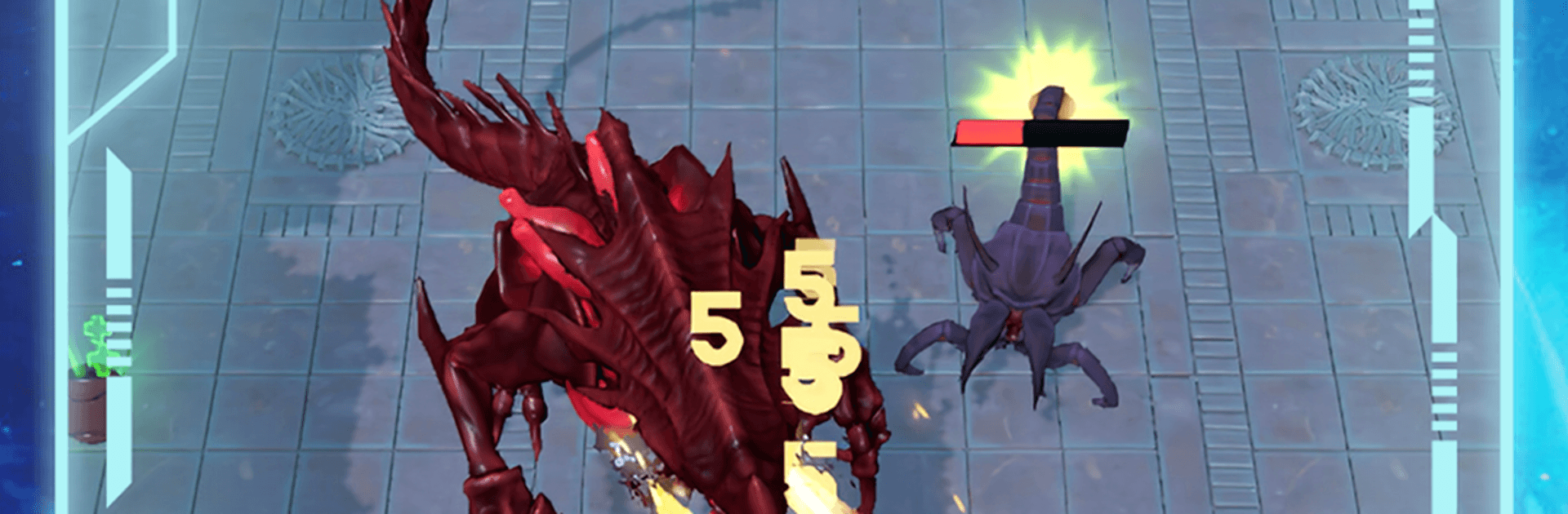
  • Swarm combat: Aliens surge from every angle—swift hunters, towering bruisers, and plenty of oddities—so positioning and focused fire really pay off.
  • Objective runs: Snag data caches, track down access cards, clear infested zones, and, when the plan falls apart, just survive the chaos.
  • Worlds to scour: Push through icy plains, derelict carriers, and echoing temple corridors across deep space, all brought to life with crisp 3D sci‑fi visuals.
  • Base management: Between sorties, expand your stronghold—upgrade the Barracks for tougher units and fire up the Strategium to unlock fresh tactics.
  • Big bads: Face screen‑filling bosses like Voidstalker Prime; read their patterns, punish openings, and make it out in one piece.
  • Pick‑up‑and‑play: Snappy, top‑down controls make jumping into a run simple, while the decision‑making keeps the pressure high.
  • Progress that sticks: Build a stronger squad over time with meaningful upgrades and smarter loadouts so the next planet feels a touch less impossible.
  • Satisfying feedback: Punchy effects and clean damage readouts make every blast, burst, and rocket hit feel downright crunchy.

Start your journey now. Download the game on BlueStacks, invite your friends, and march on a new adventure.


Game Features

Enhancements

  • Macros
  • Multi Instance
  • Multi Instance Sync
  • Eco Mode
  • Enhancements
Macros

Macros

Skip the boring parts of a game. Play Void Squad with Macros and get the edge. Simply record a sequence of commands and execute them at any moment.
Multi Instance

Multi Instance

Why limit to one game on your phone when you can play many on your PC? Open multiple instances of Void Squad at once with Multi-Instance. Leverage the power of different accounts by doing more.
Multi Instance Sync

Multi Instance Sync

Get the best out of Void Squad with Multi-Instance Sync. Play the game from different accounts and build your own empire. Use Multi-instance sync to repeat the action in the main BlueStacks instance on all other instances.
Eco Mode

Eco Mode

Find the rarest heroes by making multiple summons in Void Squad. And while you are at it, reduce your PC’s resource consumption with the Eco Mode. Farm efficiently. Get the best results.
Read More

How to Download and Play Void Squad on PC or Mac

  • Download and install BlueStacks on your PC or Mac

  • Complete Google sign-in to access the Play Store, or do it later

  • Look for Void Squad in the search bar at the top right corner

  • Click to install Void Squad from the search results

  • Complete Google sign-in (if you skipped step 2) to install Void Squad

  • Click the Void Squad icon on the home screen to start playing

video
Watch Video

Minimum System Requirements

With BlueStacks 5, you can get started on a PC that fulfills the following requirements.

  • Operating System

    Microsoft Windows 7 or above, macOS 11 (Big Sur) or above

  • Processor

    Intel, AMD or Apple Silicon Processor

  • RAM

    at least 4GB

  • HDD

    10GB Free Disk Space

Note:

* You must be an Administrator on your PC. Up to date graphics drivers from Microsoft or the chipset vendor.

Void Squad - FAQs

  • How to play Void Squad on Windows PC & Mac?

    Play Void Squad on your PC or Mac by following these simple steps.

    • Click on 'Play Void Squad on PC’ to download BlueStacks
    • Install it and log-in to Google Play Store
    • Launch and play the game.
  • Why is BlueStacks the fastest and safest platform to play games on PC?

    BlueStacks respects your privacy and is always safe and secure to use. It does not carry any malware, spyware, or any sort of additional software that could harm your PC.

    It is engineered to optimize speed and performance for a seamless gaming experience.

  • What are Void Squad PC requirements?

    Minimum requirement to run Void Squad on your PC

    • OS: Microsoft Windows 7 or above MacOS 11 (Big Sur) or above
    • Processor: Intel, AMD or Apple Silicon Processor
    • RAM: Your PC must have at least 4GB of RAM. (Note that having 4GB or more disk space is not a substitute for RAM)
    • HDD: 10GB Free Disk Space.
    • You must be an Administrator on your PC.