
Exclusive Gaming Content. And More.
Get the latest updates on the BlueStacks Blog.
See More

Play on PC with BlueStacks or from our cloud
Page Modified On: August 14, 2026
Bring your A-game to Zombie Battle : FPS Idle, the Action game sensation from mobirix. Give your gameplay the much-needed boost with precise game controls, high FPS graphics, and top-tier features on your PC or Mac with BlueStacks.
Zombie Battle : FPS Idle is an Action mash-up from mobirix that blends snappy first-person shooting with laid-back idle progress. Waves of zombies rush you from all sides, and an auto-aim system keeps the gunfire flowing so you can focus on pure blasting and smart upgrades. Play in short bursts or marathon sessions—it’s easy to pick up, and it also feels great on PC with BlueStacks if you prefer a bigger view and comfy controls.
Auto-Aim Mayhem: Let the game lock onto threats while you unload round after round. It’s fast, satisfying, and keeps the screen full of action without fussy aiming.
Idle Growth That Keeps Going: Your firepower keeps improving even when you’re away. Come back stronger, push farther, and watch the numbers climb.
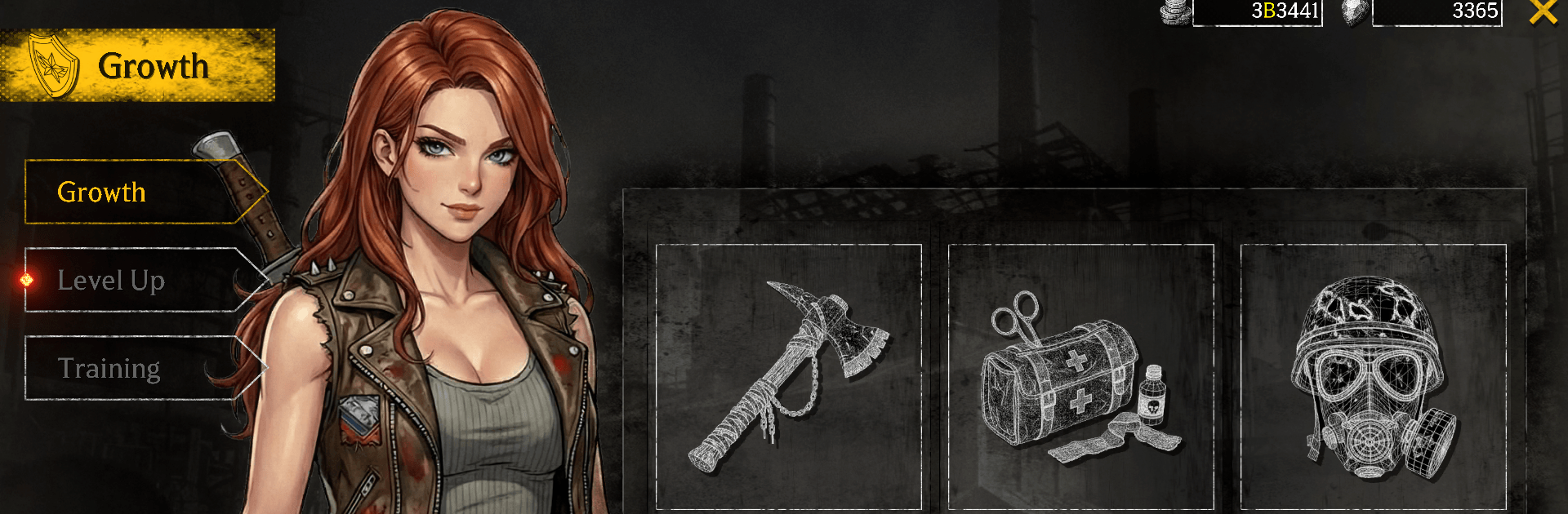
Guns That Evolve: Collect a range of firearms and upgrade their performance. Boost damage, speed, and other stats to melt tougher hordes in later stages.
Endless Stages, Rising Stakes: Move through changing battle zones where each step forward brings nastier enemies. Clear area after area and see how far you can go.
Simple Controls, Big Impact: No complicated inputs—just clean shooting and crunchy hit feedback that scratches that classic FPS itch.
Build Your Loadout: Mix upgrades and enhancements to suit your style. Prefer steady, sustained fire or big burst damage? Tune your kit and make it yours.
Constant Action, Zero Downtime: From the first zombie to the last, the screen stays hot with explosions, headshots, and screen-shaking impact that never lets up.
Get ready for a buttery smooth, high-performance gaming action only on BlueStacks.
Skip the boring parts of a game. Play Zombie Battle : FPS Idle with Macros and get the edge. Simply record a sequence of commands and execute them at any moment.
Why limit to one game on your phone when you can play many on your PC? Open multiple instances of Zombie Battle : FPS Idle at once with Multi-Instance. Leverage the power of different accounts by doing more.
Get the best out of Zombie Battle : FPS Idle with Multi-Instance Sync. Play the game from different accounts and build your own empire. Use Multi-instance sync to repeat the action in the main BlueStacks instance on all other instances.
Find the rarest heroes by making multiple summons in Zombie Battle : FPS Idle. And while you are at it, reduce your PC’s resource consumption with the Eco Mode. Farm efficiently. Get the best results.
Download and install BlueStacks on your PC or Mac
Complete Google sign-in to access the Play Store, or do it later
Look for Zombie Battle : FPS Idle in the search bar at the top right corner
Click to install Zombie Battle : FPS Idle from the search results
Complete Google sign-in (if you skipped step 2) to install Zombie Battle : FPS Idle
Click the Zombie Battle : FPS Idle icon on the home screen to start playing
With BlueStacks 5, you can get started on a PC that fulfills the following requirements.
Microsoft Windows 7 or above, macOS 11 (Big Sur) or above
Intel, AMD or Apple Silicon Processor
at least 4GB
10GB Free Disk Space
* You must be an Administrator on your PC. Up to date graphics drivers from Microsoft or the chipset vendor.

Leave your email and we will notify
you when the game launches
Play Zombie Battle : FPS Idle on your PC or Mac by following these simple steps.
BlueStacks respects your privacy and is always safe and secure to use. It does not carry any malware, spyware, or any sort of additional software that could harm your PC.
It is engineered to optimize speed and performance for a seamless gaming experience.
Minimum requirement to run Zombie Battle : FPS Idle on your PC

Since you are on your phone, we are going to send you to the Google Play page.
In some cases BlueStacks uses affiliate links when linking to Google Play
BlueStacks 4 is not available on Windows XP. You must have Windows 7 or higher. Windows 10 is recommended.