Jewelry Match Puzzle

Jewelry Match Puzzle

Puzzle

| mobirix

Play on PC with BlueStacks or from our cloud

  • Overview
  • Game Features
  • How to Play

Page Modified On: October 30, 2026

Play Jewelry Match Puzzle on PC or Mac

Explore a whole new adventure with Jewelry Match Puzzle, a Puzzle game created by mobirix. Experience great gameplay with BlueStacks, the most popular gaming platform to play Android games on your PC or Mac.

About the Game

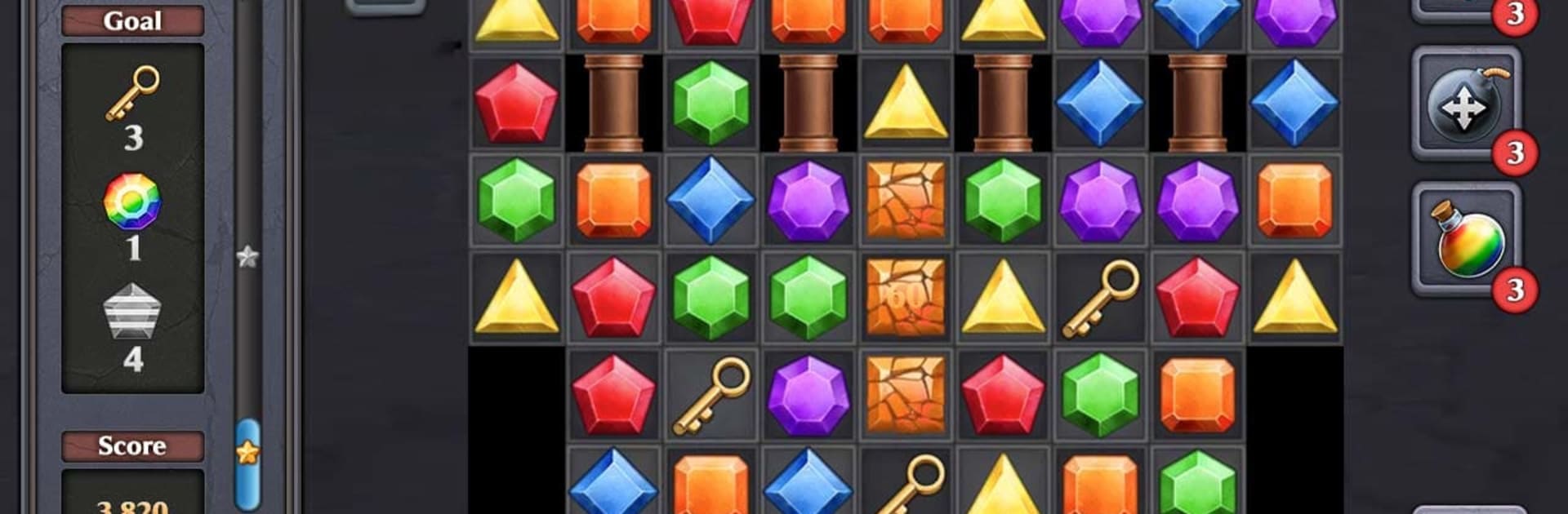
Jewelry Match Puzzle is a bright, gem-filled Puzzle that mixes relaxing play with clever objectives. You’ll be lining up shiny pieces, clearing boards, and juggling goals that change from stage to stage—simple to learn, surprisingly tricky to master. Prefer a bigger view? It plays smoothly on BlueStacks if you want to stretch those colors across a larger screen.

Game Features

  • Dual Missions, Double the Brainwork: Many stages ask you to complete two objectives at once—clear both, and you’re golden.
  • Loads of Stages: Work through a long trail of handcrafted boards, each with its own layout quirks and pacing.
  • Powerful Support Items: Pop a booster when things get tight—blast obstacles, reshape the board, or snag that last tricky piece.
  • Sneak Peek Helper: Size up the situation before you commit; this handy preview gives you a clearer plan of attack.
  • Auto-Play Option: Flip it on to watch the game handle simpler clears, learn patterns, or just sit back for a minute.
  • Arcade Score Chase: Switch to a fast, high-score mode built for streaks, multipliers, and “one more try” runs.
  • Leaderboards and Achievements: Track milestones and compare your best scores with the wider community.
  • Multilingual Support: Play comfortably with interface text available in 16 languages.
  • Optimized for Bigger Screens: Looks crisp and responsive on tablets, with roomy tap targets and smooth animations.

Start your journey now. Download the game on BlueStacks, invite your friends, and march on a new adventure.


Game Features

Enhancements

  • Macros
  • Multi Instance
  • Multi Instance Sync
  • Script
  • Enhancements
Macros

Macros

Automate the predictable in Jewelry Match Puzzle and transform your gameplay with Macros. Get access to inventive Macros in the BlueStacks Macro Community
Multi Instance

Multi Instance

Play Jewelry Match Puzzle on one window. And chat with your friend on the other. Press CTRL + Shift + 8 to open the Multi-Instance Manager. And start creating fresh instances or clone an existing one.
Multi Instance Sync

Multi Instance Sync

Play Jewelry Match Puzzle with the power of Multi-Instance Sync. Replicate what you are doing on the main instance on all other instances. Level up faster, play more.
Script

Script

Script your way to gaming glory in Jewelry Match Puzzle with BlueStacks Script. Write and run a set of commands to automate repeated tasks. Trigger the command by assigning it to any key.
Read More

How to Download and Play Jewelry Match Puzzle on PC or Mac

  • Download and install BlueStacks on your PC or Mac

  • Complete Google sign-in to access the Play Store, or do it later

  • Look for Jewelry Match Puzzle in the search bar at the top right corner

  • Click to install Jewelry Match Puzzle from the search results

  • Complete Google sign-in (if you skipped step 2) to install Jewelry Match Puzzle

  • Click the Jewelry Match Puzzle icon on the home screen to start playing

video
Watch Video

Minimum System Requirements

With BlueStacks 5, you can get started on a PC that fulfills the following requirements.

  • Operating System

    Microsoft Windows 7 or above, macOS 11 (Big Sur) or above

  • Processor

    Intel, AMD or Apple Silicon Processor

  • RAM

    at least 4GB

  • HDD

    10GB Free Disk Space

Note:

* You must be an Administrator on your PC. Up to date graphics drivers from Microsoft or the chipset vendor.

Jewelry Match Puzzle - FAQs

  • How to play Jewelry Match Puzzle on Windows PC & Mac?

    Play Jewelry Match Puzzle on your PC or Mac by following these simple steps.

    • Click on 'Play Jewelry Match Puzzle on PC’ to download BlueStacks
    • Install it and log-in to Google Play Store
    • Launch and play the game.
  • Why is BlueStacks the fastest and safest platform to play games on PC?

    BlueStacks respects your privacy and is always safe and secure to use. It does not carry any malware, spyware, or any sort of additional software that could harm your PC.

    It is engineered to optimize speed and performance for a seamless gaming experience.

  • What are Jewelry Match Puzzle PC requirements?

    Minimum requirement to run Jewelry Match Puzzle on your PC

    • OS: Microsoft Windows 7 or above MacOS 11 (Big Sur) or above
    • Processor: Intel, AMD or Apple Silicon Processor
    • RAM: Your PC must have at least 4GB of RAM. (Note that having 4GB or more disk space is not a substitute for RAM)
    • HDD: 10GB Free Disk Space.
    • You must be an Administrator on your PC.