Adventure Hero Saw Trap

Adventure Hero Saw Trap

Adventure

| Mazniac

Play on PC with BlueStacks or from our cloud

  • Overview
  • Game Features
  • How to Play

Page Modified On: June 09, 2026

Play Adventure Hero Saw Trap on PC or Mac

Explore a whole new adventure with Adventure Hero Saw Trap, a Adventure game created by Mazniac. Experience great gameplay with BlueStacks, the most popular gaming platform to play Android games on your PC or Mac.

About the Game

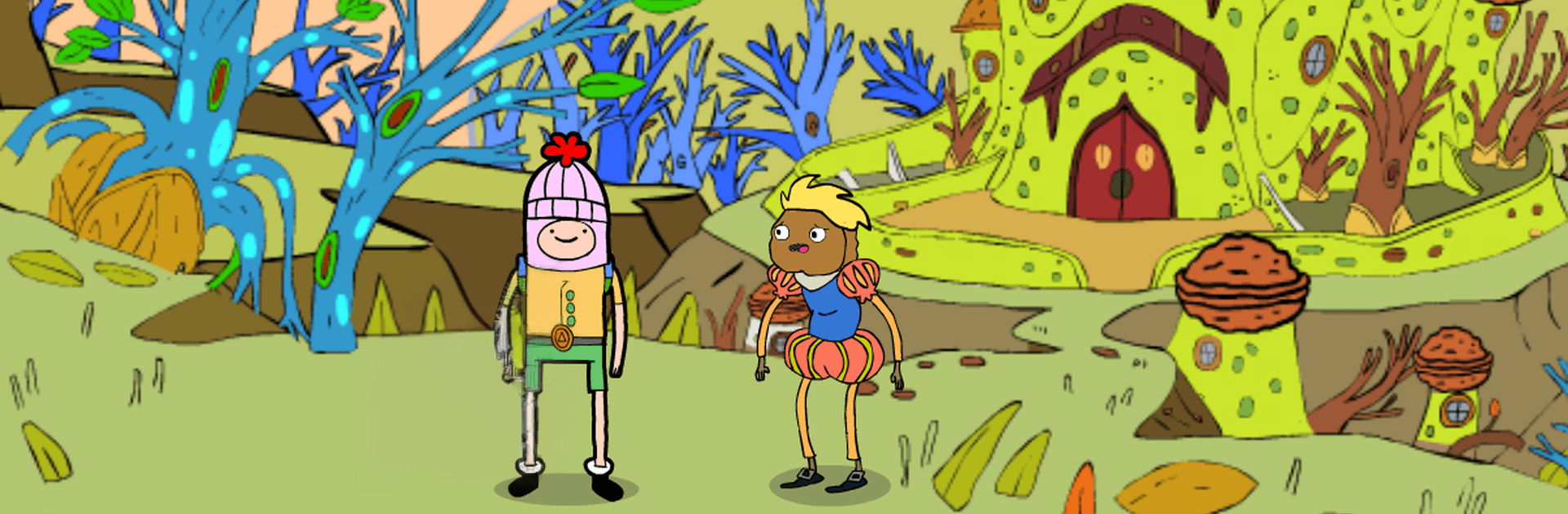
Adventure Hero Saw Trap drops you into a wild Adventure where Flynn is forced to play a cruel game after his best friend, Drake, is snatched by the villainous Pigsaw. Expect brain-teasing puzzles, nerve-wracking traps, and a bizarre tour through Ooozland—a place that’s colorful, cheeky, and absolutely unpredictable. It’s equal parts logic, timing, and “wait, did that wall just move?”

Game Features

  • Twisted rescue story: Step into Flynn’s shoes and outsmart Pigsaw’s schemes to bring Drake home in one piece.
  • Bizarre world of Ooozland: Wander through vibrant zones that hide secrets, fake-outs, and the occasional “gotcha” path.
  • Smart puzzles, sneaky traps: Crack clever setups and react fast when floors vanish, saws swing, or rules flip mid-level.
  • Oddball cast: Chat with strange characters—some helpful, some suspicious—and figure out who’s actually on your side.
  • Items and clues: Collect, combine, and use what you find to open shortcuts, solve multi-step riddles, and uncover hidden rooms.
  • Fresh mechanics every stage: Each level throws in new twists and surprise objectives that keep you guessing.
  • Parody vibe: A tongue-in-cheek world that pokes fun at familiar tropes while still keeping the tension high.
  • Colorful, readable visuals: Clear layouts make it easier to spot traps, timing windows, and sneaky clues.
  • Offline-friendly play: No connection needed, whether you’re tackling a quick puzzle or a longer session.
  • Free to play: Jump in without a paywall and sharpen your wits at your own pace.
  • PC-friendly option: Prefer a bigger screen and keyboard controls? It runs smoothly on BlueStacks, too.

BlueStacks gives you more room to focus on the game and less time adjusting around mobile limitations.


Game Features

Enhancements

  • Macros
  • Multi Instance
  • Multi Instance Sync
  • Script
  • Enhancements
Macros

Macros

Automate the predictable in Adventure Hero Saw Trap and transform your gameplay with Macros. Get access to inventive Macros in the BlueStacks Macro Community
Multi Instance

Multi Instance

Play Adventure Hero Saw Trap on one window. And chat with your friend on the other. Press CTRL + Shift + 8 to open the Multi-Instance Manager. And start creating fresh instances or clone an existing one.
Multi Instance Sync

Multi Instance Sync

Play Adventure Hero Saw Trap with the power of Multi-Instance Sync. Replicate what you are doing on the main instance on all other instances. Level up faster, play more.
Script

Script

Script your way to gaming glory in Adventure Hero Saw Trap with BlueStacks Script. Write and run a set of commands to automate repeated tasks. Trigger the command by assigning it to any key.
Read More

How to Download and Play Adventure Hero Saw Trap on PC or Mac

  • Download and install BlueStacks on your PC or Mac

  • Complete Google sign-in to access the Play Store, or do it later

  • Look for Adventure Hero Saw Trap in the search bar at the top right corner

  • Click to install Adventure Hero Saw Trap from the search results

  • Complete Google sign-in (if you skipped step 2) to install Adventure Hero Saw Trap

  • Click the Adventure Hero Saw Trap icon on the home screen to start playing

video
Watch Video

Minimum System Requirements

With BlueStacks 5, you can get started on a PC that fulfills the following requirements.

  • Operating System

    Microsoft Windows 7 or above, macOS 11 (Big Sur) or above

  • Processor

    Intel, AMD or Apple Silicon Processor

  • RAM

    at least 4GB

  • HDD

    10GB Free Disk Space

Note:

* You must be an Administrator on your PC. Up to date graphics drivers from Microsoft or the chipset vendor.

Adventure Hero Saw Trap - FAQs

  • How to play Adventure Hero Saw Trap on Windows PC & Mac?

    Play Adventure Hero Saw Trap on your PC or Mac by following these simple steps.

    • Click on 'Play Adventure Hero Saw Trap on PC’ to download BlueStacks
    • Install it and log-in to Google Play Store
    • Launch and play the game.
  • Why is BlueStacks the fastest and safest platform to play games on PC?

    BlueStacks respects your privacy and is always safe and secure to use. It does not carry any malware, spyware, or any sort of additional software that could harm your PC.

    It is engineered to optimize speed and performance for a seamless gaming experience.

  • What are Adventure Hero Saw Trap PC requirements?

    Minimum requirement to run Adventure Hero Saw Trap on your PC

    • OS: Microsoft Windows 7 or above MacOS 11 (Big Sur) or above
    • Processor: Intel, AMD or Apple Silicon Processor
    • RAM: Your PC must have at least 4GB of RAM. (Note that having 4GB or more disk space is not a substitute for RAM)
    • HDD: 10GB Free Disk Space.
    • You must be an Administrator on your PC.