Brightstone Mysteries: Others

Brightstone Mysteries: Others

Adventure

| Cateia Games

Play on PC with BlueStacks or from our cloud

  • Overview
  • Game Features
  • How to Play

Page Modified On: January 09, 2026

Play Brightstone Mysteries: Others on PC or Mac

Bring your A-game to Brightstone Mysteries: Others, the Adventure game sensation from Cateia Games. Give your gameplay the much-needed boost with precise game controls, high FPS graphics, and top-tier features on your PC or Mac with BlueStacks.

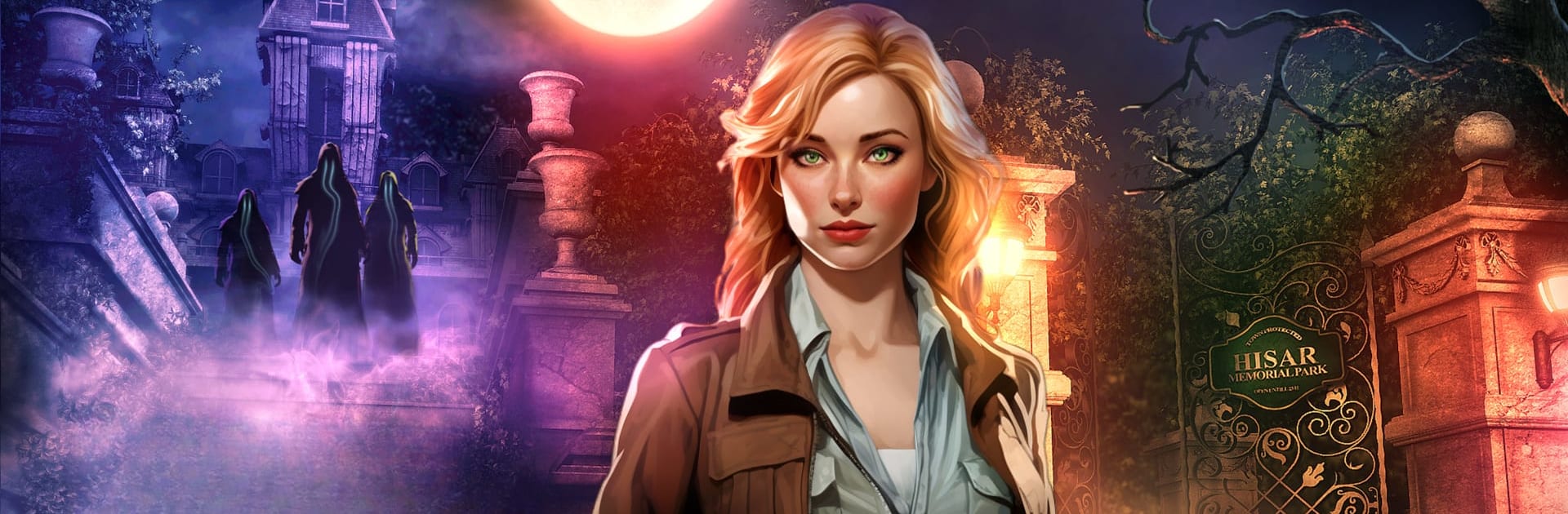
Brightstone Mysteries: Others is a hidden object adventure with a creepy, small town vibe. A toy-maker and his whole crew vanish in one night, the police are useless, and the place feels off in a good way. Some streets look abandoned, others look normal, so every new screen keeps poking that “something is not right here” feeling. Players step in as Mary, a reporter who pokes around for answers, chats with locals who may or may not be honest, and keeps running into those figures in black that seem helpful until they are not. There is an elaborate labyrinth to pick through, secret rooms, and plenty of “wait, what was that” moments.

Gameplay sits between a point and click adventure and a classic hidden object hunt. Scenes are packed with items to spot, and between those there are short puzzles, little lock contraptions, pattern fixes, and code clues scattered around. It kind of reads like a thriller novel that you click through, steady pace, no twitchy stuff. The map lets you hop around so there is less backtracking, and the hint system nudges without spoiling the whole thing. Three difficulty modes cover casual to more puzzle-heavy play. On BlueStacks, the mouse and bigger screen make item hunting alot easier, and the art really shows its eerie details. Writing leans dramatic, characters are nicely odd, and there are no micro purchases or ads nagging, just a single full game to finish at your own pace. Fans of mystery stories and light brain teasers should feel right at home.

Ready to top the leaderboard? We bet you do. Let precise controls and sharp visuals optimized on BlueStacks lead you to victory.


Game Features

Enhancements

  • Macros
  • Multi Instance
  • Multi Instance Sync
  • Script
  • Enhancements
Macros

Macros

Automate the predictable in Brightstone Mysteries: Others and transform your gameplay with Macros. Get access to inventive Macros in the BlueStacks Macro Community
Multi Instance

Multi Instance

Play Brightstone Mysteries: Others on one window. And chat with your friend on the other. Press CTRL + Shift + 8 to open the Multi-Instance Manager. And start creating fresh instances or clone an existing one.
Multi Instance Sync

Multi Instance Sync

Play Brightstone Mysteries: Others with the power of Multi-Instance Sync. Replicate what you are doing on the main instance on all other instances. Level up faster, play more.
Script

Script

Script your way to gaming glory in Brightstone Mysteries: Others with BlueStacks Script. Write and run a set of commands to automate repeated tasks. Trigger the command by assigning it to any key.
Read More

How to Download and Play Brightstone Mysteries: Others on PC or Mac

  • Download and install BlueStacks on your PC or Mac

  • Complete Google sign-in to access the Play Store, or do it later

  • Look for Brightstone Mysteries: Others in the search bar at the top right corner

  • Click to install Brightstone Mysteries: Others from the search results

  • Complete Google sign-in (if you skipped step 2) to install Brightstone Mysteries: Others

  • Click the Brightstone Mysteries: Others icon on the home screen to start playing

video
Watch Video

Minimum System Requirements

With BlueStacks 5, you can get started on a PC that fulfills the following requirements.

  • Operating System

    Microsoft Windows 7 or above, macOS 11 (Big Sur) or above

  • Processor

    Intel, AMD or Apple Silicon Processor

  • RAM

    at least 4GB

  • HDD

    10GB Free Disk Space

Note:

* You must be an Administrator on your PC. Up to date graphics drivers from Microsoft or the chipset vendor.

Brightstone Mysteries: Others - FAQs

  • How to play Brightstone Mysteries: Others on Windows PC & Mac?

    Play Brightstone Mysteries: Others on your PC or Mac by following these simple steps.

    • Click on 'Play Brightstone Mysteries: Others on PC’ to download BlueStacks
    • Install it and log-in to Google Play Store
    • Launch and play the game.
  • Why is BlueStacks the fastest and safest platform to play games on PC?

    BlueStacks respects your privacy and is always safe and secure to use. It does not carry any malware, spyware, or any sort of additional software that could harm your PC.

    It is engineered to optimize speed and performance for a seamless gaming experience.

  • What are Brightstone Mysteries: Others PC requirements?

    Minimum requirement to run Brightstone Mysteries: Others on your PC

    • OS: Microsoft Windows 7 or above MacOS 11 (Big Sur) or above
    • Processor: Intel, AMD or Apple Silicon Processor
    • RAM: Your PC must have at least 4GB of RAM. (Note that having 4GB or more disk space is not a substitute for RAM)
    • HDD: 10GB Free Disk Space.
    • You must be an Administrator on your PC.