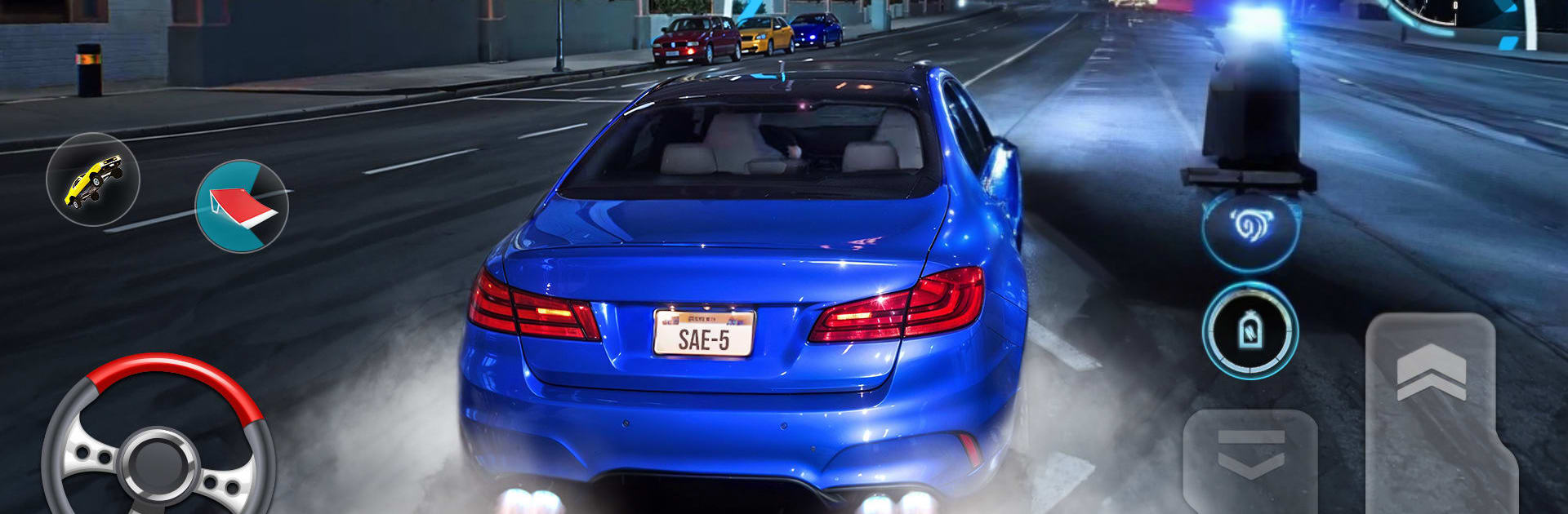
Car Drifting Midnight Car Game

Car Drifting Midnight Car Game

Adventure

| Games Soft

Play on PC with BlueStacks or from our cloud

  • Overview
  • Game Features
  • How to Play

Page Modified On: August 20, 2026

Play Car Drifting Midnight Car Game on PC or Mac

Car Drifting Midnight Car Game brings the Adventure genre to life, and throws up exciting challenges for gamers. Developed by Games Soft, this Android game is best experienced on BlueStacks, the World’s #1 app player for PC and Mac users.

About the Game

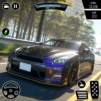
Car Drifting Midnight Car Game throws you into late-night streets and moonlit backroads where sliding sideways isn’t optional—it’s the whole point. This Adventure ride mixes silky drifts, quick decisions, and a bold sense of speed across cityscapes and rugged routes. Want to cruise, chase that perfect line, or push for risky angles? It’s all there, complete with an open-world drifting vibe that rewards control and style. Prefer a larger screen? It also runs smoothly on PC with BlueStacks.

Game Features

  • Midnight atmosphere: Cruise through glowing billboards, misty overpasses, and reflections on rain-kissed asphalt that make every slide look cinematic.
  • Precision drifting: Feel the car rotate just right as you feather the throttle, link corners, and hold long angles without scrubbing speed.
  • City and offroad routes: Swap between urban highways, industrial zones, tunnel networks, and moonlit mountain passes—each with its own rhythm and hazards.
  • Open-world feel: Explore wide stretches and branching paths that invite experimentation, whether you’re practicing lines or hunting fresh scenery.
  • Car customization: Tweak your ride with visual and performance options so it looks sharp and handles the way you like.
  • High-stakes pacing: Tight gaps, blind crests, and last-second calls keep every run tense—mess up once and you’re fighting to recover.
  • Reactive terrain: From slick concrete to gritty gravel, surface changes force you to adapt your entry speed, angle, and throttle.
  • Smooth handling: Responsive controls and a stable frame make it easier to nail consistent slides without losing that thrilling edge.
  • Big-screen option: Fire it up on PC with BlueStacks when you want more clarity, room to read the road, and steady performance.

Start playing Car Drifting Midnight Car Game on BlueStacks and get a smoother, more comfortable PC or Mac setup.


Game Features

Enhancements

  • Macros
  • Multi Instance
  • Multi Instance Sync
  • Script
  • Enhancements
Macros

Macros

Automate the predictable in Car Drifting Midnight Car Game and transform your gameplay with Macros. Get access to inventive Macros in the BlueStacks Macro Community
Multi Instance

Multi Instance

Play Car Drifting Midnight Car Game on one window. And chat with your friend on the other. Press CTRL + Shift + 8 to open the Multi-Instance Manager. And start creating fresh instances or clone an existing one.
Multi Instance Sync

Multi Instance Sync

Play Car Drifting Midnight Car Game with the power of Multi-Instance Sync. Replicate what you are doing on the main instance on all other instances. Level up faster, play more.
Script

Script

Script your way to gaming glory in Car Drifting Midnight Car Game with BlueStacks Script. Write and run a set of commands to automate repeated tasks. Trigger the command by assigning it to any key.
Read More

How to Download and Play Car Drifting Midnight Car Game on PC or Mac

  • Download and install BlueStacks on your PC or Mac

  • Complete Google sign-in to access the Play Store, or do it later

  • Look for Car Drifting Midnight Car Game in the search bar at the top right corner

  • Click to install Car Drifting Midnight Car Game from the search results

  • Complete Google sign-in (if you skipped step 2) to install Car Drifting Midnight Car Game

  • Click the Car Drifting Midnight Car Game icon on the home screen to start playing

video
Watch Video

Minimum System Requirements

With BlueStacks 5, you can get started on a PC that fulfills the following requirements.

  • Operating System

    Microsoft Windows 7 or above, macOS 11 (Big Sur) or above

  • Processor

    Intel, AMD or Apple Silicon Processor

  • RAM

    at least 4GB

  • HDD

    10GB Free Disk Space

Note:

* You must be an Administrator on your PC. Up to date graphics drivers from Microsoft or the chipset vendor.

Car Drifting Midnight Car Game - FAQs

  • How to play Car Drifting Midnight Car Game on Windows PC & Mac?

    Play Car Drifting Midnight Car Game on your PC or Mac by following these simple steps.

    • Click on 'Play Car Drifting Midnight Car Game on PC’ to download BlueStacks
    • Install it and log-in to Google Play Store
    • Launch and play the game.
  • Why is BlueStacks the fastest and safest platform to play games on PC?

    BlueStacks respects your privacy and is always safe and secure to use. It does not carry any malware, spyware, or any sort of additional software that could harm your PC.

    It is engineered to optimize speed and performance for a seamless gaming experience.

  • What are Car Drifting Midnight Car Game PC requirements?

    Minimum requirement to run Car Drifting Midnight Car Game on your PC

    • OS: Microsoft Windows 7 or above MacOS 11 (Big Sur) or above
    • Processor: Intel, AMD or Apple Silicon Processor
    • RAM: Your PC must have at least 4GB of RAM. (Note that having 4GB or more disk space is not a substitute for RAM)
    • HDD: 10GB Free Disk Space.
    • You must be an Administrator on your PC.