Ritual Sate Gagak
Ritual Sate Gagak

Ritual Sate Gagak

Adventure

| CiihuyCom

Play on PC with BlueStacks or from our cloud

  • Overview
  • Game Features
  • How to Play

Page Modified On: January 02, 2026

Play Ritual Sate Gagak on PC or Mac

Ritual Sate Gagak brings the Adventure genre to life, and throws up exciting challenges for gamers. Developed by CiihuyCom, this Android game is best experienced on BlueStacks, the World’s #1 app player for PC and Mac users.

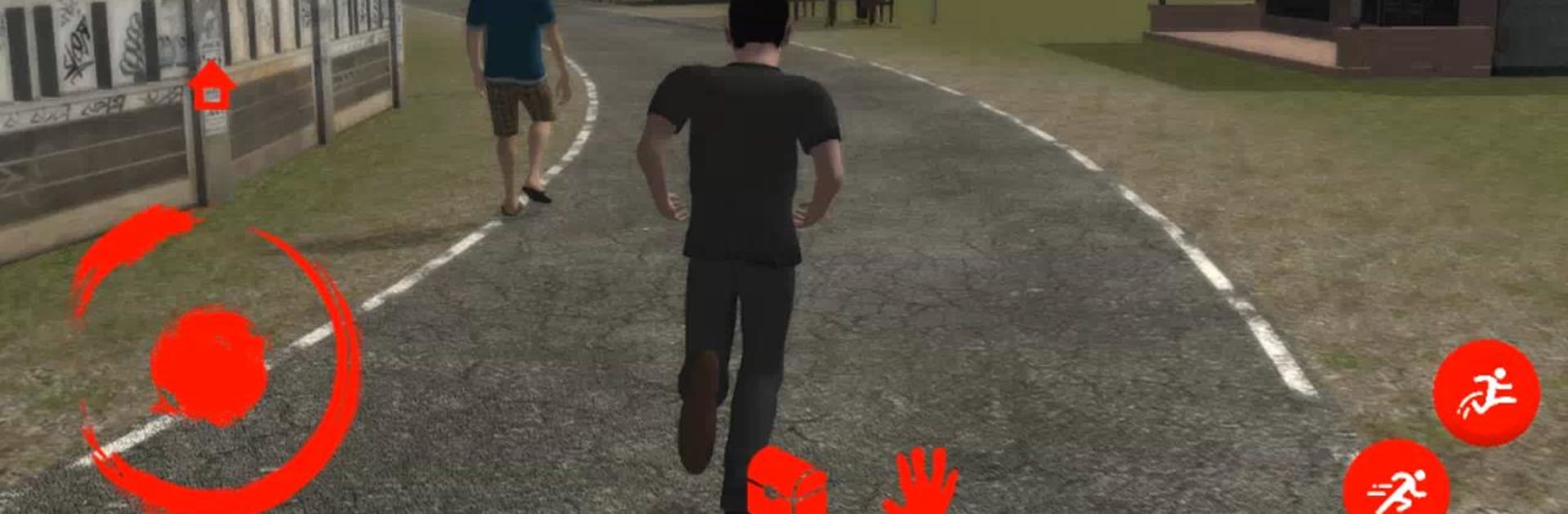
Ritual Sate Gagak is a scrappy Indonesian horror story that picks up after Arip escapes a white crocodile and gets split from his buddy Agung. He hops into an angkot to get home, only to get roped into finding two villagers who vanished after a pesugihan ritual involving crow satay. Most of it plays like a small, tense adventure where the player creeps through haunted paths and the so-called sacred forest, checks odd clues, and pieces together what this ritual actually costs the people who try it. The tone leans folk horror, lots of whispers, creaking trees, and that uneasy feeling when a shape moves at the edge of a flashlight cone.

It is not a huge game, more a short chapter of a bigger tale, with simple exploration, a few locks and keys, and those moments where running feels smarter than fighting. The scares come from timing and sound, not fancy effects, which honestly works. On PC with BlueStacks, mouse look makes sneaking and quick turns easier, and bumping brightness a bit helps with those very dark corners. The presentation is a bit rough in places, but the local myth vibe carries it. Subtitles and environmental hints make the plot easy enough to follow even if someone is not fluent, and the pacing keeps it moving. If a player likes Southeast Asian ghost stories, nighttime forests, and straightforward puzzles while something hungry lurks nearby, this hits that itch neatly.

Start your journey now. Download the game on BlueStacks, invite your friends, and march on a new adventure.


Game Features

Enhancements

  • Macros
  • Multi Instance
  • Multi Instance Sync
  • Script
  • Enhancements
Macros

Macros

Automate the predictable in Ritual Sate Gagak and transform your gameplay with Macros. Get access to inventive Macros in the BlueStacks Macro Community
Multi Instance

Multi Instance

Play Ritual Sate Gagak on one window. And chat with your friend on the other. Press CTRL + Shift + 8 to open the Multi-Instance Manager. And start creating fresh instances or clone an existing one.
Multi Instance Sync

Multi Instance Sync

Play Ritual Sate Gagak with the power of Multi-Instance Sync. Replicate what you are doing on the main instance on all other instances. Level up faster, play more.
Script

Script

Script your way to gaming glory in Ritual Sate Gagak with BlueStacks Script. Write and run a set of commands to automate repeated tasks. Trigger the command by assigning it to any key.
Read More

How to Download and Play Ritual Sate Gagak on PC or Mac

  • Download and install BlueStacks on your PC or Mac

  • Complete Google sign-in to access the Play Store, or do it later

  • Look for Ritual Sate Gagak in the search bar at the top right corner

  • Click to install Ritual Sate Gagak from the search results

  • Complete Google sign-in (if you skipped step 2) to install Ritual Sate Gagak

  • Click the Ritual Sate Gagak icon on the home screen to start playing

video
Watch Video

Minimum System Requirements

With BlueStacks 5, you can get started on a PC that fulfills the following requirements.

  • Operating System

    Microsoft Windows 7 or above, macOS 11 (Big Sur) or above

  • Processor

    Intel, AMD or Apple Silicon Processor

  • RAM

    at least 4GB

  • HDD

    10GB Free Disk Space

Note:

* You must be an Administrator on your PC. Up to date graphics drivers from Microsoft or the chipset vendor.

Ritual Sate Gagak - FAQs

  • How to play Ritual Sate Gagak on Windows PC & Mac?

    Play Ritual Sate Gagak on your PC or Mac by following these simple steps.

    • Click on 'Play Ritual Sate Gagak on PC’ to download BlueStacks
    • Install it and log-in to Google Play Store
    • Launch and play the game.
  • Why is BlueStacks the fastest and safest platform to play games on PC?

    BlueStacks respects your privacy and is always safe and secure to use. It does not carry any malware, spyware, or any sort of additional software that could harm your PC.

    It is engineered to optimize speed and performance for a seamless gaming experience.

  • What are Ritual Sate Gagak PC requirements?

    Minimum requirement to run Ritual Sate Gagak on your PC

    • OS: Microsoft Windows 7 or above MacOS 11 (Big Sur) or above
    • Processor: Intel, AMD or Apple Silicon Processor
    • RAM: Your PC must have at least 4GB of RAM. (Note that having 4GB or more disk space is not a substitute for RAM)
    • HDD: 10GB Free Disk Space.
    • You must be an Administrator on your PC.