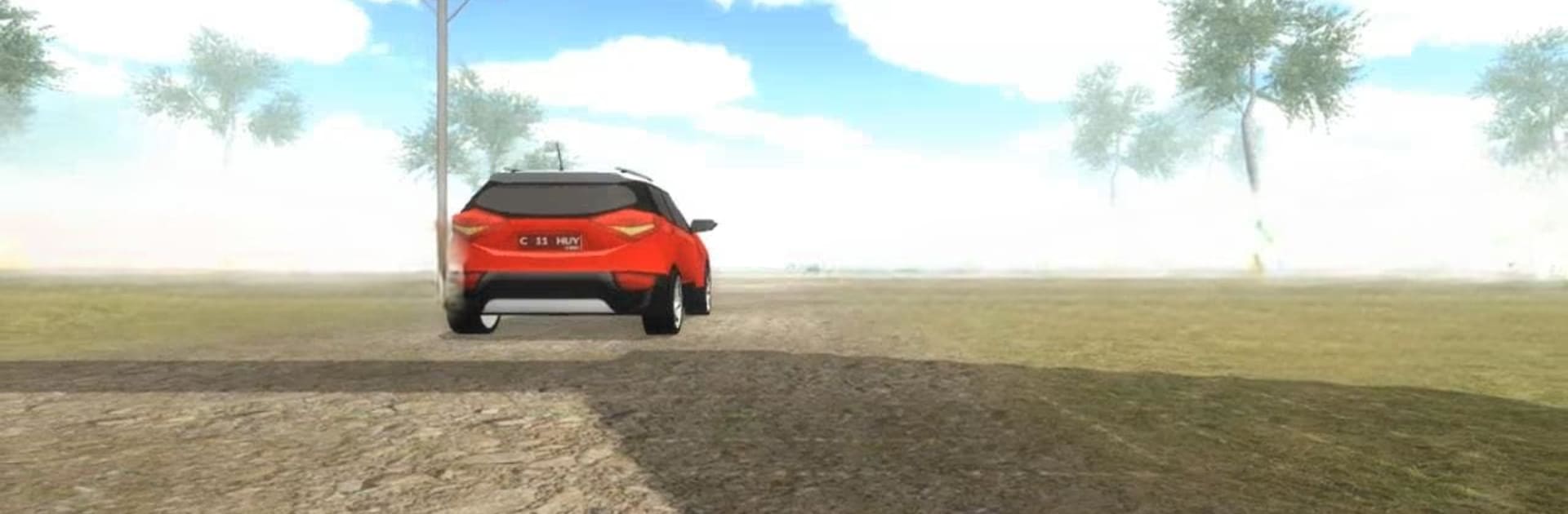
The South Meraung Village

The South Meraung Village

Adventure

| CiihuyCom

Play on PC with BlueStacks or from our cloud

  • Overview
  • Game Features
  • How to Play

Page Modified On: September 05, 2025

Play The South Meraung Village on PC or Mac

Join millions to experience The South Meraung Village, an exciting Adventure game from CiihuyCom. With BlueStacks App Player, you are always a step ahead of your opponent, ready to outplay them with faster gameplay and better control with the mouse and keyboard on your PC or Mac.

About the Game

The South Meraung Village is a moody, story-first Adventure from CiihuyCom where things go wrong fast. Agung vanishes in a remote village no one meant to find, and you step in as Arip, following faint clues and your gut to bring him back. Expect quiet dread, small discoveries that feel big, and that uneasy feeling of being watched.

Game Features

  • Story-Driven Search: Track Agung’s trail across the village with scattered hints, strange notes, and memorable landmarks that gradually connect the dots.
  • Atmospheric Exploration: Wander through creaky houses, foggy footpaths, and forgotten shrines. The setting is the star—take your time and look closely.
  • Tension Without Loud Jumps: The threat is real, but it’s the anticipation that gets you. Listen for distant sounds and decide when to move, or when to wait.
  • Smart, Light Puzzles: Unlock paths, figure out simple mechanisms, and piece together clues that open new areas without breaking the flow.
  • Intuitive Touch Controls: Smooth, straightforward controls keep the focus on exploring and paying attention to the world around you.
  • Sound That Tells Stories: Subtle audio cues and an eerie ambiance help you sense danger and direction even when the screen says nothing.
  • Play Your Pace: Explore in short sessions or settle in for a longer night of sleuthing—progress builds naturally as curiosity pulls you forward.
  • Optional PC Play with BlueStacks: Prefer a bigger screen and comfy seating? You can play on your PC with BlueStacks for a different feel without changing the core vibe.

Make your gaming sessions memorable with precise controls that give you an edge in close combats and visuals that pop up, bringing every character to life.


Game Features

Enhancements

  • Macros
  • Multi Instance
  • Multi Instance Sync
  • Script
  • Enhancements
Macros

Macros

Automate the predictable in The South Meraung Village and transform your gameplay with Macros. Get access to inventive Macros in the BlueStacks Macro Community
Multi Instance

Multi Instance

Play The South Meraung Village on one window. And chat with your friend on the other. Press CTRL + Shift + 8 to open the Multi-Instance Manager. And start creating fresh instances or clone an existing one.
Multi Instance Sync

Multi Instance Sync

Play The South Meraung Village with the power of Multi-Instance Sync. Replicate what you are doing on the main instance on all other instances. Level up faster, play more.
Script

Script

Script your way to gaming glory in The South Meraung Village with BlueStacks Script. Write and run a set of commands to automate repeated tasks. Trigger the command by assigning it to any key.
Read More

How to Download and Play The South Meraung Village on PC or Mac

  • Download and install BlueStacks on your PC or Mac

  • Complete Google sign-in to access the Play Store, or do it later

  • Look for The South Meraung Village in the search bar at the top right corner

  • Click to install The South Meraung Village from the search results

  • Complete Google sign-in (if you skipped step 2) to install The South Meraung Village

  • Click the The South Meraung Village icon on the home screen to start playing

video
Watch Video

Minimum System Requirements

With BlueStacks 5, you can get started on a PC that fulfills the following requirements.

  • Operating System

    Microsoft Windows 7 or above, macOS 11 (Big Sur) or above

  • Processor

    Intel, AMD or Apple Silicon Processor

  • RAM

    at least 4GB

  • HDD

    10GB Free Disk Space

Note:

* You must be an Administrator on your PC. Up to date graphics drivers from Microsoft or the chipset vendor.

The South Meraung Village - FAQs

  • How to play The South Meraung Village on Windows PC & Mac?

    Play The South Meraung Village on your PC or Mac by following these simple steps.

    • Click on 'Play The South Meraung Village on PC’ to download BlueStacks
    • Install it and log-in to Google Play Store
    • Launch and play the game.
  • Why is BlueStacks the fastest and safest platform to play games on PC?

    BlueStacks respects your privacy and is always safe and secure to use. It does not carry any malware, spyware, or any sort of additional software that could harm your PC.

    It is engineered to optimize speed and performance for a seamless gaming experience.

  • What are The South Meraung Village PC requirements?

    Minimum requirement to run The South Meraung Village on your PC

    • OS: Microsoft Windows 7 or above MacOS 11 (Big Sur) or above
    • Processor: Intel, AMD or Apple Silicon Processor
    • RAM: Your PC must have at least 4GB of RAM. (Note that having 4GB or more disk space is not a substitute for RAM)
    • HDD: 10GB Free Disk Space.
    • You must be an Administrator on your PC.