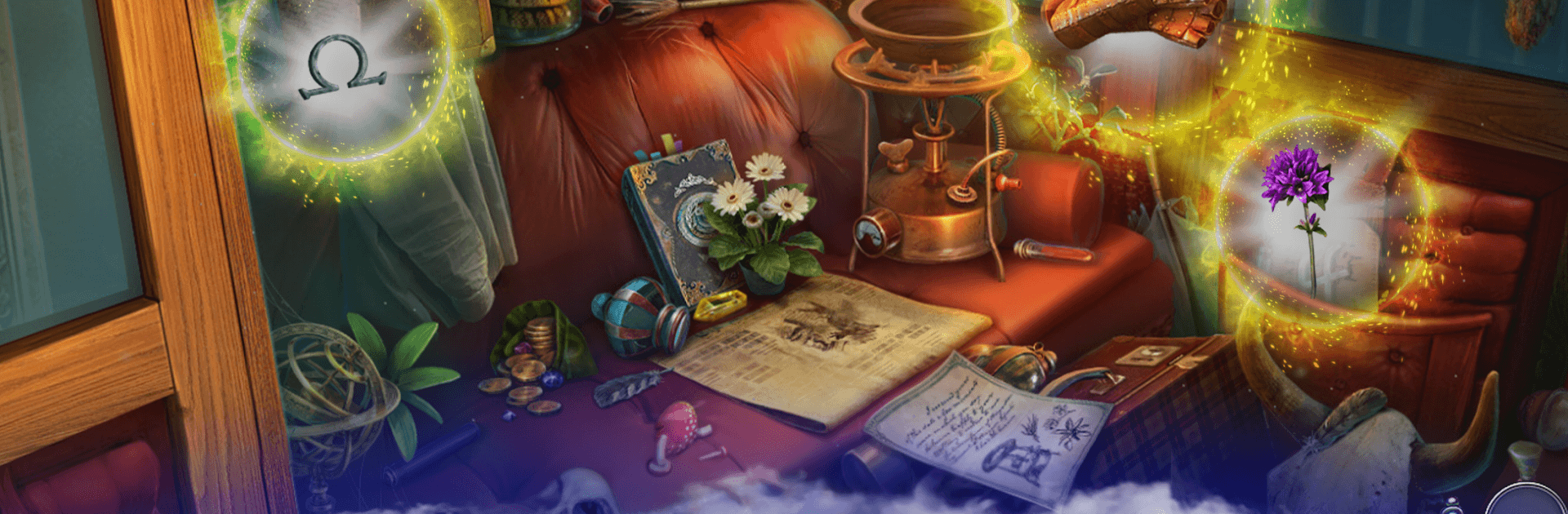
Dark City: Kyiv Hidden Objects

Dark City: Kyiv Hidden Objects

Adventure

| Friendly Fox Games

Play on PC with BlueStacks or from our cloud

  • Overview
  • Game Features
  • How to Play

Page Modified On: August 10, 2026

Play Dark City: Kyiv Hidden Objects on PC or Mac

Play Dark City: Kyiv Hidden Objects by Friendly Fox Games on PC or Mac with BlueStacks. Use a bigger screen, mouse and keyboard controls, and smoother performance while you play.

About the Game

Dark City: Kyiv Hidden Objects drops you into a moody, story-driven Adventure set across the historic streets of Kyiv. Strange incidents, whispered rumors, and a trail of clues pull you into an investigation that keeps tightening with every scene you search and every puzzle you crack. It feels great on mobile and, if you want a bigger view of the evidence, playing on BlueStacks makes the artwork and tiny details pop.

Game Features

  • Atmospheric Kyiv setting: Wander fog-laced boulevards, courtyards, and landmarks as mysterious happenings turn the city into one big case file.
  • Hidden-object sleuthing: Scan richly packed scenes for hard-to-spot clues; patience and sharp eyes pay off with “aha!” moments.
  • Logic puzzles and mini-games: Break codes, reassemble mechanisms, and solve escape room–style challenges that slot neatly into the investigation.
  • Choices with consequences: Nudge the inquiry with decisions that open new angles, reveal twists, and shape how leads come together.
  • Big, interconnected journey: Explore more than forty handcrafted locations, each feeding you fresh clues, suspects, and questions to chase.
  • Story-first detective vibe: Follow a layered narrative that balances suspense, curiosity, and the satisfaction of connecting red-thread clues.
  • Built for all play styles: Dip in for a quick scene or settle in for a longer session; the pacing adapts well either way.
  • Moody art and sound: Detailed visuals and a tense score build an eerie, lived-in world where every creak feels like it matters.

Start your journey now. Download the game on BlueStacks, invite your friends, and march on a new adventure.


Game Features

Enhancements

  • Macros
  • Multi Instance
  • Multi Instance Sync
  • Script
  • Enhancements
Macros

Macros

Automate the predictable in Dark City: Kyiv Hidden Objects and transform your gameplay with Macros. Get access to inventive Macros in the BlueStacks Macro Community
Multi Instance

Multi Instance

Play Dark City: Kyiv Hidden Objects on one window. And chat with your friend on the other. Press CTRL + Shift + 8 to open the Multi-Instance Manager. And start creating fresh instances or clone an existing one.
Multi Instance Sync

Multi Instance Sync

Play Dark City: Kyiv Hidden Objects with the power of Multi-Instance Sync. Replicate what you are doing on the main instance on all other instances. Level up faster, play more.
Script

Script

Script your way to gaming glory in Dark City: Kyiv Hidden Objects with BlueStacks Script. Write and run a set of commands to automate repeated tasks. Trigger the command by assigning it to any key.
Read More

How to Download and Play Dark City: Kyiv Hidden Objects on PC or Mac

  • Download and install BlueStacks on your PC or Mac

  • Complete Google sign-in to access the Play Store, or do it later

  • Look for Dark City: Kyiv Hidden Objects in the search bar at the top right corner

  • Click to install Dark City: Kyiv Hidden Objects from the search results

  • Complete Google sign-in (if you skipped step 2) to install Dark City: Kyiv Hidden Objects

  • Click the Dark City: Kyiv Hidden Objects icon on the home screen to start playing

video
Watch Video

Minimum System Requirements

With BlueStacks 5, you can get started on a PC that fulfills the following requirements.

  • Operating System

    Microsoft Windows 7 or above, macOS 11 (Big Sur) or above

  • Processor

    Intel, AMD or Apple Silicon Processor

  • RAM

    at least 4GB

  • HDD

    10GB Free Disk Space

Note:

* You must be an Administrator on your PC. Up to date graphics drivers from Microsoft or the chipset vendor.

Dark City: Kyiv Hidden Objects - FAQs

  • How to play Dark City: Kyiv Hidden Objects on Windows PC & Mac?

    Play Dark City: Kyiv Hidden Objects on your PC or Mac by following these simple steps.

    • Click on 'Play Dark City: Kyiv Hidden Objects on PC’ to download BlueStacks
    • Install it and log-in to Google Play Store
    • Launch and play the game.
  • Why is BlueStacks the fastest and safest platform to play games on PC?

    BlueStacks respects your privacy and is always safe and secure to use. It does not carry any malware, spyware, or any sort of additional software that could harm your PC.

    It is engineered to optimize speed and performance for a seamless gaming experience.

  • What are Dark City: Kyiv Hidden Objects PC requirements?

    Minimum requirement to run Dark City: Kyiv Hidden Objects on your PC

    • OS: Microsoft Windows 7 or above MacOS 11 (Big Sur) or above
    • Processor: Intel, AMD or Apple Silicon Processor
    • RAM: Your PC must have at least 4GB of RAM. (Note that having 4GB or more disk space is not a substitute for RAM)
    • HDD: 10GB Free Disk Space.
    • You must be an Administrator on your PC.