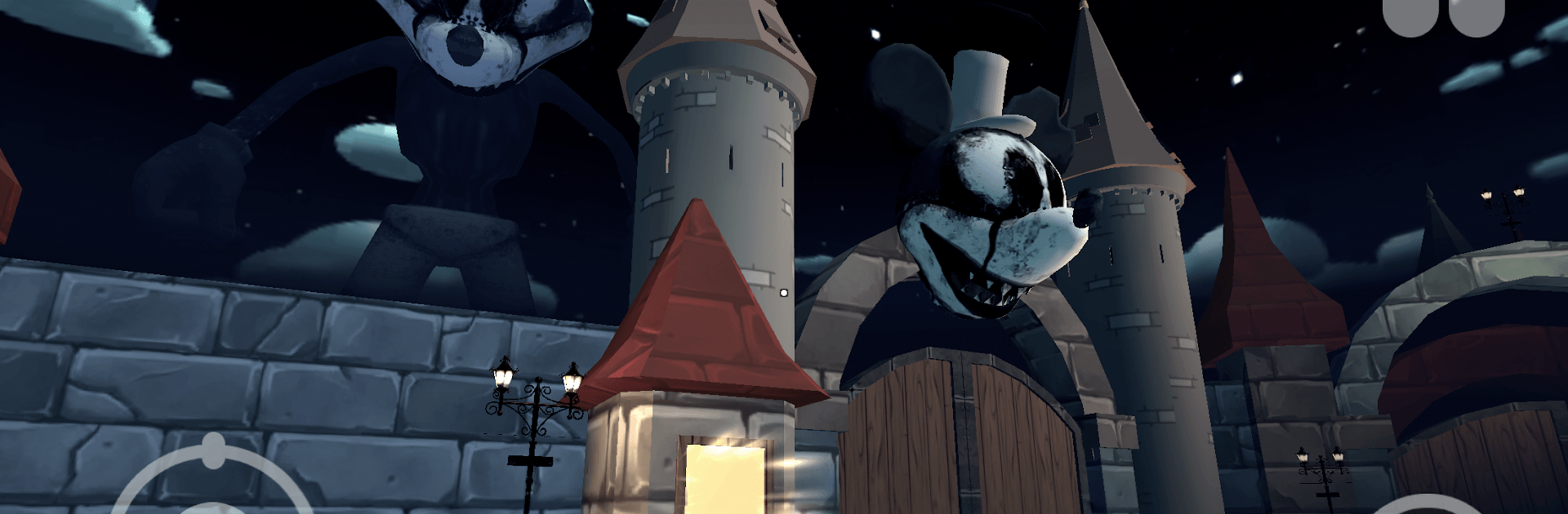
Horror Park of Willie Mouse

Horror Park of Willie Mouse

Adventure

| Awecom Games

Play on PC with BlueStacks or from our cloud

  • Overview
  • Game Features
  • How to Play

Page Modified On: August 20, 2026

Play Horror Park of Willie Mouse on PC or Mac

Horror Park of Willie Mouse brings the Adventure genre to life, and throws up exciting challenges for gamers. Developed by Awecom Games, this Android game is best experienced on BlueStacks, the World’s #1 app player for PC and Mac users.

About the Game

Horror Park of Willie Mouse is a tense Adventure where you’re trapped in a twisted amusement park and have just five in-game days to get out. A hulking mascot with burning red eyes hunts you while strange booth attendants barter clues for odd favors, and the sky itself seems to be watching. Prefer a bigger screen and tighter controls? It plays smoothly on BlueStacks.

Game Features

  • Five-Day Countdown: The clock is always ticking, with each day reshaping routes, patrols, and pressure—hesitate too long and the park turns meaner.
  • Stalked by Willie: That towering figure isn’t slow; break line of sight, avoid his red gaze, and use cover or you’ll hear his footsteps closing in fast.
  • Shifting Park Layouts: Pick up the “right” item and the park reacts—gates lock, shortcuts open, new threats appear—so no run plays out the same way.
  • Eerie Booth Favors: Trade with peculiar characters tucked inside stalls; their requests are weird, but the payoffs—codes, keys, secret hints—are worth the risk.
  • Stealth Over Brute Force: Crouch behind prize counters, slip through maintenance doors, and time your sprints; noise lures quick, agile enemies.
  • Puzzles with Purpose: Scavenge tools, piece together notes, and crack simple mechanisms to unlock rides, backstage corridors, and the final way out.
  • Sound That Warns You: Carousel jingles, distant giggles, and shifting metal aren’t just creepy—they’re tells that help you predict danger and plan routes.
  • Optional BlueStacks Play: On PC with BlueStacks, crisp visuals and precise input make peeking around corners and quick hiding feel extra reliable.

BlueStacks gives you more room to focus on the game and less time adjusting around mobile limitations.


Game Features

Enhancements

  • Macros
  • Multi Instance
  • Multi Instance Sync
  • Script
  • Enhancements
Macros

Macros

Automate the predictable in Horror Park of Willie Mouse and transform your gameplay with Macros. Get access to inventive Macros in the BlueStacks Macro Community
Multi Instance

Multi Instance

Play Horror Park of Willie Mouse on one window. And chat with your friend on the other. Press CTRL + Shift + 8 to open the Multi-Instance Manager. And start creating fresh instances or clone an existing one.
Multi Instance Sync

Multi Instance Sync

Play Horror Park of Willie Mouse with the power of Multi-Instance Sync. Replicate what you are doing on the main instance on all other instances. Level up faster, play more.
Script

Script

Script your way to gaming glory in Horror Park of Willie Mouse with BlueStacks Script. Write and run a set of commands to automate repeated tasks. Trigger the command by assigning it to any key.
Read More

How to Download and Play Horror Park of Willie Mouse on PC or Mac

  • Download and install BlueStacks on your PC or Mac

  • Complete Google sign-in to access the Play Store, or do it later

  • Look for Horror Park of Willie Mouse in the search bar at the top right corner

  • Click to install Horror Park of Willie Mouse from the search results

  • Complete Google sign-in (if you skipped step 2) to install Horror Park of Willie Mouse

  • Click the Horror Park of Willie Mouse icon on the home screen to start playing

video
Watch Video

Minimum System Requirements

With BlueStacks 5, you can get started on a PC that fulfills the following requirements.

  • Operating System

    Microsoft Windows 7 or above, macOS 11 (Big Sur) or above

  • Processor

    Intel, AMD or Apple Silicon Processor

  • RAM

    at least 4GB

  • HDD

    10GB Free Disk Space

Note:

* You must be an Administrator on your PC. Up to date graphics drivers from Microsoft or the chipset vendor.

Horror Park of Willie Mouse - FAQs

  • How to play Horror Park of Willie Mouse on Windows PC & Mac?

    Play Horror Park of Willie Mouse on your PC or Mac by following these simple steps.

    • Click on 'Play Horror Park of Willie Mouse on PC’ to download BlueStacks
    • Install it and log-in to Google Play Store
    • Launch and play the game.
  • Why is BlueStacks the fastest and safest platform to play games on PC?

    BlueStacks respects your privacy and is always safe and secure to use. It does not carry any malware, spyware, or any sort of additional software that could harm your PC.

    It is engineered to optimize speed and performance for a seamless gaming experience.

  • What are Horror Park of Willie Mouse PC requirements?

    Minimum requirement to run Horror Park of Willie Mouse on your PC

    • OS: Microsoft Windows 7 or above MacOS 11 (Big Sur) or above
    • Processor: Intel, AMD or Apple Silicon Processor
    • RAM: Your PC must have at least 4GB of RAM. (Note that having 4GB or more disk space is not a substitute for RAM)
    • HDD: 10GB Free Disk Space.
    • You must be an Administrator on your PC.