Indian Car Racing Simulator 3D

Indian Car Racing Simulator 3D

Adventure

| Crazy Crew Studio

Play on PC with BlueStacks or from our cloud

  • Overview
  • Game Features
  • How to Play

Page Modified On: April 13, 2026

Play Indian Car Racing Simulator 3D on PC or Mac

Bring your A-game to Indian Car Racing Simulator 3D, the Adventure game sensation from Crazy Crew Studio. Give your gameplay the much-needed boost with precise game controls, high FPS graphics, and top-tier features on your PC or Mac with BlueStacks.

About the Game

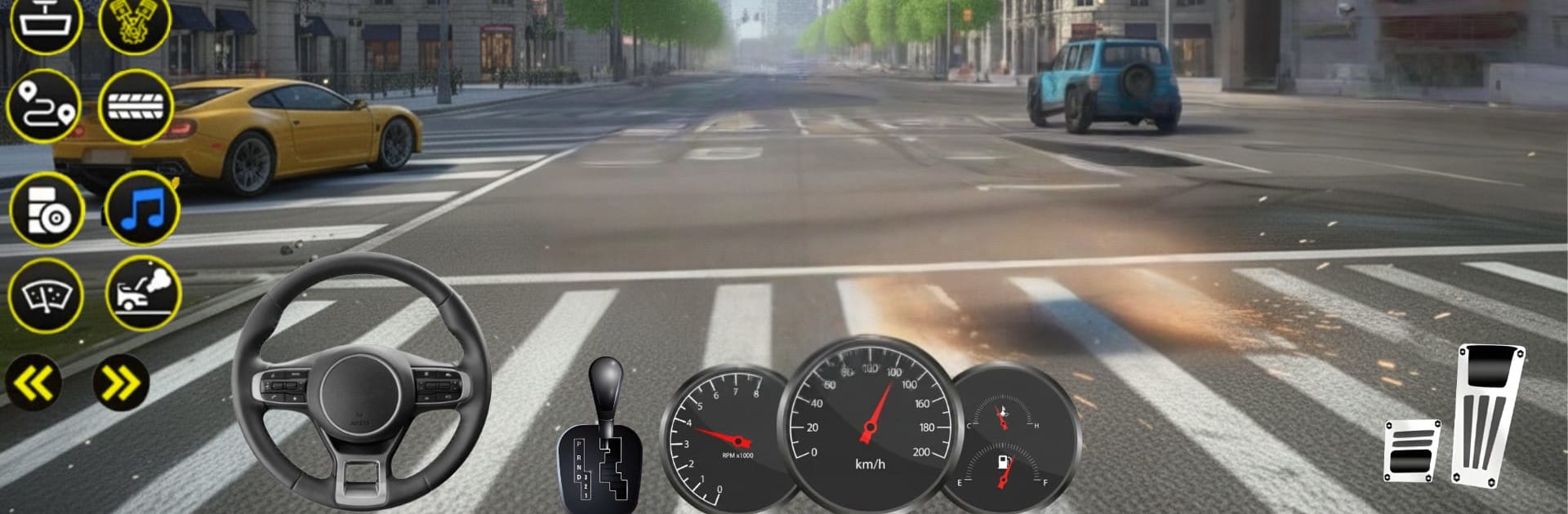
Indian Car Racing Simulator 3D from Crazy Crew Studio is an Adventure built for speed lovers and control freaks alike. You’ll tear through Indian highways, cut across dusty off-road paths, and thread snow-lined passes while juggling drifting, traffic, and tight corners. Prefer a bigger screen and sharper control? It also plays smoothly on BlueStacks if you like using a keyboard and mouse.

Game Features

  • Real Indian Roads
    Race across busy city streets, long national highways, mountain bends, deserts, and snowy routes. The map mixes open stretches with technical sections that actually test your timing.

  • Drift That Demands Skill
    Drifts aren’t just for show. Keep the slide balanced, hold angles, and manage throttle mid-corner to shave seconds and look good doing it.

  • Modes for Every Mood
    Go solo with career events and challenge runs, battle smart AI in quick races, or jump into multiplayer. Plenty of offline options are here when you just want to drive.

  • Tracks with Personality
    From drag strips to twisty circuits and off-road climbs, each track has its own rhythm. Expect sharp hairpins, long straights, and tricky cambers that reward precise inputs.

  • Vehicles That Feel Alive
    Build a garage of sedans, SUVs, supercars, and off-road beasts. Hear distinct engine notes, explore detailed interiors, and switch to manual transmission with an H-Shifter and clutch if you want full control.

  • Flexible Controls
    Pick what suits you: tilt steering, virtual buttons, or manual gear shifting. Tweak sensitivity until the car responds exactly the way you like.

  • Weather, Lighting, and Damage
    Rain, snow, and bright sun change how the car grips and looks. Visual and mechanical damage add stakes when you’re pushing for a clean run.

  • Tune, Upgrade, Personalize
    Upgrade engines, suspension, and brakes, then dial in gearing and handling. Top it off with cosmetic tweaks so your car feels fast and looks yours.

  • Built-In Challenges
    Tackle fuel consumption tests, no-damage runs, and high-speed targets alongside traditional races and drift events. There’s always a reason to take one more lap.

Make your gaming sessions memorable with precise controls that give you an edge in close combats and visuals that pop up, bringing every character to life.


Game Features

Enhancements

  • Macros
  • Multi Instance
  • Multi Instance Sync
  • Script
  • Enhancements
Macros

Macros

Automate the predictable in Indian Car Racing Simulator 3D and transform your gameplay with Macros. Get access to inventive Macros in the BlueStacks Macro Community
Multi Instance

Multi Instance

Play Indian Car Racing Simulator 3D on one window. And chat with your friend on the other. Press CTRL + Shift + 8 to open the Multi-Instance Manager. And start creating fresh instances or clone an existing one.
Multi Instance Sync

Multi Instance Sync

Play Indian Car Racing Simulator 3D with the power of Multi-Instance Sync. Replicate what you are doing on the main instance on all other instances. Level up faster, play more.
Script

Script

Script your way to gaming glory in Indian Car Racing Simulator 3D with BlueStacks Script. Write and run a set of commands to automate repeated tasks. Trigger the command by assigning it to any key.
Read More

How to Download and Play Indian Car Racing Simulator 3D on PC or Mac

  • Download and install BlueStacks on your PC or Mac

  • Complete Google sign-in to access the Play Store, or do it later

  • Look for Indian Car Racing Simulator 3D in the search bar at the top right corner

  • Click to install Indian Car Racing Simulator 3D from the search results

  • Complete Google sign-in (if you skipped step 2) to install Indian Car Racing Simulator 3D

  • Click the Indian Car Racing Simulator 3D icon on the home screen to start playing

video
Watch Video

Minimum System Requirements

With BlueStacks 5, you can get started on a PC that fulfills the following requirements.

  • Operating System

    Microsoft Windows 7 or above, macOS 11 (Big Sur) or above

  • Processor

    Intel, AMD or Apple Silicon Processor

  • RAM

    at least 4GB

  • HDD

    10GB Free Disk Space

Note:

* You must be an Administrator on your PC. Up to date graphics drivers from Microsoft or the chipset vendor.

Indian Car Racing Simulator 3D - FAQs

  • How to play Indian Car Racing Simulator 3D on Windows PC & Mac?

    Play Indian Car Racing Simulator 3D on your PC or Mac by following these simple steps.

    • Click on 'Play Indian Car Racing Simulator 3D on PC’ to download BlueStacks
    • Install it and log-in to Google Play Store
    • Launch and play the game.
  • Why is BlueStacks the fastest and safest platform to play games on PC?

    BlueStacks respects your privacy and is always safe and secure to use. It does not carry any malware, spyware, or any sort of additional software that could harm your PC.

    It is engineered to optimize speed and performance for a seamless gaming experience.

  • What are Indian Car Racing Simulator 3D PC requirements?

    Minimum requirement to run Indian Car Racing Simulator 3D on your PC

    • OS: Microsoft Windows 7 or above MacOS 11 (Big Sur) or above
    • Processor: Intel, AMD or Apple Silicon Processor
    • RAM: Your PC must have at least 4GB of RAM. (Note that having 4GB or more disk space is not a substitute for RAM)
    • HDD: 10GB Free Disk Space.
    • You must be an Administrator on your PC.