Lightseekers RPG
Lightseekers RPG

Lightseekers RPG

Adventure

| PlayFusion

Play on PC with BlueStacks or from our cloud

  • Overview
  • Game Features
  • How to Play

Page Modified On: August 20, 2026

Play Lightseekers RPG on PC or Mac

Lightseekers RPG by PlayFusion has plenty to keep you busy. BlueStacks lets you play it on PC or Mac with more screen space, better control, and fewer mobile limits.

About the Game

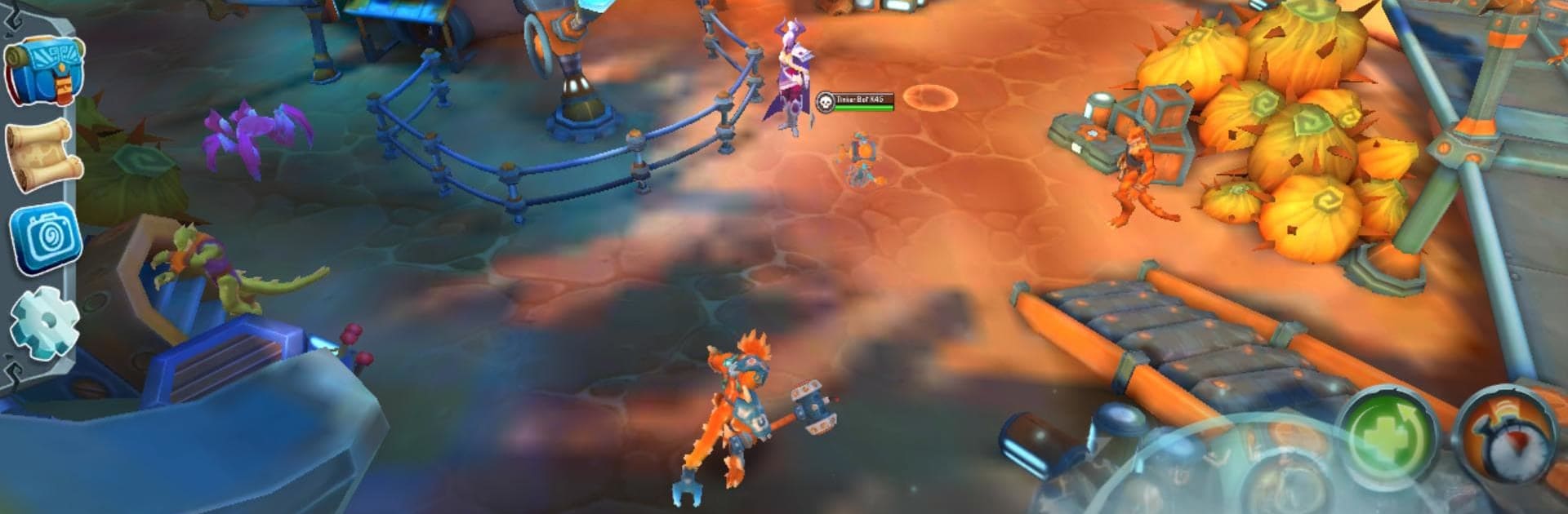
Lightseekers RPG is an Adventure set in Tantos, where you rise as a Lightseeker and push back the shadowy umbron while uncovering the world’s forgotten history. Expect colorful regions, memorable characters, and snappy battles as you chase better gear, unlock fresh abilities, and recruit helpful companions. Prefer a bigger screen and comfy controls? You can play on PC with BlueStacks without changing a thing about how the game feels.

Game Features

  • Expansive Lands: Wander through lush forests, ancient ruins, and other striking locales, each packed with quests and secrets to chase.
  • Story-Focused Quests: Tackle missions that don’t just hand out loot—they reveal more about Tantos, its past, and the threats creeping in.
  • Elemental Lightstones: Slot rare Lightstones to infuse your weapons with elemental power, opening up new effects and clever combat combos.
  • Gear That Counts: Hunt down meaningful equipment that changes how you play, not just your stats, and see your hero evolve with every upgrade.
  • Skills Your Way: Unlock abilities and build a loadout that fits your style—go aggressive, play it safe, or mix things up.
  • Companions and Pets: Collect partners that actually join the fight, offering extra damage, utility, and a bit of personality on the battlefield.
  • A World That Responds: As your hero grows, new areas, enemies, and gear show up, keeping exploration and combat feeling fresh.
  • Optional Connected Play: Add smart action figures, interchangeable weapons, motion-controlled flight packs, and AR trading cards (all optional and sold separately) for extra interactions that tie into your in-game hero.

Get ready for a buttery smooth, high-performance gaming action only on BlueStacks.

Game Features

Enhancements

  • Macros
  • Multi Instance
  • Multi Instance Sync
  • Script
  • Enhancements
Macros

Macros

Automate the predictable in Lightseekers RPG and transform your gameplay with Macros. Get access to inventive Macros in the BlueStacks Macro Community
Multi Instance

Multi Instance

Play Lightseekers RPG on one window. And chat with your friend on the other. Press CTRL + Shift + 8 to open the Multi-Instance Manager. And start creating fresh instances or clone an existing one.
Multi Instance Sync

Multi Instance Sync

Play Lightseekers RPG with the power of Multi-Instance Sync. Replicate what you are doing on the main instance on all other instances. Level up faster, play more.
Script

Script

Script your way to gaming glory in Lightseekers RPG with BlueStacks Script. Write and run a set of commands to automate repeated tasks. Trigger the command by assigning it to any key.
Read More

How to Download and Play Lightseekers RPG on PC or Mac

  • Download and install BlueStacks on your PC or Mac

  • Complete Google sign-in to access the Play Store, or do it later

  • Look for Lightseekers RPG in the search bar at the top right corner

  • Click to install Lightseekers RPG from the search results

  • Complete Google sign-in (if you skipped step 2) to install Lightseekers RPG

  • Click the Lightseekers RPG icon on the home screen to start playing

video
Watch Video

Minimum System Requirements

With BlueStacks 5, you can get started on a PC that fulfills the following requirements.

  • Operating System

    Microsoft Windows 7 or above, macOS 11 (Big Sur) or above

  • Processor

    Intel, AMD or Apple Silicon Processor

  • RAM

    at least 4GB

  • HDD

    10GB Free Disk Space

Note:

* You must be an Administrator on your PC. Up to date graphics drivers from Microsoft or the chipset vendor.

Lightseekers RPG - FAQs

  • How to play Lightseekers RPG on Windows PC & Mac?

    Play Lightseekers RPG on your PC or Mac by following these simple steps.

    • Click on 'Play Lightseekers RPG on PC’ to download BlueStacks
    • Install it and log-in to Google Play Store
    • Launch and play the game.
  • Why is BlueStacks the fastest and safest platform to play games on PC?

    BlueStacks respects your privacy and is always safe and secure to use. It does not carry any malware, spyware, or any sort of additional software that could harm your PC.

    It is engineered to optimize speed and performance for a seamless gaming experience.

  • What are Lightseekers RPG PC requirements?

    Minimum requirement to run Lightseekers RPG on your PC

    • OS: Microsoft Windows 7 or above MacOS 11 (Big Sur) or above
    • Processor: Intel, AMD or Apple Silicon Processor
    • RAM: Your PC must have at least 4GB of RAM. (Note that having 4GB or more disk space is not a substitute for RAM)
    • HDD: 10GB Free Disk Space.
    • You must be an Administrator on your PC.