My Estate Quest - House Design

My Estate Quest - House Design

Adventure

| VIZOR APPS LTD.

Play on PC with BlueStacks or from our cloud

  • Overview
  • Game Features
  • How to Play

Page Modified On: October 24, 2025

Play My Estate Quest - House Design on PC or Mac

Bring your A-game to My Estate Quest – House Design, the Adventure game sensation from VIZOR APPS LTD.. Give your gameplay the much-needed boost with precise game controls, high FPS graphics, and top-tier features on your PC or Mac with BlueStacks.

About the Game

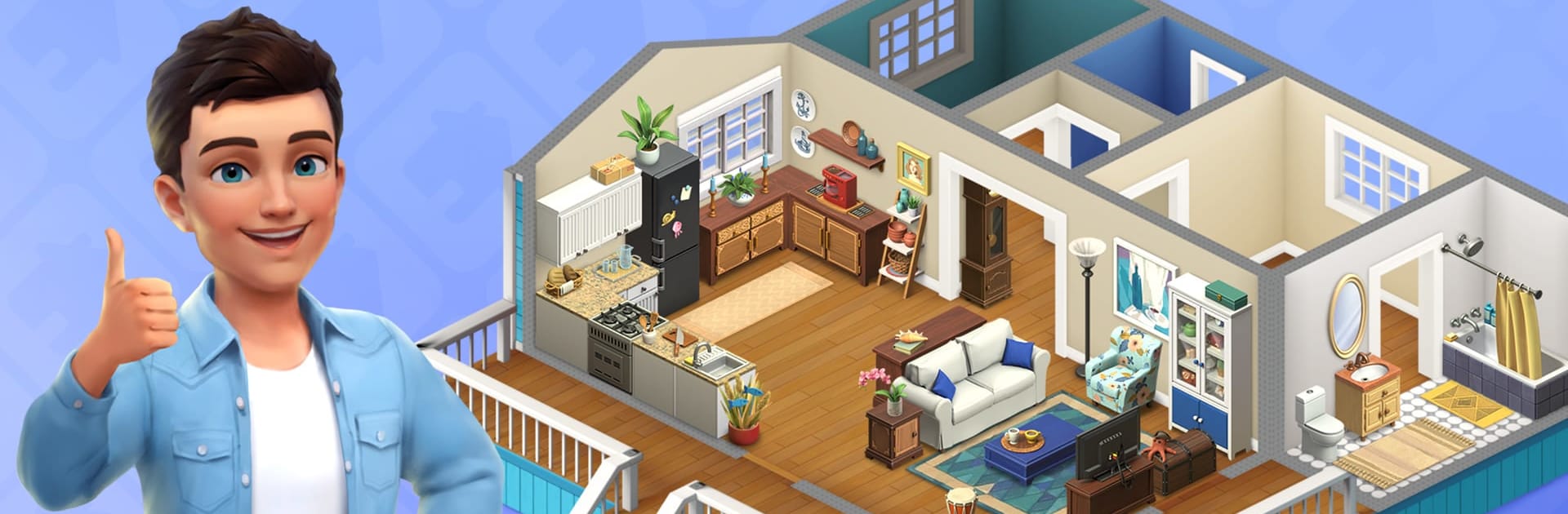
My Estate Quest – House Design blends cozy home makeovers with story-driven exploring in a laid-back, satisfying loop. Team up with Phoebe and Matt to restore the lakeside town of Moonlakes, one request, one room, and one mystery at a time. It’s an Adventure game from VIZOR APPS LTD. where decorating, quests, and a bit of treasure hunting all click together. Prefer playing on PC? BlueStacks handles it smoothly without fuss.

Game Features

  • Town makeover with heart: Help Moonlakes’ residents refresh their homes and watch the streets, the port, and the lighthouse spring back to life as you complete jobs.
  • Design every room: Style living rooms, kitchens, bathrooms, and even gardens with a wide catalog of furniture, colors, and finishes to match your taste.
  • Phoebe and Matt’s story: Work side by side with two seasoned designers whose projects open up new areas, characters, and challenges.
  • Landmarks worth saving: Explore the bustling Port, lively Downtown events, and the Lighthouse that nudges each new chapter forward.
  • Treasure finds and upgrades: Discover rare antiques while you work. Keep the best pieces for your collection or sell them for coins to fund bigger renovations, then upgrade furnishings to elevate your builds.
  • Parallel worlds and puzzles: Venture beyond Moonlakes into quirky, cluttered realms packed with light puzzles and hidden designer relics that tie into the main mystery.
  • Your own real estate: Buy, build, and customize a house from the ground up. Flip it for profit or hold onto your personal masterpiece—your call.
  • Play at your pace: Pick quick touch-ups or full renovations, complete quests, unlock fresh locations, and expand your toolbox in a way that fits your mood.

Ready to top the leaderboard? We bet you do. Let precise controls and sharp visuals optimized on BlueStacks lead you to victory.


Game Features

Enhancements

  • Macros
  • Multi Instance
  • Multi Instance Sync
  • Script
  • Enhancements
Macros

Macros

Automate the predictable in My Estate Quest - House Design and transform your gameplay with Macros. Get access to inventive Macros in the BlueStacks Macro Community
Multi Instance

Multi Instance

Play My Estate Quest - House Design on one window. And chat with your friend on the other. Press CTRL + Shift + 8 to open the Multi-Instance Manager. And start creating fresh instances or clone an existing one.
Multi Instance Sync

Multi Instance Sync

Play My Estate Quest - House Design with the power of Multi-Instance Sync. Replicate what you are doing on the main instance on all other instances. Level up faster, play more.
Script

Script

Script your way to gaming glory in My Estate Quest - House Design with BlueStacks Script. Write and run a set of commands to automate repeated tasks. Trigger the command by assigning it to any key.
Read More

How to Download and Play My Estate Quest - House Design on PC or Mac

  • Download and install BlueStacks on your PC or Mac

  • Complete Google sign-in to access the Play Store, or do it later

  • Look for My Estate Quest - House Design in the search bar at the top right corner

  • Click to install My Estate Quest - House Design from the search results

  • Complete Google sign-in (if you skipped step 2) to install My Estate Quest - House Design

  • Click the My Estate Quest - House Design icon on the home screen to start playing

video
Watch Video

Minimum System Requirements

With BlueStacks 5, you can get started on a PC that fulfills the following requirements.

  • Operating System

    Microsoft Windows 7 or above, macOS 11 (Big Sur) or above

  • Processor

    Intel, AMD or Apple Silicon Processor

  • RAM

    at least 4GB

  • HDD

    10GB Free Disk Space

Note:

* You must be an Administrator on your PC. Up to date graphics drivers from Microsoft or the chipset vendor.

My Estate Quest - House Design - FAQs

  • How to play My Estate Quest - House Design on Windows PC & Mac?

    Play My Estate Quest - House Design on your PC or Mac by following these simple steps.

    • Click on 'Play My Estate Quest - House Design on PC’ to download BlueStacks
    • Install it and log-in to Google Play Store
    • Launch and play the game.
  • Why is BlueStacks the fastest and safest platform to play games on PC?

    BlueStacks respects your privacy and is always safe and secure to use. It does not carry any malware, spyware, or any sort of additional software that could harm your PC.

    It is engineered to optimize speed and performance for a seamless gaming experience.

  • What are My Estate Quest - House Design PC requirements?

    Minimum requirement to run My Estate Quest - House Design on your PC

    • OS: Microsoft Windows 7 or above MacOS 11 (Big Sur) or above
    • Processor: Intel, AMD or Apple Silicon Processor
    • RAM: Your PC must have at least 4GB of RAM. (Note that having 4GB or more disk space is not a substitute for RAM)
    • HDD: 10GB Free Disk Space.
    • You must be an Administrator on your PC.