NearEscape
NearEscape

NearEscape

Adventure

| ElMaHeDev

Play on PC with BlueStacks or from our cloud

  • Overview
  • Game Features
  • How to Play

Page Modified On: August 24, 2026

Play NearEscape on PC or Mac

NearEscape by ElMaHeDev has plenty to keep you busy. BlueStacks lets you play it on PC or Mac with more screen space, better control, and fewer mobile limits.

About the Game

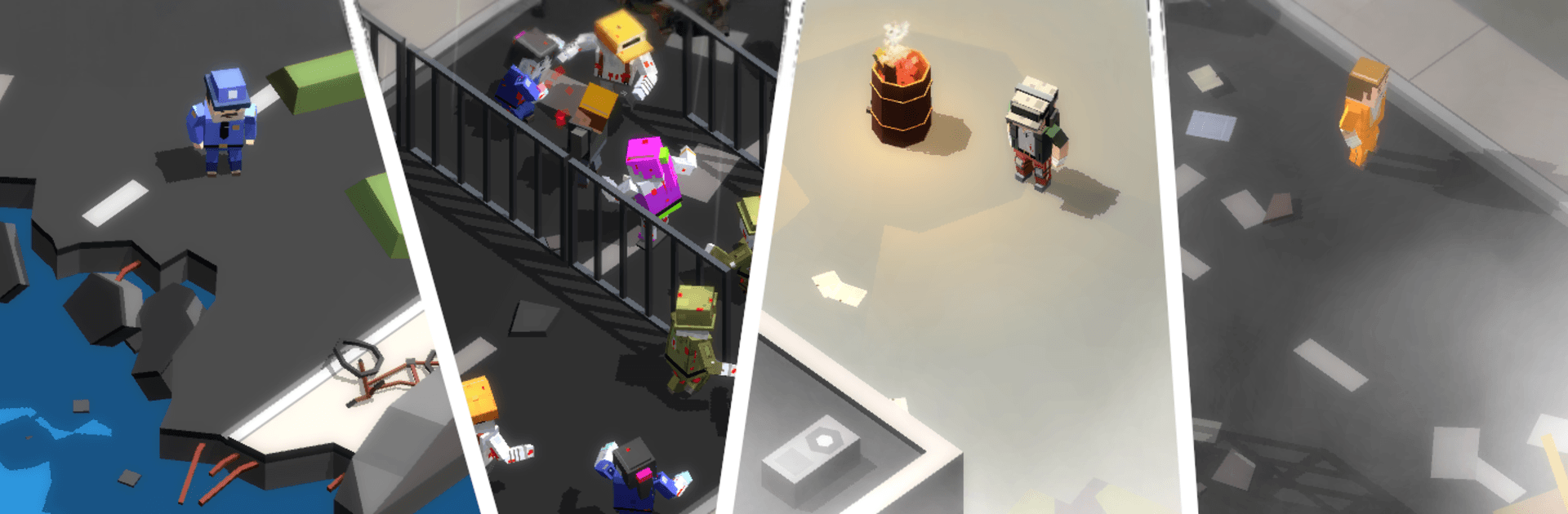
NearEscape drops you into a ruined city with a hazy past and a whole lot of unknowns. This Adventure experience blends tense scavenging, sneaky movement, and tough calls as you search for answers about your family and what really happened. Prefer a bigger screen and steadier controls? It plays comfortably on BlueStacks, too.

Game Features

  • Open-world city: Wander broad streets and slip into apartments, offices, and shops as you pick through a sprawling urban wasteland.
  • Living atmosphere: Day turns to night, fog rolls in, and rain changes visibility—every shift affects how you travel and where you hide.
  • Story through clues: Piece together your memories by finding journals and notes that reveal the collapse of the world and your role in it.
  • Stealth-first survival: The infected don’t see well but react fast to sound, so crouch, distract, and plan your routes to stay off their radar.
  • Fight only when it matters: If things go loud, craft ammo and explosives, patch up your gear, and be ready—mutated types hit hard.
  • Safe routes and shelters: Use subway tunnels and tucked-away hideouts to catch your breath, stash supplies, and avoid crowded hotspots.
  • Scavenge and manage needs: Hunt down food, water, and meds, and balance your pack so you’re prepared without slowing yourself down.
  • Sparse human encounters: A handful of survivors still hang on—some cautious, some desperate—so approach with care and read the room.
  • Tools you can build: Gather materials to make bullets, bombs, and other essentials that help you cross blocked paths or break through threats.
  • No-nonsense immersion: No ads get in the way, letting the tension and atmosphere carry every step you take.

Start playing NearEscape on BlueStacks and get a smoother, more comfortable PC or Mac setup.

Game Features

Enhancements

  • Macros
  • Multi Instance
  • Multi Instance Sync
  • Script
  • Enhancements
Macros

Macros

Automate the predictable in NearEscape and transform your gameplay with Macros. Get access to inventive Macros in the BlueStacks Macro Community
Multi Instance

Multi Instance

Play NearEscape on one window. And chat with your friend on the other. Press CTRL + Shift + 8 to open the Multi-Instance Manager. And start creating fresh instances or clone an existing one.
Multi Instance Sync

Multi Instance Sync

Play NearEscape with the power of Multi-Instance Sync. Replicate what you are doing on the main instance on all other instances. Level up faster, play more.
Script

Script

Script your way to gaming glory in NearEscape with BlueStacks Script. Write and run a set of commands to automate repeated tasks. Trigger the command by assigning it to any key.
Read More

How to Download and Play NearEscape on PC or Mac

  • Download and install BlueStacks on your PC or Mac

  • Complete Google sign-in to access the Play Store, or do it later

  • Look for NearEscape in the search bar at the top right corner

  • Click to install NearEscape from the search results

  • Complete Google sign-in (if you skipped step 2) to install NearEscape

  • Click the NearEscape icon on the home screen to start playing

video
Watch Video

Minimum System Requirements

With BlueStacks 5, you can get started on a PC that fulfills the following requirements.

  • Operating System

    Microsoft Windows 7 or above, macOS 11 (Big Sur) or above

  • Processor

    Intel, AMD or Apple Silicon Processor

  • RAM

    at least 4GB

  • HDD

    10GB Free Disk Space

Note:

* You must be an Administrator on your PC. Up to date graphics drivers from Microsoft or the chipset vendor.

NearEscape - FAQs

  • How to play NearEscape on Windows PC & Mac?

    Play NearEscape on your PC or Mac by following these simple steps.

    • Click on 'Play NearEscape on PC’ to download BlueStacks
    • Install it and log-in to Google Play Store
    • Launch and play the game.
  • Why is BlueStacks the fastest and safest platform to play games on PC?

    BlueStacks respects your privacy and is always safe and secure to use. It does not carry any malware, spyware, or any sort of additional software that could harm your PC.

    It is engineered to optimize speed and performance for a seamless gaming experience.

  • What are NearEscape PC requirements?

    Minimum requirement to run NearEscape on your PC

    • OS: Microsoft Windows 7 or above MacOS 11 (Big Sur) or above
    • Processor: Intel, AMD or Apple Silicon Processor
    • RAM: Your PC must have at least 4GB of RAM. (Note that having 4GB or more disk space is not a substitute for RAM)
    • HDD: 10GB Free Disk Space.
    • You must be an Administrator on your PC.