Real Jurassic Dino Revolt Game

Real Jurassic Dino Revolt Game

Adventure

| Gaming Tag

Play on PC with BlueStacks or from our cloud

  • Overview
  • Game Features
  • How to Play

Page Modified On: June 25, 2026

Play Real Jurassic Dino Revolt Game on PC or Mac

Play Real Jurassic Dino Revolt Game by Gaming Tag on PC or Mac with BlueStacks. Use a bigger screen, mouse and keyboard controls, and smoother performance while you play.

About the Game
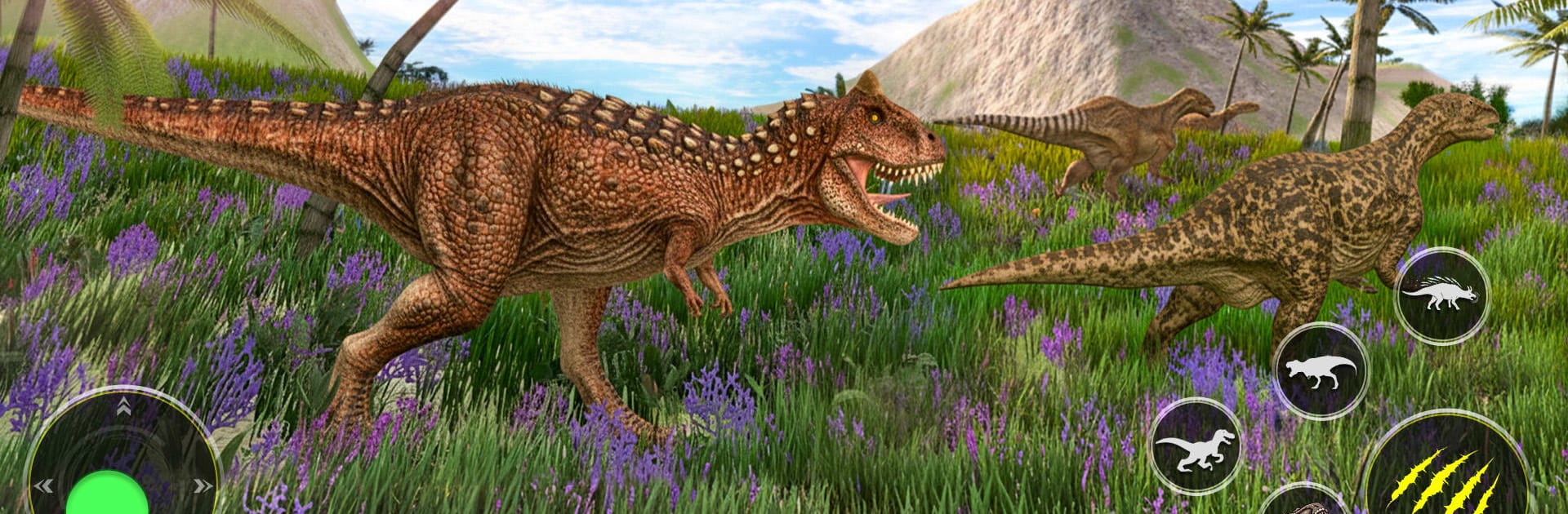
Real Jurassic Dino Revolt Game blends tense hunts with relaxed park management in one wild Adventure. One moment you’re tracking a rampaging predator with limited energy to spare; the next, you’re expanding habitats, digging up fossils, and preparing your roster for the next clash. Want it on a bigger screen with crisp controls? It runs smoothly on BlueStacks without getting in your way.

Game Features
– Target-based hunts: Each mission sets a clear number of dinosaurs to take down before your stamina runs out, so every step, shot, and retreat matters.
– Real survival pressure: Predators don’t just stand there—they charge, surround, and hit back. Keep your cool or get overwhelmed.
– Build a thriving park: Design enclosures, grow your collection, and keep your prehistoric residents happy while laying the groundwork for tougher battles ahead.
– Merge and evolve: Combine compatible dinos to create tougher variations that can swing the odds in your favor when the big ones show up.
– Fossil digs with purpose: Excavate layers to uncover rare bones and artifacts that feed into research, upgrades, and your growing museum vibe.
– Explore dangerous biomes: Trek through sandy ruins, deep caves, and thick forests where treasure, resources, and angry jaws all lurk a step away.
– Squad up for battles: Bring the creatures you’ve prepared into compact, high-stakes encounters that reward smart positioning and timing.
– Smart energy management: Sprinting after the wrong target can burn your run—learn when to push, when to hide, and when to reset.
– Collect and tame: Add rare species to your lineup, nurture them, and watch your park transform into a living, roaring showcase of prehistoric power.

Start your journey now. Download the game on BlueStacks, invite your friends, and march on a new adventure.


Game Features

Enhancements

  • Macros
  • Multi Instance
  • Multi Instance Sync
  • Script
  • Enhancements
Macros

Macros

Automate the predictable in Real Jurassic Dino Revolt Game and transform your gameplay with Macros. Get access to inventive Macros in the BlueStacks Macro Community
Multi Instance

Multi Instance

Play Real Jurassic Dino Revolt Game on one window. And chat with your friend on the other. Press CTRL + Shift + 8 to open the Multi-Instance Manager. And start creating fresh instances or clone an existing one.
Multi Instance Sync

Multi Instance Sync

Play Real Jurassic Dino Revolt Game with the power of Multi-Instance Sync. Replicate what you are doing on the main instance on all other instances. Level up faster, play more.
Script

Script

Script your way to gaming glory in Real Jurassic Dino Revolt Game with BlueStacks Script. Write and run a set of commands to automate repeated tasks. Trigger the command by assigning it to any key.
Read More

How to Download and Play Real Jurassic Dino Revolt Game on PC or Mac

  • Download and install BlueStacks on your PC or Mac

  • Complete Google sign-in to access the Play Store, or do it later

  • Look for Real Jurassic Dino Revolt Game in the search bar at the top right corner

  • Click to install Real Jurassic Dino Revolt Game from the search results

  • Complete Google sign-in (if you skipped step 2) to install Real Jurassic Dino Revolt Game

  • Click the Real Jurassic Dino Revolt Game icon on the home screen to start playing

video
Watch Video

Minimum System Requirements

With BlueStacks 5, you can get started on a PC that fulfills the following requirements.

  • Operating System

    Microsoft Windows 7 or above, macOS 11 (Big Sur) or above

  • Processor

    Intel, AMD or Apple Silicon Processor

  • RAM

    at least 4GB

  • HDD

    10GB Free Disk Space

Note:

* You must be an Administrator on your PC. Up to date graphics drivers from Microsoft or the chipset vendor.

Real Jurassic Dino Revolt Game - FAQs

  • How to play Real Jurassic Dino Revolt Game on Windows PC & Mac?

    Play Real Jurassic Dino Revolt Game on your PC or Mac by following these simple steps.

    • Click on 'Play Real Jurassic Dino Revolt Game on PC’ to download BlueStacks
    • Install it and log-in to Google Play Store
    • Launch and play the game.
  • Why is BlueStacks the fastest and safest platform to play games on PC?

    BlueStacks respects your privacy and is always safe and secure to use. It does not carry any malware, spyware, or any sort of additional software that could harm your PC.

    It is engineered to optimize speed and performance for a seamless gaming experience.

  • What are Real Jurassic Dino Revolt Game PC requirements?

    Minimum requirement to run Real Jurassic Dino Revolt Game on your PC

    • OS: Microsoft Windows 7 or above MacOS 11 (Big Sur) or above
    • Processor: Intel, AMD or Apple Silicon Processor
    • RAM: Your PC must have at least 4GB of RAM. (Note that having 4GB or more disk space is not a substitute for RAM)
    • HDD: 10GB Free Disk Space.
    • You must be an Administrator on your PC.