Soccer World Cup Manager 2026

Soccer World Cup Manager 2026

Sports

| Gaming Tag

Play on PC with BlueStacks or from our cloud

  • Overview
  • Game Features
  • How to Play

Page Modified On: June 25, 2026

Play Soccer World Cup Manager 2026 on PC or Mac

Bring your A-game to Soccer World Cup Manager 2026, the Sports game sensation from Gaming Tag. Give your gameplay the much-needed boost with precise game controls, high FPS graphics, and top-tier features on your PC or Mac with BlueStacks.

About the Game

Soccer World Cup Manager 2026 hands you the headset and the hot seat. You’re picking a national squad, shaping a playstyle, and making in-match calls that can swing an entire tournament. It’s all about smart decisions, from gritty qualifiers to a pressure-packed final where every change on the touchline matters.

Game Features

  • National Team Control: Choose your country, call up the right mix of stars and prospects, and rotate the lineup to keep form high when it counts most.
  • Tactics That Actually Matter: Switch formations, fine-tune player roles, and tweak your approach on the fly to outthink other managers.
  • Full Tournament Journey: Battle through qualifiers, handle the nerves of the group stage, and survive knockout rounds on the way to the big one.
  • Meaningful Progression: Earn team upgrades, grow player skills, and keep building momentum across the season so performances don’t stall.
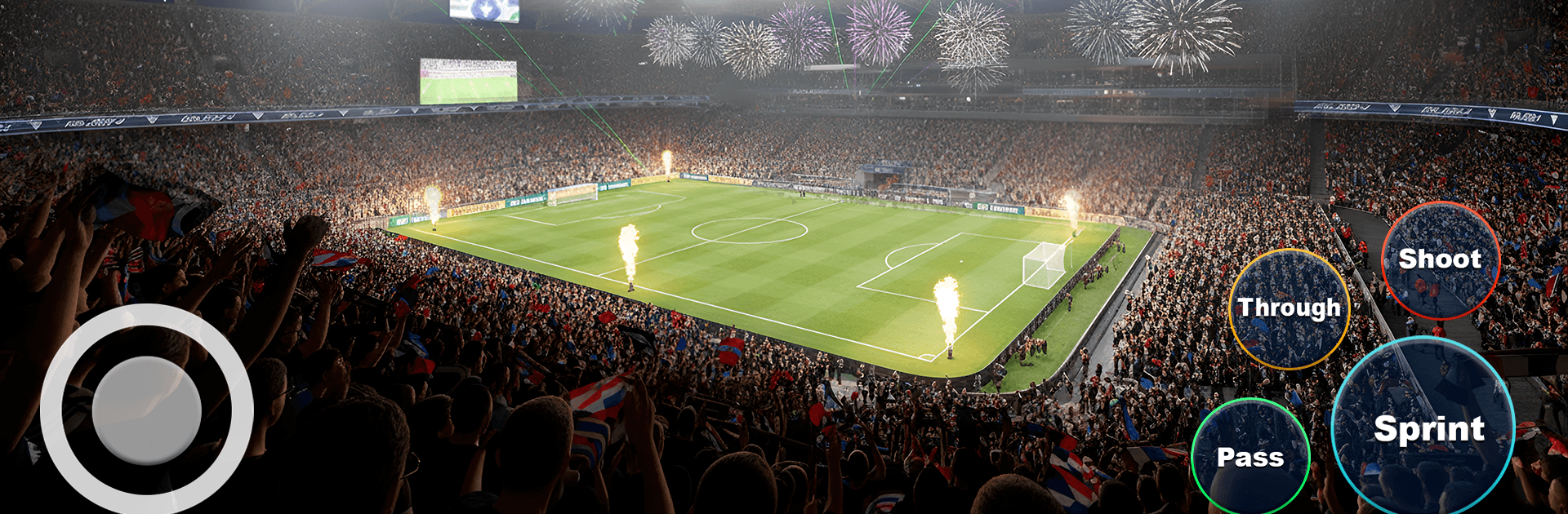
  • Real Matchday Feel: Lively crowds, authentic stadium energy, and tense tactical chess make every fixture feel like the real thing.
  • Global Competition: Face managers from around the world and test your ideas against a wide range of styles and strategies.
  • Smart Numbers, Clear Decisions: Read player stats, judge chemistry, and set lineups that click without getting buried in pointless menus.
  • Easy to Learn, Deep to Master: Jump in quickly, then dig into the tactical layers as your confidence (and squad) develops.
  • PC-Friendly Option: Prefer a bigger screen and mouse control? Play on BlueStacks for smooth management sessions.

Get ready for a buttery smooth, high-performance gaming action only on BlueStacks.

Game Features

Enhancements

  • Macros
  • Multi Instance
  • Multi Instance Sync
  • Script
  • Enhancements
Macros

Macros

Automate the predictable in Soccer World Cup Manager 2026 and transform your gameplay with Macros. Get access to inventive Macros in the BlueStacks Macro Community
Multi Instance

Multi Instance

Play Soccer World Cup Manager 2026 on one window. And chat with your friend on the other. Press CTRL + Shift + 8 to open the Multi-Instance Manager. And start creating fresh instances or clone an existing one.
Multi Instance Sync

Multi Instance Sync

Play Soccer World Cup Manager 2026 with the power of Multi-Instance Sync. Replicate what you are doing on the main instance on all other instances. Level up faster, play more.
Script

Script

Script your way to gaming glory in Soccer World Cup Manager 2026 with BlueStacks Script. Write and run a set of commands to automate repeated tasks. Trigger the command by assigning it to any key.
Read More

How to Download and Play Soccer World Cup Manager 2026 on PC or Mac

  • Download and install BlueStacks on your PC or Mac

  • Complete Google sign-in to access the Play Store, or do it later

  • Look for Soccer World Cup Manager 2026 in the search bar at the top right corner

  • Click to install Soccer World Cup Manager 2026 from the search results

  • Complete Google sign-in (if you skipped step 2) to install Soccer World Cup Manager 2026

  • Click the Soccer World Cup Manager 2026 icon on the home screen to start playing

video
Watch Video

Minimum System Requirements

With BlueStacks 5, you can get started on a PC that fulfills the following requirements.

  • Operating System

    Microsoft Windows 7 or above, macOS 11 (Big Sur) or above

  • Processor

    Intel, AMD or Apple Silicon Processor

  • RAM

    at least 4GB

  • HDD

    10GB Free Disk Space

Note:

* You must be an Administrator on your PC. Up to date graphics drivers from Microsoft or the chipset vendor.

Soccer World Cup Manager 2026 - FAQs

  • How to play Soccer World Cup Manager 2026 on Windows PC & Mac?

    Play Soccer World Cup Manager 2026 on your PC or Mac by following these simple steps.

    • Click on 'Play Soccer World Cup Manager 2026 on PC’ to download BlueStacks
    • Install it and log-in to Google Play Store
    • Launch and play the game.
  • Why is BlueStacks the fastest and safest platform to play games on PC?

    BlueStacks respects your privacy and is always safe and secure to use. It does not carry any malware, spyware, or any sort of additional software that could harm your PC.

    It is engineered to optimize speed and performance for a seamless gaming experience.

  • What are Soccer World Cup Manager 2026 PC requirements?

    Minimum requirement to run Soccer World Cup Manager 2026 on your PC

    • OS: Microsoft Windows 7 or above MacOS 11 (Big Sur) or above
    • Processor: Intel, AMD or Apple Silicon Processor
    • RAM: Your PC must have at least 4GB of RAM. (Note that having 4GB or more disk space is not a substitute for RAM)
    • HDD: 10GB Free Disk Space.
    • You must be an Administrator on your PC.