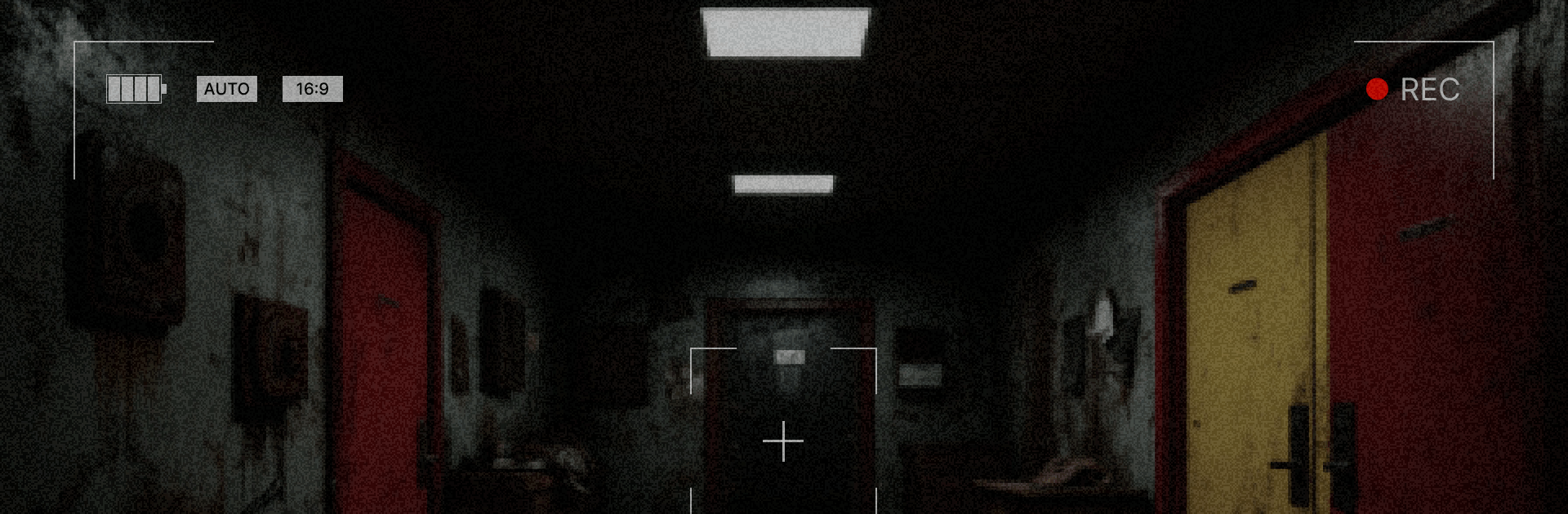
Red And Yellow Doors: Escape

Red And Yellow Doors: Escape

Adventure

| BlessedLand

Play on PC with BlueStacks or from our cloud

  • Overview
  • Game Features
  • How to Play

Page Modified On: August 24, 2026

Play Red And Yellow Doors: Escape on PC or Mac

Step into the World of Red And Yellow Doors: Escape, a thrilling Adventure game from the house of BlessedLand. Play this Android game on BlueStacks App Player and experience immersive gaming on PC or Mac.

About the Game

Red And Yellow Doors: Escape is an Adventure that traps you in a maze of rooms where every choice can save you—or doom you. It’s a tense, puzzle-forward experience that toys with your perception, asks you to notice tiny details, and dares you to pick a door when none feel safe. Prefer a bigger view and steady controls? It plays smoothly on BlueStacks without dulling the chills.

Game Features

  • Psychological tension, not cheap jumps: Expect unease that creeps in through lighting, pacing, and uncertainty instead of constant startles.
  • Observation-first puzzles: Riddles reward sharp eyes and patience—symbols, sounds, and room layouts hide the clues you need.
  • Consequences that stick: Choices aren’t throwaway; pick a path and live with it, with routes locking and outcomes shifting as you go.
  • Multiple endings to uncover: Your decisions shape how the story resolves, from narrow escapes to deeply unsettling conclusions.
  • Minimalist, unsettling visuals: Stark spaces, odd geometry, and cryptic markings build a mood that’s colder the longer you stare.
  • Eerie audio that nudges you: Subtle sound cues and a haunting score hint at solutions—and sometimes mess with your nerves.
  • Fair but devious design: Answers are always there if you’re paying attention; misdirection exists, but guesswork won’t carry you.
  • Replayable runs with new wrinkles: Fresh room combinations and hidden lore pieces keep subsequent attempts tense and surprising.
  • Simple to learn, hard to shake: Intuitive controls make it easy to start; the mind games and creeping dread are what linger.

Start playing Red And Yellow Doors: Escape on BlueStacks and get a smoother, more comfortable PC or Mac setup.


Game Features

Enhancements

  • Macros
  • Multi Instance
  • Multi Instance Sync
  • Script
  • Enhancements
Macros

Macros

Automate the predictable in Red And Yellow Doors: Escape and transform your gameplay with Macros. Get access to inventive Macros in the BlueStacks Macro Community
Multi Instance

Multi Instance

Play Red And Yellow Doors: Escape on one window. And chat with your friend on the other. Press CTRL + Shift + 8 to open the Multi-Instance Manager. And start creating fresh instances or clone an existing one.
Multi Instance Sync

Multi Instance Sync

Play Red And Yellow Doors: Escape with the power of Multi-Instance Sync. Replicate what you are doing on the main instance on all other instances. Level up faster, play more.
Script

Script

Script your way to gaming glory in Red And Yellow Doors: Escape with BlueStacks Script. Write and run a set of commands to automate repeated tasks. Trigger the command by assigning it to any key.
Read More

How to Download and Play Red And Yellow Doors: Escape on PC or Mac

  • Download and install BlueStacks on your PC or Mac

  • Complete Google sign-in to access the Play Store, or do it later

  • Look for Red And Yellow Doors: Escape in the search bar at the top right corner

  • Click to install Red And Yellow Doors: Escape from the search results

  • Complete Google sign-in (if you skipped step 2) to install Red And Yellow Doors: Escape

  • Click the Red And Yellow Doors: Escape icon on the home screen to start playing

video
Watch Video

Minimum System Requirements

With BlueStacks 5, you can get started on a PC that fulfills the following requirements.

  • Operating System

    Microsoft Windows 7 or above, macOS 11 (Big Sur) or above

  • Processor

    Intel, AMD or Apple Silicon Processor

  • RAM

    at least 4GB

  • HDD

    10GB Free Disk Space

Note:

* You must be an Administrator on your PC. Up to date graphics drivers from Microsoft or the chipset vendor.

Red And Yellow Doors: Escape - FAQs

  • How to play Red And Yellow Doors: Escape on Windows PC & Mac?

    Play Red And Yellow Doors: Escape on your PC or Mac by following these simple steps.

    • Click on 'Play Red And Yellow Doors: Escape on PC’ to download BlueStacks
    • Install it and log-in to Google Play Store
    • Launch and play the game.
  • Why is BlueStacks the fastest and safest platform to play games on PC?

    BlueStacks respects your privacy and is always safe and secure to use. It does not carry any malware, spyware, or any sort of additional software that could harm your PC.

    It is engineered to optimize speed and performance for a seamless gaming experience.

  • What are Red And Yellow Doors: Escape PC requirements?

    Minimum requirement to run Red And Yellow Doors: Escape on your PC

    • OS: Microsoft Windows 7 or above MacOS 11 (Big Sur) or above
    • Processor: Intel, AMD or Apple Silicon Processor
    • RAM: Your PC must have at least 4GB of RAM. (Note that having 4GB or more disk space is not a substitute for RAM)
    • HDD: 10GB Free Disk Space.
    • You must be an Administrator on your PC.