SARCOPH
SARCOPH

SARCOPH

Adventure

| FarBridge, Inc.

Play on PC with BlueStacks or from our cloud

  • Overview
  • Tips & Tricks
  • Game Features
  • How to Play

Page Modified On: November 02, 2026

Play SARCOPH on PC or Mac

SARCOPH brings the Adventure genre to life, and throws up exciting challenges for gamers. Developed by FarBridge, Inc., this Android game is best experienced on BlueStacks, the World’s #1 app player for PC and Mac users.

About the Game

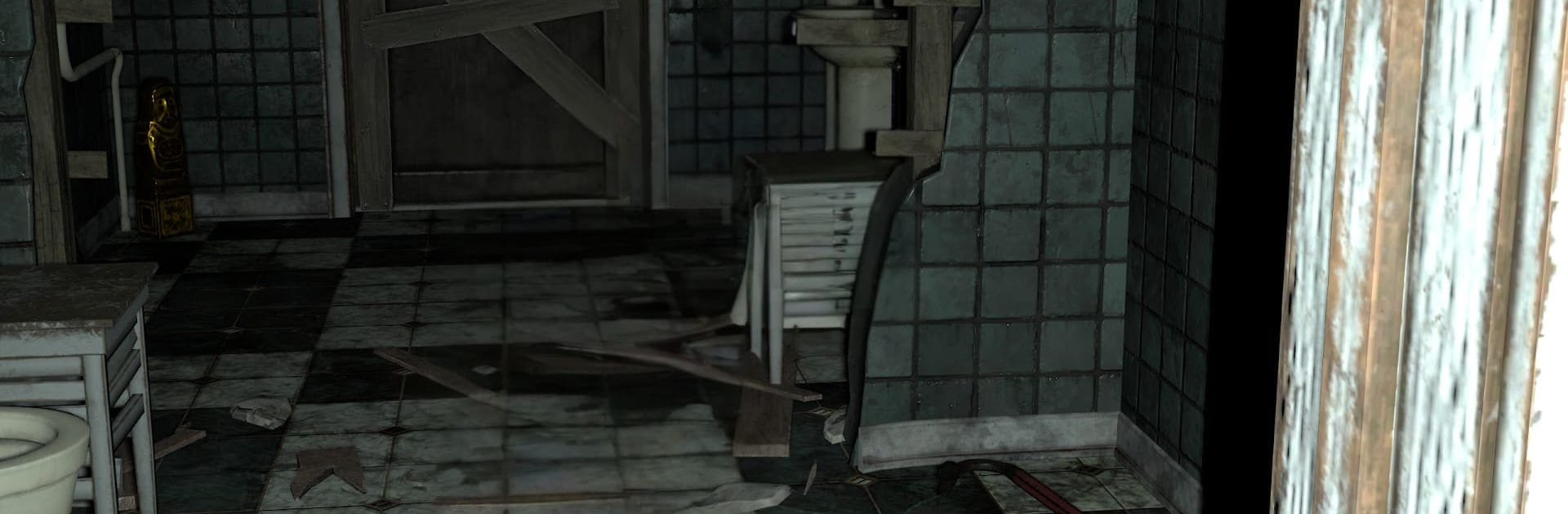
You wake up on a hidden floor that shouldn’t exist, with one way out and something hunting the halls. SARCOPH is an Adventure with a sharp action‑horror streak: track down five sacred idols and return them to the elevator while the Occupant stalks your every move. Prefer a larger display? It also plays nicely on PC with BlueStacks.

Game Features

  • Stalking Threat: The Occupant roams the corridors and reacts when you slip up; get spotted and it will chase, so break line of sight and keep quiet.
  • Sneak and Hide: Hug corners, use cover, and wait out patrols; patience is your best defense when a single noise can give you away.
  • Five Idols, One Exit: Find five idols and carry each one back to the elevator to unlock your escape; every return trip cranks up the tension.
  • Your Only Tool: Rely on a single, simple tool to manage close calls and open up chances to move; timing and nerve matter more than brute force.
  • Claustrophobic Layout: Pick routes through cramped corridors and forgotten rooms on a sealed, secret floor where every detour feels risky.
  • Sound as a Signal: Footsteps, distant echoes, and sudden silences hint at where danger is; listen first, move second.

Get ready for a buttery smooth, high-performance gaming action only on BlueStacks.
Game Features

Enhancements

  • Macros
  • Multi Instance
  • Multi Instance Sync
  • Script
  • Enhancements
Macros

Macros

Automate the predictable in SARCOPH and transform your gameplay with Macros. Get access to inventive Macros in the BlueStacks Macro Community
Multi Instance

Multi Instance

Play SARCOPH on one window. And chat with your friend on the other. Press CTRL + Shift + 8 to open the Multi-Instance Manager. And start creating fresh instances or clone an existing one.
Multi Instance Sync

Multi Instance Sync

Play SARCOPH with the power of Multi-Instance Sync. Replicate what you are doing on the main instance on all other instances. Level up faster, play more.
Script

Script

Script your way to gaming glory in SARCOPH with BlueStacks Script. Write and run a set of commands to automate repeated tasks. Trigger the command by assigning it to any key.
Read More

How to Download and Play SARCOPH on PC or Mac

  • Download and install BlueStacks on your PC or Mac

  • Complete Google sign-in to access the Play Store, or do it later

  • Look for SARCOPH in the search bar at the top right corner

  • Click to install SARCOPH from the search results

  • Complete Google sign-in (if you skipped step 2) to install SARCOPH

  • Click the SARCOPH icon on the home screen to start playing

video
Watch Video

Minimum System Requirements

With BlueStacks 5, you can get started on a PC that fulfills the following requirements.

  • Operating System

    Microsoft Windows 7 or above, macOS 11 (Big Sur) or above

  • Processor

    Intel, AMD or Apple Silicon Processor

  • RAM

    at least 4GB

  • HDD

    10GB Free Disk Space

Note:

* You must be an Administrator on your PC. Up to date graphics drivers from Microsoft or the chipset vendor.

SARCOPH - FAQs

  • How to play SARCOPH on Windows PC & Mac?

    Play SARCOPH on your PC or Mac by following these simple steps.

    • Click on 'Play SARCOPH on PC’ to download BlueStacks
    • Install it and log-in to Google Play Store
    • Launch and play the game.
  • Why is BlueStacks the fastest and safest platform to play games on PC?

    BlueStacks respects your privacy and is always safe and secure to use. It does not carry any malware, spyware, or any sort of additional software that could harm your PC.

    It is engineered to optimize speed and performance for a seamless gaming experience.

  • What are SARCOPH PC requirements?

    Minimum requirement to run SARCOPH on your PC

    • OS: Microsoft Windows 7 or above MacOS 11 (Big Sur) or above
    • Processor: Intel, AMD or Apple Silicon Processor
    • RAM: Your PC must have at least 4GB of RAM. (Note that having 4GB or more disk space is not a substitute for RAM)
    • HDD: 10GB Free Disk Space.
    • You must be an Administrator on your PC.