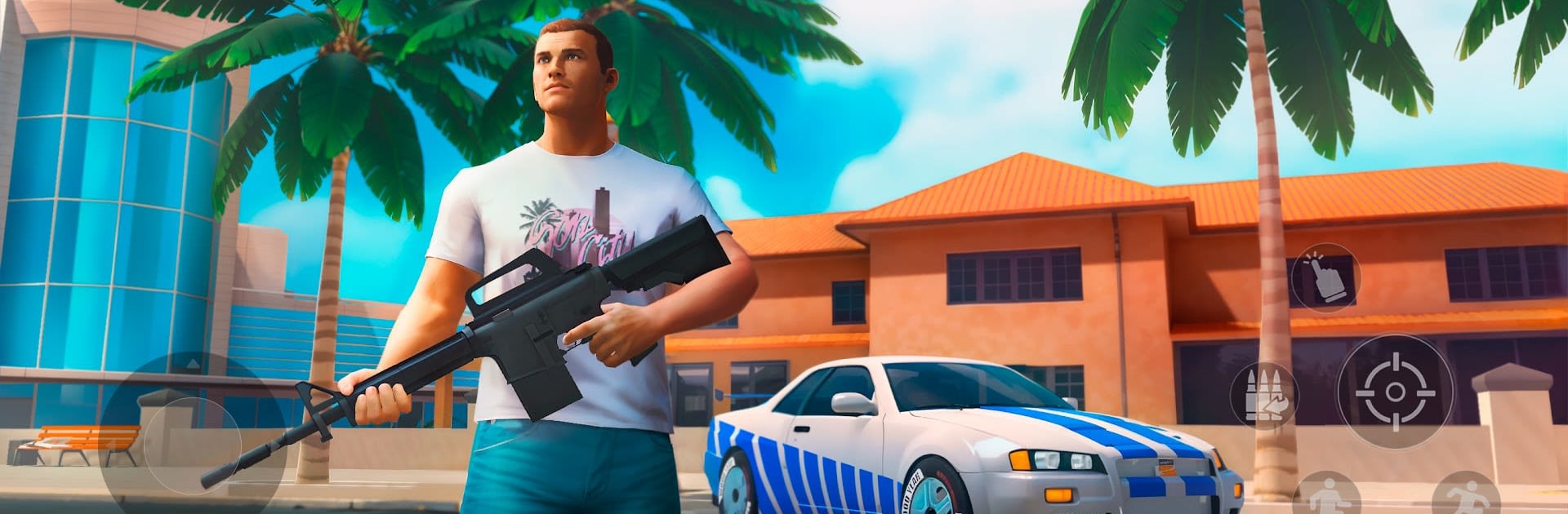
Sin Streets: Grand Racing Game

Sin Streets: Grand Racing Game

Adventure

| Pixelvoid Games Ltd

Play on PC with BlueStacks or from our cloud

  • Overview
  • Game Features
  • How to Play

Page Modified On: April 24, 2026

Play Sin Streets: Grand Racing Game on PC or Mac

Join millions to experience Sin Streets: Grand Racing Game, an exciting Adventure game from Pixelvoid Games Ltd. With BlueStacks App Player, you are always a step ahead of your opponent, ready to outplay them with faster gameplay and better control with the mouse and keyboard on your PC or Mac.

About the Game

Sin Streets: Grand Racing Game throws you into a sun-soaked, lawless city where going fast and staying sharp are pretty much the same thing. It’s part high-speed chaser, part third-person shooter, set in an open world that never really feels safe. Built by Pixelvoid Games Ltd, this gritty Adventure title lets you carve your own path—whether that’s cruising the boardwalk at dusk or outrunning an ambush two blocks later. Prefer playing on a bigger screen? It feels right at home on BlueStacks.

Game Features

  • Sun-soaked open world: Roam a coastal sprawl with palm-lined streets, neon nights, and long highways begging for burnouts. Every district has a mood—and a threat level.
  • Trouble comes fast: Gangs watch corners, alleys, and rooftops. One bad turn and you’re in a firefight, so stay alert and move like you mean it.
  • Weapons with personality: Pick a katana for quick, quiet takedowns, a trusty pistol for balanced fights, or an automatic rifle when you need raw stopping power.
  • Cars for every mood: Jump into everyday beaters or sleek sports machines. Drift through wide avenues, blast down freeways, and make the city your racetrack.
  • Third-person style: A clean, over-the-shoulder camera turns chases and shootouts into mini action films while giving you solid situational awareness.
  • Your rules, your story: There’s no “right” way to play—race, fight, explore, or all three. Survive the day, seize the night, and build your rep.
  • Evolving sandbox: More modes are in the works, including offline, online, and roleplay multiplayer. Expect factions, careers, quests, and bigger city stories.
  • Optional purchases: In-game items are available if you want to gear up faster, but playing your way still takes you far.

Get ready for a buttery smooth, high-performance gaming action only on BlueStacks.

Game Features

Enhancements

  • Macros
  • Multi Instance
  • Multi Instance Sync
  • Script
  • Enhancements
Macros

Macros

Automate the predictable in Sin Streets: Grand Racing Game and transform your gameplay with Macros. Get access to inventive Macros in the BlueStacks Macro Community
Multi Instance

Multi Instance

Play Sin Streets: Grand Racing Game on one window. And chat with your friend on the other. Press CTRL + Shift + 8 to open the Multi-Instance Manager. And start creating fresh instances or clone an existing one.
Multi Instance Sync

Multi Instance Sync

Play Sin Streets: Grand Racing Game with the power of Multi-Instance Sync. Replicate what you are doing on the main instance on all other instances. Level up faster, play more.
Script

Script

Script your way to gaming glory in Sin Streets: Grand Racing Game with BlueStacks Script. Write and run a set of commands to automate repeated tasks. Trigger the command by assigning it to any key.
Read More

How to Download and Play Sin Streets: Grand Racing Game on PC or Mac

  • Download and install BlueStacks on your PC or Mac

  • Complete Google sign-in to access the Play Store, or do it later

  • Look for Sin Streets: Grand Racing Game in the search bar at the top right corner

  • Click to install Sin Streets: Grand Racing Game from the search results

  • Complete Google sign-in (if you skipped step 2) to install Sin Streets: Grand Racing Game

  • Click the Sin Streets: Grand Racing Game icon on the home screen to start playing

video
Watch Video

Minimum System Requirements

With BlueStacks 5, you can get started on a PC that fulfills the following requirements.

  • Operating System

    Microsoft Windows 7 or above, macOS 11 (Big Sur) or above

  • Processor

    Intel, AMD or Apple Silicon Processor

  • RAM

    at least 4GB

  • HDD

    10GB Free Disk Space

Note:

* You must be an Administrator on your PC. Up to date graphics drivers from Microsoft or the chipset vendor.

Sin Streets: Grand Racing Game - FAQs

  • How to play Sin Streets: Grand Racing Game on Windows PC & Mac?

    Play Sin Streets: Grand Racing Game on your PC or Mac by following these simple steps.

    • Click on 'Play Sin Streets: Grand Racing Game on PC’ to download BlueStacks
    • Install it and log-in to Google Play Store
    • Launch and play the game.
  • Why is BlueStacks the fastest and safest platform to play games on PC?

    BlueStacks respects your privacy and is always safe and secure to use. It does not carry any malware, spyware, or any sort of additional software that could harm your PC.

    It is engineered to optimize speed and performance for a seamless gaming experience.

  • What are Sin Streets: Grand Racing Game PC requirements?

    Minimum requirement to run Sin Streets: Grand Racing Game on your PC

    • OS: Microsoft Windows 7 or above MacOS 11 (Big Sur) or above
    • Processor: Intel, AMD or Apple Silicon Processor
    • RAM: Your PC must have at least 4GB of RAM. (Note that having 4GB or more disk space is not a substitute for RAM)
    • HDD: 10GB Free Disk Space.
    • You must be an Administrator on your PC.