Tales RPG: AI Text Adventure

Tales RPG: AI Text Adventure

Adventure

| DWStudio

Play on PC with BlueStacks or from our cloud

  • Overview
  • Game Features
  • How to Play

Page Modified On: April 13, 2026

Play Tales RPG: AI Text Adventure on PC or Mac

Join millions to experience Tales RPG: AI Text Adventure, an exciting Adventure game from DWStudio. With BlueStacks App Player, you are always a step ahead of your opponent, ready to outplay them with faster gameplay and better control with the mouse and keyboard on your PC or Mac.

About the Game

Tales RPG: AI Text Adventure from DWStudio is a text-first Adventure where your choices actually matter. You’re not just tapping through prompts—you’re shaping a living story that reacts to what you say and do, scene after scene. Prefer a keyboard and a bigger screen? It plays comfortably on BlueStacks, too.

Game Features

  • Smart story memory: The AI keeps track of your past actions, the people you’ve met, and the rules of the world, so plots stay consistent and characters remember what happened.
  • Create your own worlds: Build a story from scratch and set the tone before it starts. Go super detailed with instructions, or let the AI steer the narrative while you focus on roleplaying.
  • Guided or freeform play: Choose between tightly plotted chapters or loosen the reins for a more improvisational, AI-driven tale—whatever fits your mood.
  • Community adventures: Browse stories made by the Tales RPG community and the team itself, including tributes to popular genres and familiar themes.
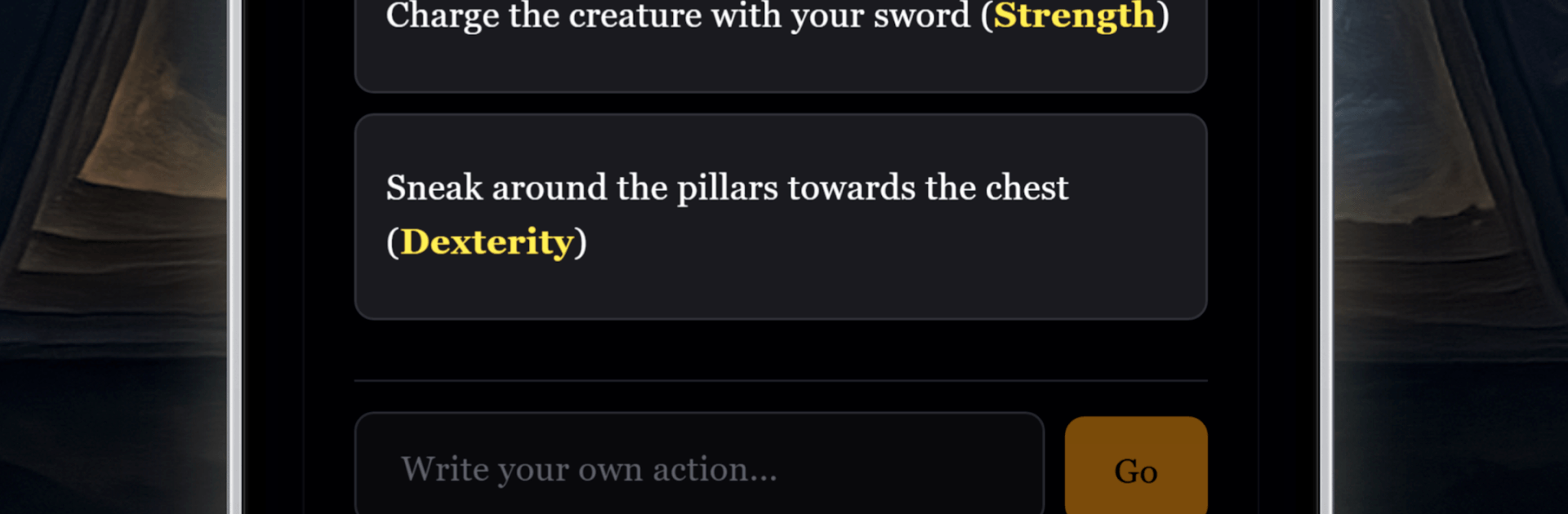
  • Skills and traits that matter: Grow abilities through your decisions. New strengths open up fresh solutions, alternate routes, and unexpected outcomes.
  • Inventory with impact: What you carry isn’t flavor text. Items and gear can change scenes, unlock options, or keep you alive when things get messy.
  • Deep character builder: Pick appearance, personality, and a backstory, then watch those choices ripple through conversations, conflicts, and alliances.
  • Multiple modes: Switch between RPG, Story, or a Dungeons & Dragons–style experience to match how rules-heavy—or chill—you want your session to be.

Get ready for a buttery smooth, high-performance gaming action only on BlueStacks.

Game Features

Enhancements

  • Macros
  • Multi Instance
  • Multi Instance Sync
  • Script
  • Enhancements
Macros

Macros

Automate the predictable in Tales RPG: AI Text Adventure and transform your gameplay with Macros. Get access to inventive Macros in the BlueStacks Macro Community
Multi Instance

Multi Instance

Play Tales RPG: AI Text Adventure on one window. And chat with your friend on the other. Press CTRL + Shift + 8 to open the Multi-Instance Manager. And start creating fresh instances or clone an existing one.
Multi Instance Sync

Multi Instance Sync

Play Tales RPG: AI Text Adventure with the power of Multi-Instance Sync. Replicate what you are doing on the main instance on all other instances. Level up faster, play more.
Script

Script

Script your way to gaming glory in Tales RPG: AI Text Adventure with BlueStacks Script. Write and run a set of commands to automate repeated tasks. Trigger the command by assigning it to any key.
Read More

How to Download and Play Tales RPG: AI Text Adventure on PC or Mac

  • Download and install BlueStacks on your PC or Mac

  • Complete Google sign-in to access the Play Store, or do it later

  • Look for Tales RPG: AI Text Adventure in the search bar at the top right corner

  • Click to install Tales RPG: AI Text Adventure from the search results

  • Complete Google sign-in (if you skipped step 2) to install Tales RPG: AI Text Adventure

  • Click the Tales RPG: AI Text Adventure icon on the home screen to start playing

video
Watch Video

Minimum System Requirements

With BlueStacks 5, you can get started on a PC that fulfills the following requirements.

  • Operating System

    Microsoft Windows 7 or above, macOS 11 (Big Sur) or above

  • Processor

    Intel, AMD or Apple Silicon Processor

  • RAM

    at least 4GB

  • HDD

    10GB Free Disk Space

Note:

* You must be an Administrator on your PC. Up to date graphics drivers from Microsoft or the chipset vendor.

Tales RPG: AI Text Adventure - FAQs

  • How to play Tales RPG: AI Text Adventure on Windows PC & Mac?

    Play Tales RPG: AI Text Adventure on your PC or Mac by following these simple steps.

    • Click on 'Play Tales RPG: AI Text Adventure on PC’ to download BlueStacks
    • Install it and log-in to Google Play Store
    • Launch and play the game.
  • Why is BlueStacks the fastest and safest platform to play games on PC?

    BlueStacks respects your privacy and is always safe and secure to use. It does not carry any malware, spyware, or any sort of additional software that could harm your PC.

    It is engineered to optimize speed and performance for a seamless gaming experience.

  • What are Tales RPG: AI Text Adventure PC requirements?

    Minimum requirement to run Tales RPG: AI Text Adventure on your PC

    • OS: Microsoft Windows 7 or above MacOS 11 (Big Sur) or above
    • Processor: Intel, AMD or Apple Silicon Processor
    • RAM: Your PC must have at least 4GB of RAM. (Note that having 4GB or more disk space is not a substitute for RAM)
    • HDD: 10GB Free Disk Space.
    • You must be an Administrator on your PC.