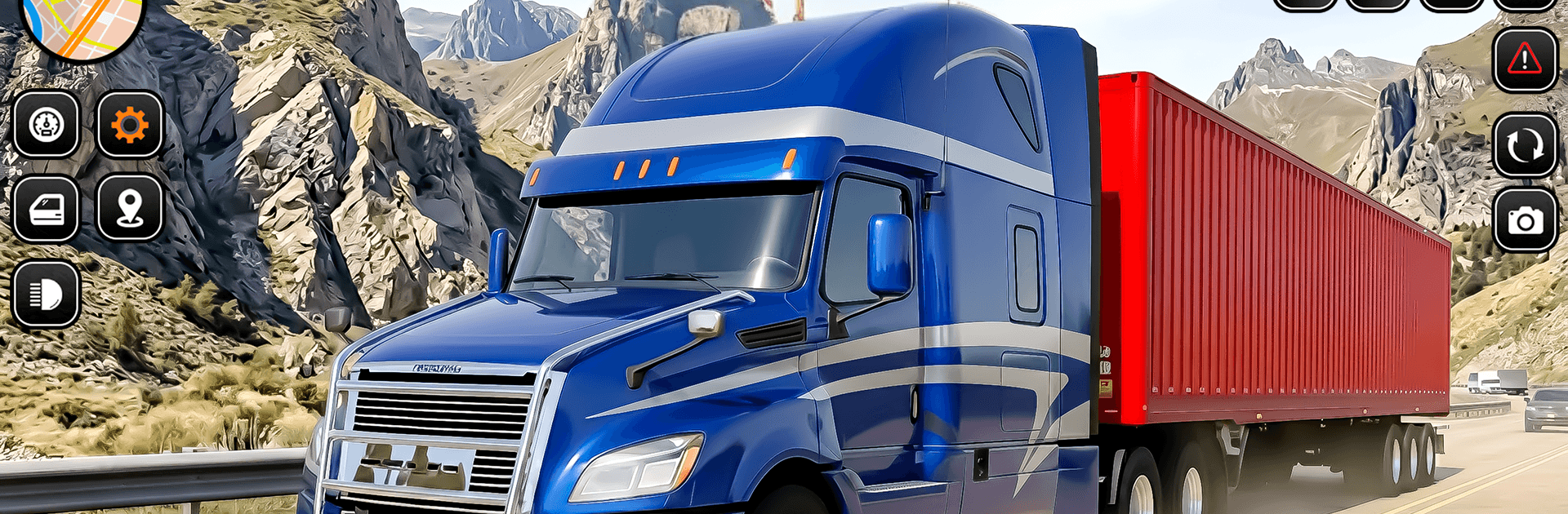
Truck Transport Game Simulator

Truck Transport Game Simulator

Adventure

| Infinity Bricks Studio

Play on PC with BlueStacks or from our cloud

  • Overview
  • Game Features
  • How to Play

Page Modified On: October 30, 2026

Play Truck Transport Game Simulator on PC or Mac

Play Truck Transport Game Simulator by Infinity Bricks Studio on PC or Mac with BlueStacks. Use a bigger screen, mouse and keyboard controls, and smoother performance while you play.

About the Game

Truck Transport Game Simulator is an Adventure game that puts you behind the wheel of serious heavy rigs across bustling European cities and wide‑open American highways. You’ll pick up fragile freight, grind through mountain passes and busy downtowns, and aim to deliver on time without beating up your trailer. Prefer a bigger view and steady controls? It runs smoothly on PC with BlueStacks, too.

Game Features

  • Two continents to explore: Swap between Europe’s narrow streets and autobahns and America’s sprawling interstates, each with its own traffic flow and road feel.
  • Realistic handling and physics: Feel the trailer’s weight, manage momentum on steep climbs, and balance speed with stability on long hauls.
  • Dynamic weather and lighting: Rain, fog, and nighttime routes change grip and visibility, so the same road never feels the same twice.
  • Meaningful cargo management: Secure delicate loads, avoid hard impacts, and protect your payout with steady, patient driving.
  • Career progression that grows with you: Complete contracts, unlock tougher routes, and expand a garage of rigs that each handle differently.
  • Upgrades and visual customization: Improve engines, brakes, and tires, then personalize your truck with paints and parts that match your style.
  • Detailed cockpits and camera views: Read crisp dashboards up close or switch to exterior cams when threading tight alleys.
  • City parking and tight turns: Squeeze trailers into cramped bays and sharpen precision with dedicated parking and maneuvering challenges.
  • Helpful tutorials for newcomers: Learn shifting, trailer balance, intersections, and safe braking through clear, guided lessons.
  • Route planning and fuel strategy: Choose smart rest and fuel stops to make deadlines without running dry.
  • Optional time trials and closed‑circuit runs: Want a quick hit of action? Test reflexes on short, high‑pressure challenges.
  • Play anytime, offline: Take on jobs and complete deliveries even when you’re away from a connection.

Start your journey now. Download the game on BlueStacks, invite your friends, and march on a new adventure.


Game Features

Enhancements

  • Macros
  • Multi Instance
  • Multi Instance Sync
  • Script
  • Enhancements
Macros

Macros

Automate the predictable in Truck Transport Game Simulator and transform your gameplay with Macros. Get access to inventive Macros in the BlueStacks Macro Community
Multi Instance

Multi Instance

Play Truck Transport Game Simulator on one window. And chat with your friend on the other. Press CTRL + Shift + 8 to open the Multi-Instance Manager. And start creating fresh instances or clone an existing one.
Multi Instance Sync

Multi Instance Sync

Play Truck Transport Game Simulator with the power of Multi-Instance Sync. Replicate what you are doing on the main instance on all other instances. Level up faster, play more.
Script

Script

Script your way to gaming glory in Truck Transport Game Simulator with BlueStacks Script. Write and run a set of commands to automate repeated tasks. Trigger the command by assigning it to any key.
Read More

How to Download and Play Truck Transport Game Simulator on PC or Mac

  • Download and install BlueStacks on your PC or Mac

  • Complete Google sign-in to access the Play Store, or do it later

  • Look for Truck Transport Game Simulator in the search bar at the top right corner

  • Click to install Truck Transport Game Simulator from the search results

  • Complete Google sign-in (if you skipped step 2) to install Truck Transport Game Simulator

  • Click the Truck Transport Game Simulator icon on the home screen to start playing

video
Watch Video

Minimum System Requirements

With BlueStacks 5, you can get started on a PC that fulfills the following requirements.

  • Operating System

    Microsoft Windows 7 or above, macOS 11 (Big Sur) or above

  • Processor

    Intel, AMD or Apple Silicon Processor

  • RAM

    at least 4GB

  • HDD

    10GB Free Disk Space

Note:

* You must be an Administrator on your PC. Up to date graphics drivers from Microsoft or the chipset vendor.

Truck Transport Game Simulator - FAQs

  • How to play Truck Transport Game Simulator on Windows PC & Mac?

    Play Truck Transport Game Simulator on your PC or Mac by following these simple steps.

    • Click on 'Play Truck Transport Game Simulator on PC’ to download BlueStacks
    • Install it and log-in to Google Play Store
    • Launch and play the game.
  • Why is BlueStacks the fastest and safest platform to play games on PC?

    BlueStacks respects your privacy and is always safe and secure to use. It does not carry any malware, spyware, or any sort of additional software that could harm your PC.

    It is engineered to optimize speed and performance for a seamless gaming experience.

  • What are Truck Transport Game Simulator PC requirements?

    Minimum requirement to run Truck Transport Game Simulator on your PC

    • OS: Microsoft Windows 7 or above MacOS 11 (Big Sur) or above
    • Processor: Intel, AMD or Apple Silicon Processor
    • RAM: Your PC must have at least 4GB of RAM. (Note that having 4GB or more disk space is not a substitute for RAM)
    • HDD: 10GB Free Disk Space.
    • You must be an Administrator on your PC.