Block Cutter Pyramid

Block Cutter Pyramid

Arcade

| Black Void Games

Play on PC with BlueStacks or from our cloud

  • Overview
  • Game Features
  • How to Play

Page Modified On: September 01, 2026

Play Block Cutter Pyramid on PC or Mac

Play Block Cutter Pyramid by Black Void Games on PC or Mac with BlueStacks. Use a bigger screen, mouse and keyboard controls, and smoother performance while you play.

About the Game

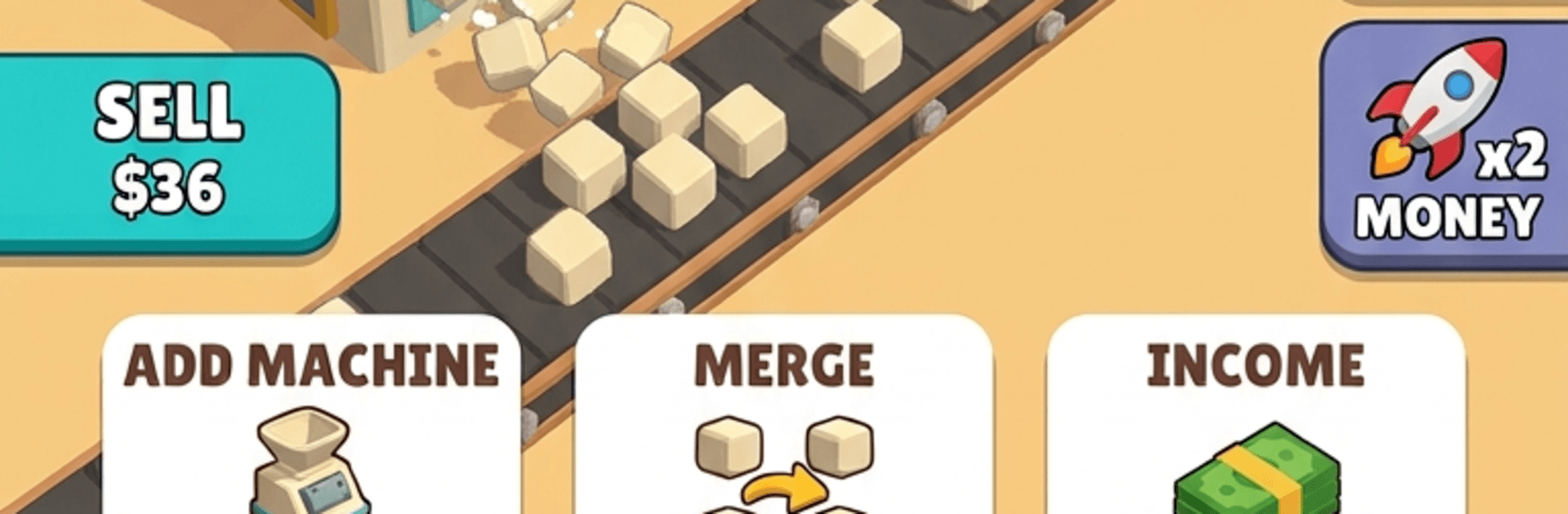
Block Cutter Pyramid is that oddly satisfying mix of slicing, stacking, and watching numbers climb. As an Arcade experience with idle vibes, it lets you run a bustling quarry, turn raw stone into tidy blocks, and raise famous monuments one layer at a time. It’s easy to pick up, surprisingly deep once upgrades kick in, and perfect when you want progress even while you’re off doing something else.

Game Features

  • Cut-and-Merge Machines: Feed stone into buzzing cutters, then merge machines to unlock higher tiers that chew through rock faster and turn each block into bigger payouts.
  • Worker-Powered Building: Hire a crew, boost their speed, and watch them haul blocks to the site as your stepped pyramid grows from a stub to a skyline-grabbing monument.
  • Iconic Projects to Finish: Move from early builds like the Mastaba and Step Pyramid to the Bent Pyramid, the Great Pyramid, the Sphinx, and the Sun Temple—each more demanding and rewarding.
  • Upgrades with Real Impact: Tune your whole pipeline with boosts to belt speed, worker count, worker speed, cut speed, and income, stacking effects into a smooth, unstoppable flow.
  • Timed Boosts When You Need Them: Kick on x2 Speed or x2 Money to slam through bottlenecks or cash in hard during peak production.
  • Progress That Keeps Rolling: Step away and return to a pile of earnings—the quarry keeps churning so your plans don’t stall.
  • Crisp Look and Feel: Clean stone-cutting animations, chunky block stacks, and punchy build effects make every slice and placement feel great.
  • Nice on PC with BlueStacks: Play comfortably with a larger view and precise controls, perfect for managing long production lines and quick upgrade bursts.

Get ready for a buttery smooth, high-performance gaming action only on BlueStacks.

Game Features

Enhancements

  • Macros
  • Multi Instance
  • Multi Instance Sync
  • Script
  • Enhancements
Macros

Macros

Automate the predictable in Block Cutter Pyramid and transform your gameplay with Macros. Get access to inventive Macros in the BlueStacks Macro Community
Multi Instance

Multi Instance

Play Block Cutter Pyramid on one window. And chat with your friend on the other. Press CTRL + Shift + 8 to open the Multi-Instance Manager. And start creating fresh instances or clone an existing one.
Multi Instance Sync

Multi Instance Sync

Play Block Cutter Pyramid with the power of Multi-Instance Sync. Replicate what you are doing on the main instance on all other instances. Level up faster, play more.
Script

Script

Script your way to gaming glory in Block Cutter Pyramid with BlueStacks Script. Write and run a set of commands to automate repeated tasks. Trigger the command by assigning it to any key.
Read More

How to Download and Play Block Cutter Pyramid on PC or Mac

  • Download and install BlueStacks on your PC or Mac

  • Complete Google sign-in to access the Play Store, or do it later

  • Look for Block Cutter Pyramid in the search bar at the top right corner

  • Click to install Block Cutter Pyramid from the search results

  • Complete Google sign-in (if you skipped step 2) to install Block Cutter Pyramid

  • Click the Block Cutter Pyramid icon on the home screen to start playing

video
Watch Video

Minimum System Requirements

With BlueStacks 5, you can get started on a PC that fulfills the following requirements.

  • Operating System

    Microsoft Windows 7 or above, macOS 11 (Big Sur) or above

  • Processor

    Intel, AMD or Apple Silicon Processor

  • RAM

    at least 4GB

  • HDD

    10GB Free Disk Space

Note:

* You must be an Administrator on your PC. Up to date graphics drivers from Microsoft or the chipset vendor.

Block Cutter Pyramid - FAQs

  • How to play Block Cutter Pyramid on Windows PC & Mac?

    Play Block Cutter Pyramid on your PC or Mac by following these simple steps.

    • Click on 'Play Block Cutter Pyramid on PC’ to download BlueStacks
    • Install it and log-in to Google Play Store
    • Launch and play the game.
  • Why is BlueStacks the fastest and safest platform to play games on PC?

    BlueStacks respects your privacy and is always safe and secure to use. It does not carry any malware, spyware, or any sort of additional software that could harm your PC.

    It is engineered to optimize speed and performance for a seamless gaming experience.

  • What are Block Cutter Pyramid PC requirements?

    Minimum requirement to run Block Cutter Pyramid on your PC

    • OS: Microsoft Windows 7 or above MacOS 11 (Big Sur) or above
    • Processor: Intel, AMD or Apple Silicon Processor
    • RAM: Your PC must have at least 4GB of RAM. (Note that having 4GB or more disk space is not a substitute for RAM)
    • HDD: 10GB Free Disk Space.
    • You must be an Administrator on your PC.