Mage Survivors Roguelite RPG

Mage Survivors Roguelite RPG

Arcade

| Baby Stone Studios

Play on PC with BlueStacks or from our cloud

  • Overview
  • Game Features
  • How to Play

Page Modified On: May 05, 2026

Play Mage Survivors Roguelite RPG on PC or Mac

Mage Survivors Roguelite RPG brings the Arcade genre to life, and throws up exciting challenges for gamers. Developed by Baby Stone Studios, this Android game is best experienced on BlueStacks, the World’s #1 app player for PC and Mac users.

About the Game

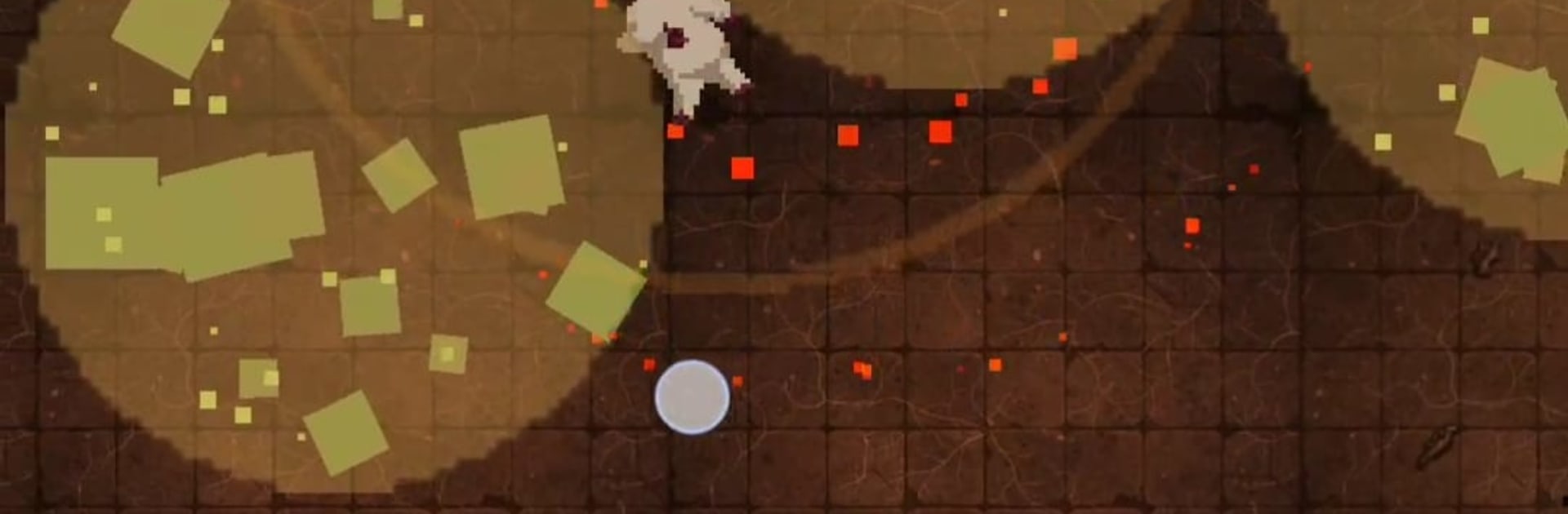
Mage Survivors Roguelite RPG is a fast, chaotic Arcade run-and-survive game from Baby Stone Studios where your mage auto-casts spells and you handle the dodging, weaving, and split‑second decisions. It’s all about stacking wild elemental combos, slipping through swarms, and turning a scrappy first minute into a screen-clearing power trip by the tenth. Prefer a bigger view? It also plays nicely on BlueStacks if you want that large-screen feel.

Game Features

  • Elemental chaos: Freeze with icy shards, scorch foes with a blazing aura, slice through mobs with razor-leaf bursts, or flood lanes with surging water lances. Mix elements every run for completely different vibes.
  • Auto-casting action: Spells fire on their own, so movement is king. Thread the needle, kite the horde, and park yourself in just the right pocket to melt everything.
  • Bullet-hell swarms: Waves stack up fast. Expect tight dodges, pattern reads, and those clutch escapes that make you grin (or wince).
  • Build-defining passives: Go ricochet for ping-pong chaos, stack bleeding ticks, trigger explosive blooms, crank rapid-fire, or juice your speed for wild repositioning. Tiny tweaks, huge payoffs.
  • Quick, snackable runs: Hop in and get rolling in seconds. Sessions are built for real-life breaks, with zero downtime and momentum from start to finish.
  • Roguelite replay loop: Each attempt reshuffles your choices, so no two builds feel the same. Chase that perfect synergy, then try something totally different next time.
  • One-thumb friendly: Clean, simple controls that still leave room for slick movement tech—including a snappy dash when you need a breather.
  • Fair play, offline ready: No stamina gates or pay-to-win nonsense, and it holds up great when you’re away from a signal.

Start your journey now. Download the game on BlueStacks, invite your friends, and march on a new adventure.


Game Features

Enhancements

  • Macros
  • Multi Instance
  • Multi Instance Sync
  • Script
  • Enhancements
Macros

Macros

Automate the predictable in Mage Survivors Roguelite RPG and transform your gameplay with Macros. Get access to inventive Macros in the BlueStacks Macro Community
Multi Instance

Multi Instance

Play Mage Survivors Roguelite RPG on one window. And chat with your friend on the other. Press CTRL + Shift + 8 to open the Multi-Instance Manager. And start creating fresh instances or clone an existing one.
Multi Instance Sync

Multi Instance Sync

Play Mage Survivors Roguelite RPG with the power of Multi-Instance Sync. Replicate what you are doing on the main instance on all other instances. Level up faster, play more.
Script

Script

Script your way to gaming glory in Mage Survivors Roguelite RPG with BlueStacks Script. Write and run a set of commands to automate repeated tasks. Trigger the command by assigning it to any key.
Read More

How to Download and Play Mage Survivors Roguelite RPG on PC or Mac

  • Download and install BlueStacks on your PC or Mac

  • Complete Google sign-in to access the Play Store, or do it later

  • Look for Mage Survivors Roguelite RPG in the search bar at the top right corner

  • Click to install Mage Survivors Roguelite RPG from the search results

  • Complete Google sign-in (if you skipped step 2) to install Mage Survivors Roguelite RPG

  • Click the Mage Survivors Roguelite RPG icon on the home screen to start playing

video
Watch Video

Minimum System Requirements

With BlueStacks 5, you can get started on a PC that fulfills the following requirements.

  • Operating System

    Microsoft Windows 7 or above, macOS 11 (Big Sur) or above

  • Processor

    Intel, AMD or Apple Silicon Processor

  • RAM

    at least 4GB

  • HDD

    10GB Free Disk Space

Note:

* You must be an Administrator on your PC. Up to date graphics drivers from Microsoft or the chipset vendor.

Mage Survivors Roguelite RPG - FAQs

  • How to play Mage Survivors Roguelite RPG on Windows PC & Mac?

    Play Mage Survivors Roguelite RPG on your PC or Mac by following these simple steps.

    • Click on 'Play Mage Survivors Roguelite RPG on PC’ to download BlueStacks
    • Install it and log-in to Google Play Store
    • Launch and play the game.
  • Why is BlueStacks the fastest and safest platform to play games on PC?

    BlueStacks respects your privacy and is always safe and secure to use. It does not carry any malware, spyware, or any sort of additional software that could harm your PC.

    It is engineered to optimize speed and performance for a seamless gaming experience.

  • What are Mage Survivors Roguelite RPG PC requirements?

    Minimum requirement to run Mage Survivors Roguelite RPG on your PC

    • OS: Microsoft Windows 7 or above MacOS 11 (Big Sur) or above
    • Processor: Intel, AMD or Apple Silicon Processor
    • RAM: Your PC must have at least 4GB of RAM. (Note that having 4GB or more disk space is not a substitute for RAM)
    • HDD: 10GB Free Disk Space.
    • You must be an Administrator on your PC.