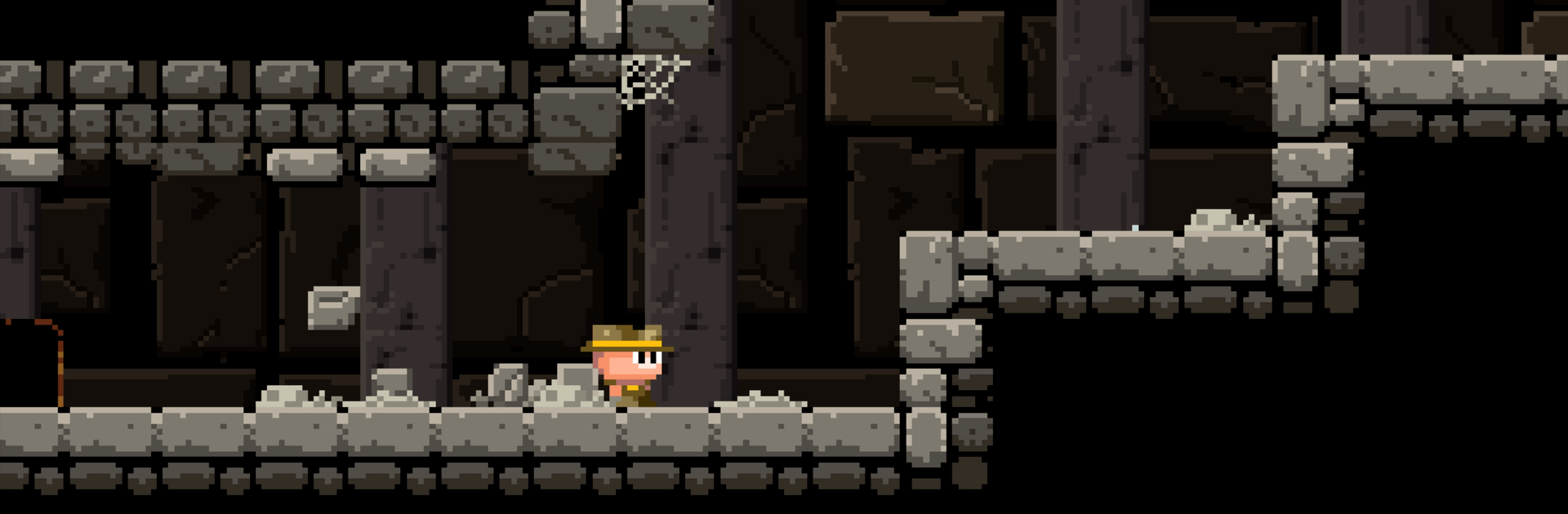
Meganoid: Chronicles

Meganoid: Chronicles

Arcade

| OrangePixel

Play on PC with BlueStacks or from our cloud

  • Overview
  • Game Features
  • How to Play

Page Modified On: August 24, 2026

Play Meganoid: Chronicles on PC or Mac

Step into the World of Meganoid: Chronicles, a thrilling Arcade game from the house of OrangePixel. Play this Android game on BlueStacks App Player and experience immersive gaming on PC or Mac.

About the Game

Meganoid: Chronicles is a punchy Arcade platformer that loves to keep you on your toes. Stages are short, hazards are mean, and every second counts—perfect for quick runs or deep, obsessive “just one more try” sessions. Want sharper controls on a bigger screen? It runs smoothly on PC with BlueStacks.

Game Features

  • Tough platforming, tight stakes: Short levels pack nasty traps and tricky jumps, so you’ll learn patterns, refine timing, and claw your way to the exit.
  • Fast retries, no waiting: Miss a jump? You’re back in instantly, which makes experimenting with routes and techniques painless and addictive.
  • Three objectives per stage: Clear the level for a star, beat the par time for a time trophy, and sniff out the hidden stash for the treasure trophy.
  • Secrets tucked off the path: Cracked walls, sneaky ledges, and odd detours reward curious players who risk stepping off the obvious route.
  • Retro look with bite: Crisp 8-bit pixel art and crunchy chiptune effects give it that classic feel while keeping the action clean and readable.
  • Ruins full of danger: Tombs and temples are loaded with skulls, arrow traps, rolling boulders, snakes, and bats—everything wants you gone.
  • Built for speed chasers: Tight timers encourage smarter lines, cleaner inputs, and those satisfying, pixel-perfect hops that shave precious seconds.
  • Quick-hit pacing that sticks: Most stages take seconds to attempt, making it easy to hop in for a moment and end up playing way longer.
  • Fresh challenges over time: New levels roll in through updates, so there’s always another gauntlet waiting for your best run.

Start playing Meganoid: Chronicles on BlueStacks and get a smoother, more comfortable PC or Mac setup.


Game Features

Enhancements

  • Macros
  • Multi Instance
  • Multi Instance Sync
  • Script
  • Enhancements
Macros

Macros

Automate the predictable in Meganoid: Chronicles and transform your gameplay with Macros. Get access to inventive Macros in the BlueStacks Macro Community
Multi Instance

Multi Instance

Play Meganoid: Chronicles on one window. And chat with your friend on the other. Press CTRL + Shift + 8 to open the Multi-Instance Manager. And start creating fresh instances or clone an existing one.
Multi Instance Sync

Multi Instance Sync

Play Meganoid: Chronicles with the power of Multi-Instance Sync. Replicate what you are doing on the main instance on all other instances. Level up faster, play more.
Script

Script

Script your way to gaming glory in Meganoid: Chronicles with BlueStacks Script. Write and run a set of commands to automate repeated tasks. Trigger the command by assigning it to any key.
Read More

How to Download and Play Meganoid: Chronicles on PC or Mac

  • Download and install BlueStacks on your PC or Mac

  • Complete Google sign-in to access the Play Store, or do it later

  • Look for Meganoid: Chronicles in the search bar at the top right corner

  • Click to install Meganoid: Chronicles from the search results

  • Complete Google sign-in (if you skipped step 2) to install Meganoid: Chronicles

  • Click the Meganoid: Chronicles icon on the home screen to start playing

video
Watch Video

Minimum System Requirements

With BlueStacks 5, you can get started on a PC that fulfills the following requirements.

  • Operating System

    Microsoft Windows 7 or above, macOS 11 (Big Sur) or above

  • Processor

    Intel, AMD or Apple Silicon Processor

  • RAM

    at least 4GB

  • HDD

    10GB Free Disk Space

Note:

* You must be an Administrator on your PC. Up to date graphics drivers from Microsoft or the chipset vendor.

Meganoid: Chronicles - FAQs

  • How to play Meganoid: Chronicles on Windows PC & Mac?

    Play Meganoid: Chronicles on your PC or Mac by following these simple steps.

    • Click on 'Play Meganoid: Chronicles on PC’ to download BlueStacks
    • Install it and log-in to Google Play Store
    • Launch and play the game.
  • Why is BlueStacks the fastest and safest platform to play games on PC?

    BlueStacks respects your privacy and is always safe and secure to use. It does not carry any malware, spyware, or any sort of additional software that could harm your PC.

    It is engineered to optimize speed and performance for a seamless gaming experience.

  • What are Meganoid: Chronicles PC requirements?

    Minimum requirement to run Meganoid: Chronicles on your PC

    • OS: Microsoft Windows 7 or above MacOS 11 (Big Sur) or above
    • Processor: Intel, AMD or Apple Silicon Processor
    • RAM: Your PC must have at least 4GB of RAM. (Note that having 4GB or more disk space is not a substitute for RAM)
    • HDD: 10GB Free Disk Space.
    • You must be an Administrator on your PC.