Noob vs Pro 3: Stick Tsunami

Noob vs Pro 3: Stick Tsunami

Arcade

| Noob vs Pro team

Play on PC with BlueStacks or from our cloud

  • Overview
  • Game Features
  • How to Play

Page Modified On: December 22, 2025

Play Noob vs Pro 3: Stick Tsunami on PC or Mac

Step into the World of Noob vs Pro 3: Stick Tsunami, a thrilling Arcade game from the house of Noob vs Pro team. Play this Android game on BlueStacks App Player and experience immersive gaming on PC or Mac.

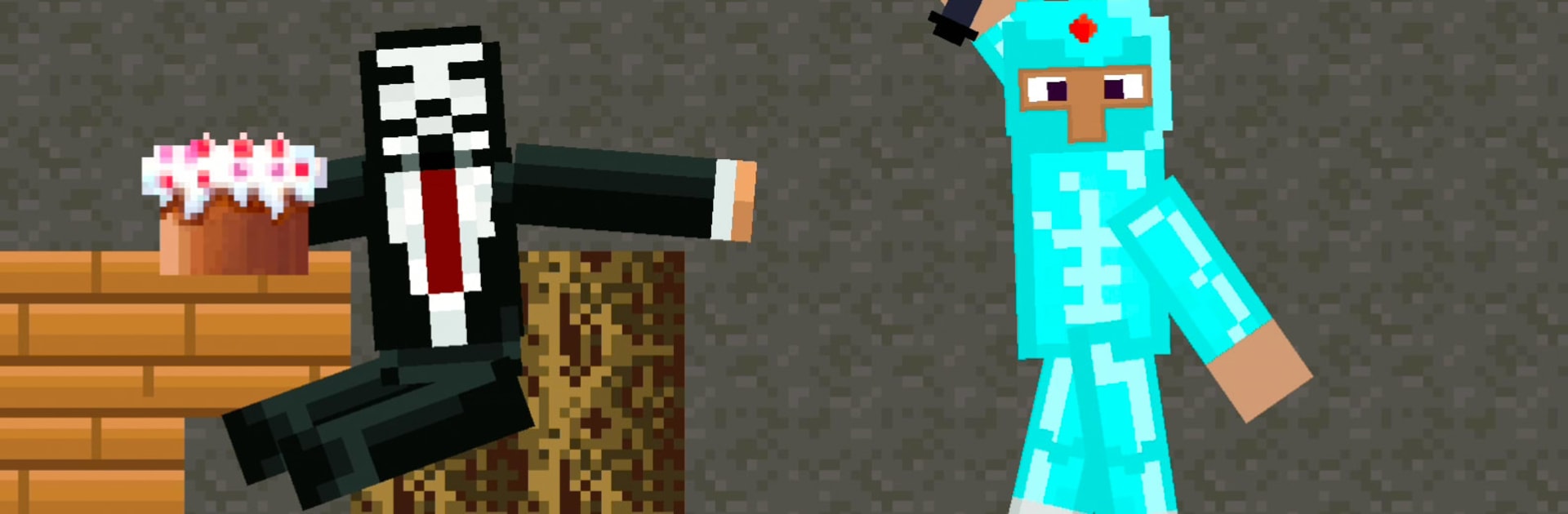
Noob vs Pro 3: Stick Tsunami is a goofy 2D action-mining mashup where the story is basically chaos on purpose. Hacker and Pro trigger a huge stick tsunami, Noob gets swept away, and Craftman plus Noobella try to rescue him while he stays glued to mining and refuses to respawn. The game breaks things up with short comedy cutscenes that poke fun at every character, lots of joking and bait-and-switch moments. It never takes itself seriously, not even for a second.

Moment to moment it plays like quick runs through blocky stages while a wave of stick trouble chases from behind. Collect cash, craft weapons, then pump those earnings into upgrades for Noob, Pro, Hacker, and even God, which changes how fast and loud each run goes. Expect silly traps that look harmless and then flip the rules, plus challenges that feel like a dare from the devs. It is light grind, faster than it sounds, and the slapstick keeps it from getting stale. On PC with BlueStacks, using a keyboard for jumps and attacks makes timing cleaner, and the bigger screen helps with the tiny jokes in the cutscenes. New chapters and missions roll in, so it keeps adding more gags, more tools, and more ways to get trolled in the best way. Players who enjoy cartoon humor, quick retries, and building out a ridiculous loadout will find a lot to poke at here.

Slay your opponents with your epic moves. Play it your way on BlueStacks and dominate the battlefield.


Game Features

Enhancements

  • Macros
  • Multi Instance
  • Multi Instance Sync
  • Script
  • Enhancements
Macros

Macros

Automate the predictable in Noob vs Pro 3: Stick Tsunami and transform your gameplay with Macros. Get access to inventive Macros in the BlueStacks Macro Community
Multi Instance

Multi Instance

Play Noob vs Pro 3: Stick Tsunami on one window. And chat with your friend on the other. Press CTRL + Shift + 8 to open the Multi-Instance Manager. And start creating fresh instances or clone an existing one.
Multi Instance Sync

Multi Instance Sync

Play Noob vs Pro 3: Stick Tsunami with the power of Multi-Instance Sync. Replicate what you are doing on the main instance on all other instances. Level up faster, play more.
Script

Script

Script your way to gaming glory in Noob vs Pro 3: Stick Tsunami with BlueStacks Script. Write and run a set of commands to automate repeated tasks. Trigger the command by assigning it to any key.
Read More

How to Download and Play Noob vs Pro 3: Stick Tsunami on PC or Mac

  • Download and install BlueStacks on your PC or Mac

  • Complete Google sign-in to access the Play Store, or do it later

  • Look for Noob vs Pro 3: Stick Tsunami in the search bar at the top right corner

  • Click to install Noob vs Pro 3: Stick Tsunami from the search results

  • Complete Google sign-in (if you skipped step 2) to install Noob vs Pro 3: Stick Tsunami

  • Click the Noob vs Pro 3: Stick Tsunami icon on the home screen to start playing

video
Watch Video

Minimum System Requirements

With BlueStacks 5, you can get started on a PC that fulfills the following requirements.

  • Operating System

    Microsoft Windows 7 or above, macOS 11 (Big Sur) or above

  • Processor

    Intel, AMD or Apple Silicon Processor

  • RAM

    at least 4GB

  • HDD

    10GB Free Disk Space

Note:

* You must be an Administrator on your PC. Up to date graphics drivers from Microsoft or the chipset vendor.

Noob vs Pro 3: Stick Tsunami - FAQs

  • How to play Noob vs Pro 3: Stick Tsunami on Windows PC & Mac?

    Play Noob vs Pro 3: Stick Tsunami on your PC or Mac by following these simple steps.

    • Click on 'Play Noob vs Pro 3: Stick Tsunami on PC’ to download BlueStacks
    • Install it and log-in to Google Play Store
    • Launch and play the game.
  • Why is BlueStacks the fastest and safest platform to play games on PC?

    BlueStacks respects your privacy and is always safe and secure to use. It does not carry any malware, spyware, or any sort of additional software that could harm your PC.

    It is engineered to optimize speed and performance for a seamless gaming experience.

  • What are Noob vs Pro 3: Stick Tsunami PC requirements?

    Minimum requirement to run Noob vs Pro 3: Stick Tsunami on your PC

    • OS: Microsoft Windows 7 or above MacOS 11 (Big Sur) or above
    • Processor: Intel, AMD or Apple Silicon Processor
    • RAM: Your PC must have at least 4GB of RAM. (Note that having 4GB or more disk space is not a substitute for RAM)
    • HDD: 10GB Free Disk Space.
    • You must be an Administrator on your PC.