Mood Swear Meme Coloring Games

Mood Swear Meme Coloring Games

Board

| Special Coloring Studio

Play on PC with BlueStacks or from our cloud

  • Overview
  • Game Features
  • How to Play

Page Modified On: October 23, 2026

Play Mood Swear Meme Coloring Games on PC or Mac

Bring your A-game to Mood Swear Meme Coloring Games, the Board game sensation from Special Coloring Studio. Give your gameplay the much-needed boost with precise game controls, high FPS graphics, and top-tier features on your PC or Mac with BlueStacks.

About the Game

Mood Swear Meme Coloring Games is where you color what you’re feeling—calm, cranky, confident, or somewhere in between. This relaxed color-by-number space mixes relatable memes, bold quotes, and expressive art, so every tap feels a little therapeutic. It’s a Board game with super simple rules, and if you like a bigger canvas, it plays comfortably on PC with BlueStacks.

Game Features

  • Feel-first coloring: Pick from sets that match your current vibe—zen, sassy, chaotic, or quietly hopeful—and turn feelings into finished art at your own pace.
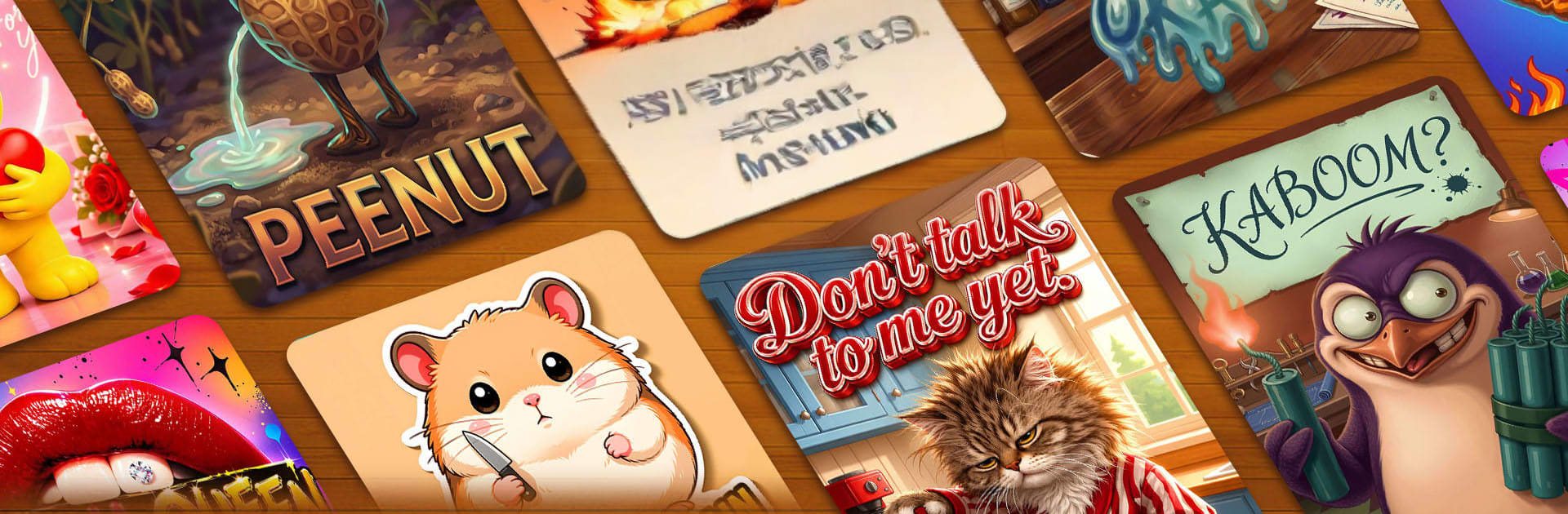
  • Meme moments you’ll recognize: Color everyday scenarios and internet-flavored jokes that hit close to home, with new illustrations showing up on the regular.
  • Vent without apology: Choose bold, swear-filled designs that pair cheeky phrases with florals, animals, retro characters, and stylish lettering for a cathartic laugh.
  • Humor without the spice: Prefer it clean? Go for witty pages packed with dry one-liners, workplace sarcasm, and introvert energy—funny without the strong language.
  • Tap-by-number simplicity: Tap the numbered areas, use gentle hints for tiny details, and watch the picture pop—no drawing skills needed.
  • Varied art styles: Browse retro vibes, floral compositions, tattoo-inspired accents, bold typography, and other looks that keep coloring fresh.
  • Quick, soothing sessions: Open it for a two-minute reset or a longer unwind; it’s easy to pause and return whenever your brain needs quiet.
  • Growing gallery: Save your completed pieces to build a personal collection that reflects every mood—soft, tired, fearless, annoyed, or all of the above.
  • Regular new pages: Expect frequent drops and rotating collections so there’s always something that fits today’s energy.

Get ready for a buttery smooth, high-performance gaming action only on BlueStacks.

Game Features

Enhancements

  • Macros
  • Multi Instance
  • Multi Instance Sync
  • Script
  • Enhancements
Macros

Macros

Automate the predictable in Mood Swear Meme Coloring Games and transform your gameplay with Macros. Get access to inventive Macros in the BlueStacks Macro Community
Multi Instance

Multi Instance

Play Mood Swear Meme Coloring Games on one window. And chat with your friend on the other. Press CTRL + Shift + 8 to open the Multi-Instance Manager. And start creating fresh instances or clone an existing one.
Multi Instance Sync

Multi Instance Sync

Play Mood Swear Meme Coloring Games with the power of Multi-Instance Sync. Replicate what you are doing on the main instance on all other instances. Level up faster, play more.
Script

Script

Script your way to gaming glory in Mood Swear Meme Coloring Games with BlueStacks Script. Write and run a set of commands to automate repeated tasks. Trigger the command by assigning it to any key.
Read More

How to Download and Play Mood Swear Meme Coloring Games on PC or Mac

  • Download and install BlueStacks on your PC or Mac

  • Complete Google sign-in to access the Play Store, or do it later

  • Look for Mood Swear Meme Coloring Games in the search bar at the top right corner

  • Click to install Mood Swear Meme Coloring Games from the search results

  • Complete Google sign-in (if you skipped step 2) to install Mood Swear Meme Coloring Games

  • Click the Mood Swear Meme Coloring Games icon on the home screen to start playing

video
Watch Video

Minimum System Requirements

With BlueStacks 5, you can get started on a PC that fulfills the following requirements.

  • Operating System

    Microsoft Windows 7 or above, macOS 11 (Big Sur) or above

  • Processor

    Intel, AMD or Apple Silicon Processor

  • RAM

    at least 4GB

  • HDD

    10GB Free Disk Space

Note:

* You must be an Administrator on your PC. Up to date graphics drivers from Microsoft or the chipset vendor.

Mood Swear Meme Coloring Games - FAQs

  • How to play Mood Swear Meme Coloring Games on Windows PC & Mac?

    Play Mood Swear Meme Coloring Games on your PC or Mac by following these simple steps.

    • Click on 'Play Mood Swear Meme Coloring Games on PC’ to download BlueStacks
    • Install it and log-in to Google Play Store
    • Launch and play the game.
  • Why is BlueStacks the fastest and safest platform to play games on PC?

    BlueStacks respects your privacy and is always safe and secure to use. It does not carry any malware, spyware, or any sort of additional software that could harm your PC.

    It is engineered to optimize speed and performance for a seamless gaming experience.

  • What are Mood Swear Meme Coloring Games PC requirements?

    Minimum requirement to run Mood Swear Meme Coloring Games on your PC

    • OS: Microsoft Windows 7 or above MacOS 11 (Big Sur) or above
    • Processor: Intel, AMD or Apple Silicon Processor
    • RAM: Your PC must have at least 4GB of RAM. (Note that having 4GB or more disk space is not a substitute for RAM)
    • HDD: 10GB Free Disk Space.
    • You must be an Administrator on your PC.