Chess Tactics for Beginners

Chess Tactics for Beginners

Board

| Chess King

Play on PC with BlueStacks or from our cloud

  • Overview
  • Game Features
  • How to Play

Page Modified On: August 29, 2025

Play Chess Tactics for Beginners on PC or Mac

Bring your A-game to Chess Tactics for Beginners, the Board game sensation from Chess King. Give your gameplay the much-needed boost with precise game controls, high FPS graphics, and top-tier features on your PC or Mac with BlueStacks.

About the Game

Chess Tactics for Beginners from Chess King is a hands-on way to learn how real tactics play out on the board. You’ll solve quick, focused puzzles that teach you to spot mates, win material, and avoid traps—without feeling overwhelmed. It’s approachable, practical, and surprisingly fun for a Board training app.

Game Features

  • 1,200+ bite-size puzzles — Short 1–3 move exercises tuned for newcomers, so you build confidence fast.
  • Guided coaching — Stuck? Get gentle hints, plain-language explanations, and even see why a tempting move fails.
  • Find every key move — You don’t just guess the idea; you enter each critical move to truly understand the tactic.
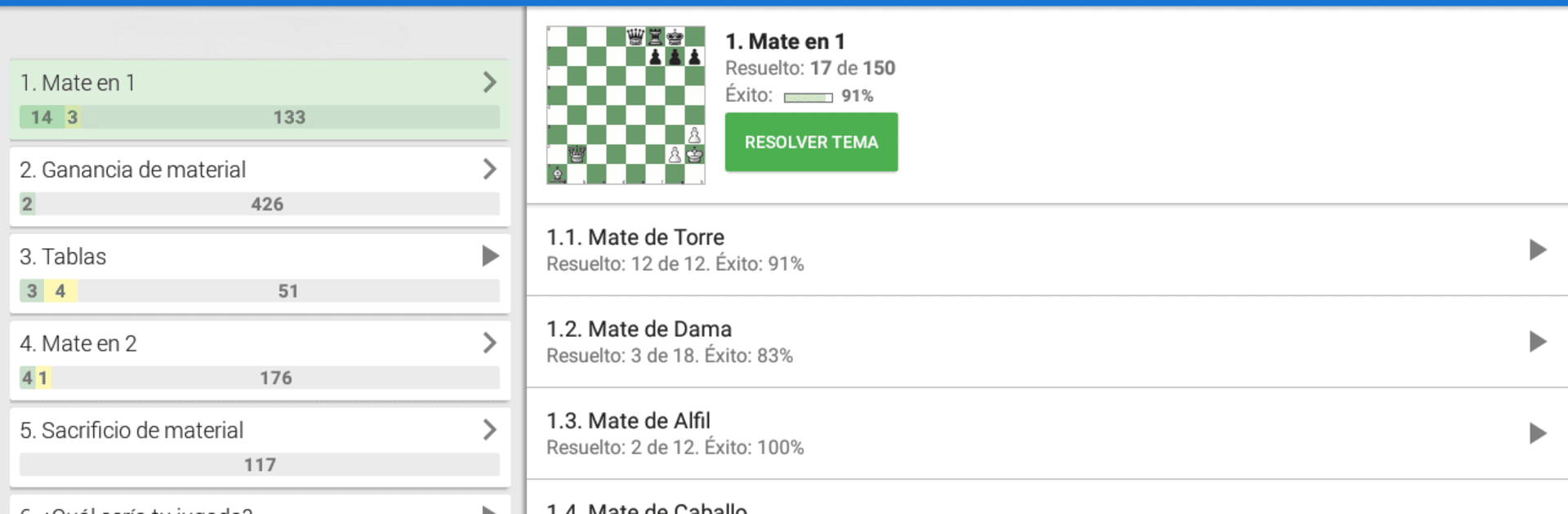
  • Thematic lessons — Work through mates, winning a queen or rook, saving a draw, and bold sacrifices that actually work.
  • Clear structure — Problems are grouped by theme and difficulty, backed by a clean, navigable table of contents.
  • Play it out — Explore any position against the built-in computer to test lines and confirm your ideas.
  • Track your progress — ELO-style rating changes and a flexible test mode help you measure growth your way.
  • Learn anywhere — Works offline and looks great on tablets when you want a bigger board.
  • Sync across devices — Link a free Chess King account to keep your progress wherever you study.
  • Try first — A free section lets you experience the full training flow before tackling the deeper set.
  • PC-friendly option — Prefer a larger screen? It also runs smoothly with BlueStacks.

Start your journey now. Download the game on BlueStacks, invite your friends, and march on a new adventure.


Game Features

Enhancements

  • Macros
  • Multi Instance
  • Multi Instance Sync
  • Script
  • Enhancements
Macros

Macros

Automate the predictable in Chess Tactics for Beginners and transform your gameplay with Macros. Get access to inventive Macros in the BlueStacks Macro Community
Multi Instance

Multi Instance

Play Chess Tactics for Beginners on one window. And chat with your friend on the other. Press CTRL + Shift + 8 to open the Multi-Instance Manager. And start creating fresh instances or clone an existing one.
Multi Instance Sync

Multi Instance Sync

Play Chess Tactics for Beginners with the power of Multi-Instance Sync. Replicate what you are doing on the main instance on all other instances. Level up faster, play more.
Script

Script

Script your way to gaming glory in Chess Tactics for Beginners with BlueStacks Script. Write and run a set of commands to automate repeated tasks. Trigger the command by assigning it to any key.
Read More

How to Download and Play Chess Tactics for Beginners on PC or Mac

  • Download and install BlueStacks on your PC or Mac

  • Complete Google sign-in to access the Play Store, or do it later

  • Look for Chess Tactics for Beginners in the search bar at the top right corner

  • Click to install Chess Tactics for Beginners from the search results

  • Complete Google sign-in (if you skipped step 2) to install Chess Tactics for Beginners

  • Click the Chess Tactics for Beginners icon on the home screen to start playing

video
Watch Video

Minimum System Requirements

With BlueStacks 5, you can get started on a PC that fulfills the following requirements.

  • Operating System

    Microsoft Windows 7 or above, macOS 11 (Big Sur) or above

  • Processor

    Intel, AMD or Apple Silicon Processor

  • RAM

    at least 4GB

  • HDD

    10GB Free Disk Space

Note:

* You must be an Administrator on your PC. Up to date graphics drivers from Microsoft or the chipset vendor.

Chess Tactics for Beginners - FAQs

  • How to play Chess Tactics for Beginners on Windows PC & Mac?

    Play Chess Tactics for Beginners on your PC or Mac by following these simple steps.

    • Click on 'Play Chess Tactics for Beginners on PC’ to download BlueStacks
    • Install it and log-in to Google Play Store
    • Launch and play the game.
  • Why is BlueStacks the fastest and safest platform to play games on PC?

    BlueStacks respects your privacy and is always safe and secure to use. It does not carry any malware, spyware, or any sort of additional software that could harm your PC.

    It is engineered to optimize speed and performance for a seamless gaming experience.

  • What are Chess Tactics for Beginners PC requirements?

    Minimum requirement to run Chess Tactics for Beginners on your PC

    • OS: Microsoft Windows 7 or above MacOS 11 (Big Sur) or above
    • Processor: Intel, AMD or Apple Silicon Processor
    • RAM: Your PC must have at least 4GB of RAM. (Note that having 4GB or more disk space is not a substitute for RAM)
    • HDD: 10GB Free Disk Space.
    • You must be an Administrator on your PC.