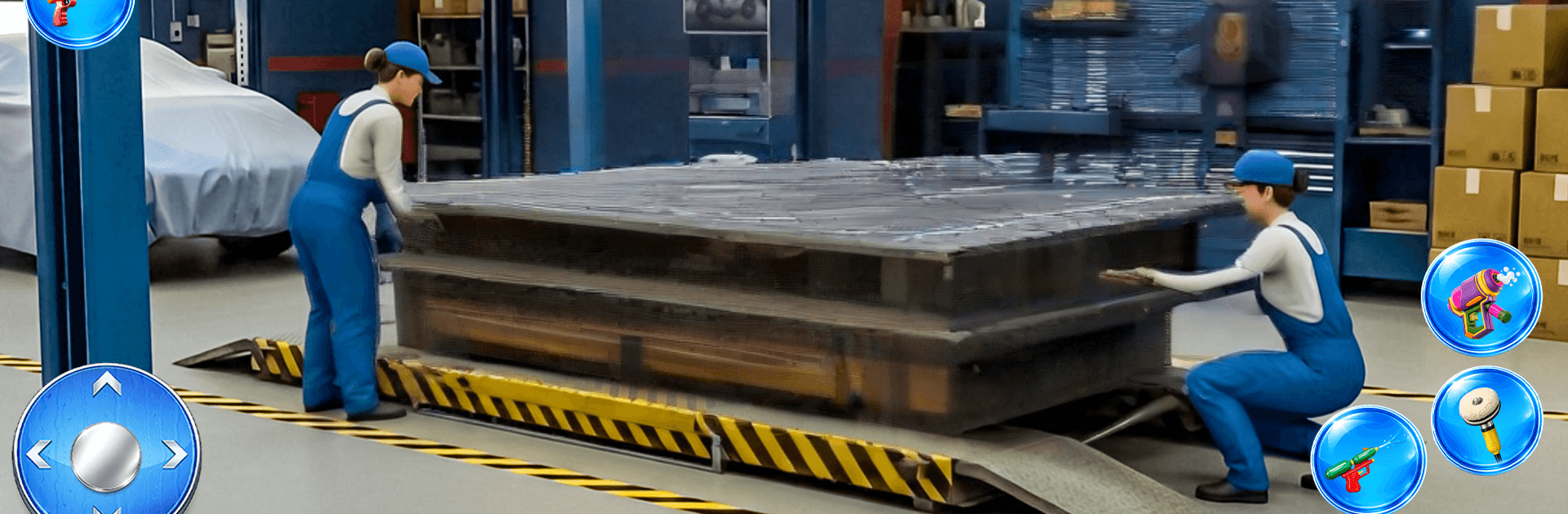
Car Repairing Game Simulator

Car Repairing Game Simulator

Casual

| gameview

Play on PC with BlueStacks or from our cloud

  • Overview
  • Game Features
  • How to Play

Page Modified On: October 30, 2026

Play Car Repairing Game Simulator on PC or Mac

Explore a whole new adventure with Car Repairing Game Simulator, a Casual game created by gameview. Experience great gameplay with BlueStacks, the most popular gaming platform to play Android games on your PC or Mac.

About the Game

Car Repairing Game Simulator puts you in charge of a bustling detail bay and garage, flipping between sudsy cleanups and satisfying fixes. It’s a Casual pick-up-and-play experience that blends the chill rhythm of washing cars with approachable mechanic work and light customization. Prefer a bigger screen? It runs smoothly on PC with BlueStacks too.

Game Features

  • Hands-on car wash: Foam, scrub, rinse, dry, and polish each vehicle with lifelike water effects and satisfying shine.
  • Real shop workflow: Roll cars onto a hydraulic lift, inspect damage, change tires, and straighten panels like a pro.
  • Tool bench ready: Use torque wrenches, welders, paint sprayers, sanders, and a diagnostic scanner—each tool feels purposeful.
  • Step-by-step jobs: Clear checklists guide every task so you always know what to do next without overthinking it.
  • Satisfying ASMR moments: Watch grime melt away, hear dents pop back, and see fresh coats of paint settle just right.
  • Variety of rides: Detail compact cruisers, muscle classics, motorcycles, and vintage gems—each with its own quirks.
  • Customize and upgrade: Swap rims and tires, pick paint colors, add decals, and unlock better wash gear as you progress.
  • Short sessions that flow: Quick levels stack into bigger projects, perfect for a few minutes or an extended tinkering streak.
  • Smooth controls: Simple drag-and-hold actions make cleaning, spraying, and wrenching feel intuitive and responsive.
  • Progress that feels earned: Finish jobs, pocket cash, and reinvest in new tools, improved bays, and specialized equipment.

Get ready for a buttery smooth, high-performance gaming action only on BlueStacks.

Game Features

Enhancements

  • Macros
  • Multi Instance
  • Script
  • Repeated Tap
  • Enhancements
Macros

Macros

Automate the predictable in Car Repairing Game Simulator and transform your gameplay with Macros. Get access to inventive Macros in the BlueStacks Macro Community
Multi Instance

Multi Instance

Play Car Repairing Game Simulator on one window. And chat with your friend on the other. Press CTRL + Shift + 8 to open the Multi-Instance Manager. And start creating fresh instances or clone an existing one.
Script

Script

Script your way to gaming glory in Car Repairing Game Simulator with BlueStacks Script. Write and run a set of commands to automate repeated tasks. Trigger the command by assigning it to any key.
Repeated Tap

Repeated Tap

BlueStacks lets you master Car Repairing Game Simulator with useful features like the Repeated Tap. Now you do not have to press the same key repeatedly to initiate an action. Just assign it to one key and you are good to go.
Read More

How to Download and Play Car Repairing Game Simulator on PC or Mac

  • Download and install BlueStacks on your PC or Mac

  • Complete Google sign-in to access the Play Store, or do it later

  • Look for Car Repairing Game Simulator in the search bar at the top right corner

  • Click to install Car Repairing Game Simulator from the search results

  • Complete Google sign-in (if you skipped step 2) to install Car Repairing Game Simulator

  • Click the Car Repairing Game Simulator icon on the home screen to start playing

video
Watch Video

Minimum System Requirements

With BlueStacks 5, you can get started on a PC that fulfills the following requirements.

  • Operating System

    Microsoft Windows 7 or above, macOS 11 (Big Sur) or above

  • Processor

    Intel, AMD or Apple Silicon Processor

  • RAM

    at least 4GB

  • HDD

    10GB Free Disk Space

Note:

* You must be an Administrator on your PC. Up to date graphics drivers from Microsoft or the chipset vendor.

Car Repairing Game Simulator - FAQs

  • How to play Car Repairing Game Simulator on Windows PC & Mac?

    Play Car Repairing Game Simulator on your PC or Mac by following these simple steps.

    • Click on 'Play Car Repairing Game Simulator on PC’ to download BlueStacks
    • Install it and log-in to Google Play Store
    • Launch and play the game.
  • Why is BlueStacks the fastest and safest platform to play games on PC?

    BlueStacks respects your privacy and is always safe and secure to use. It does not carry any malware, spyware, or any sort of additional software that could harm your PC.

    It is engineered to optimize speed and performance for a seamless gaming experience.

  • What are Car Repairing Game Simulator PC requirements?

    Minimum requirement to run Car Repairing Game Simulator on your PC

    • OS: Microsoft Windows 7 or above MacOS 11 (Big Sur) or above
    • Processor: Intel, AMD or Apple Silicon Processor
    • RAM: Your PC must have at least 4GB of RAM. (Note that having 4GB or more disk space is not a substitute for RAM)
    • HDD: 10GB Free Disk Space.
    • You must be an Administrator on your PC.