US Military Truck Cargo Game

US Military Truck Cargo Game

Strategy

| gameview

Play on PC with BlueStacks or from our cloud

  • Overview
  • Game Features
  • How to Play

Page Modified On: October 30, 2026

Play US Military Truck Cargo Game on PC or Mac

Play US Military Truck Cargo Game by gameview on PC or Mac with BlueStacks. Use a bigger screen, mouse and keyboard controls, and smoother performance while you play.

About the Game

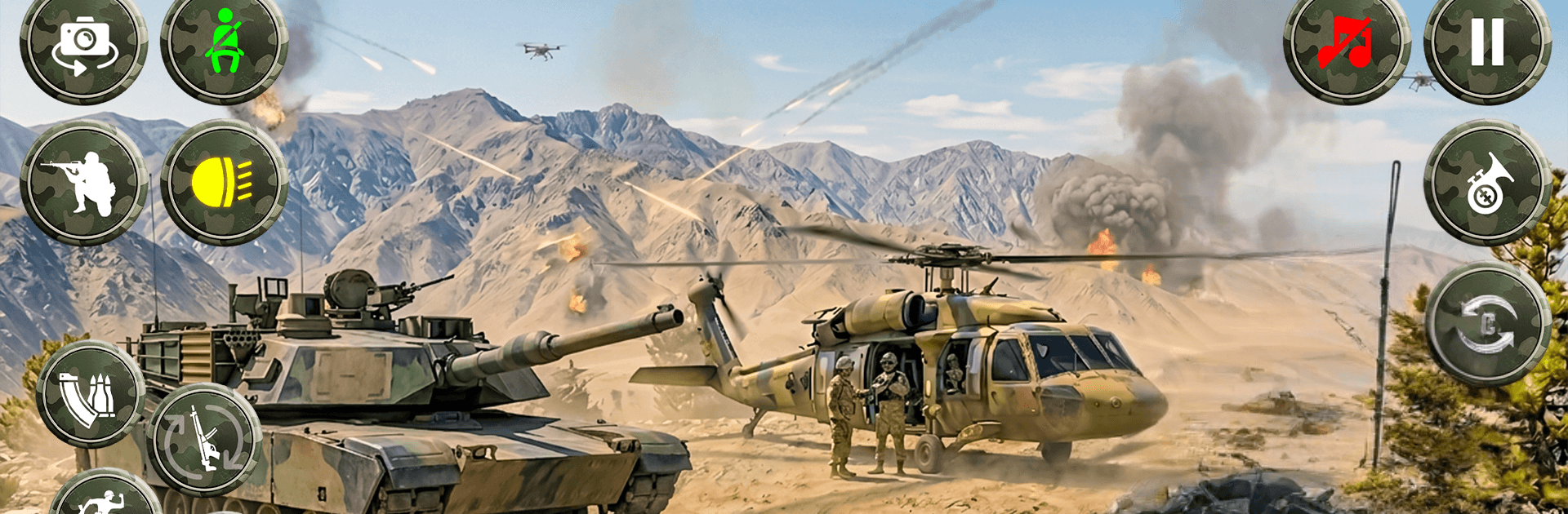
US Military Truck Cargo Game puts you in the driver’s seat of a rugged army hauler, carrying troops, ammo, and vital supplies through dangerous routes and unpredictable terrain. It’s a Strategy experience where planning your path, managing time, and keeping a cool head matter just as much as raw driving skill. Want a wider view and steadier handling? You can also play on PC with BlueStacks.

Game Features

  • Route Planning Under Pressure: Read the terrain, pick the safest line, and balance speed with caution while mission timers keep you honest.
  • Heavy Trucks, Heavier Cargo: Transport soldiers, weapons, rations, and medical kits—every load changes how your truck feels on steep climbs and shaky bridges.
  • Ruthless Terrain: Tackle mountains, deserts, and forest trails filled with narrow ledges, broken bridges, and sketchy switchbacks.
  • Stay Calm Under Fire: Expect risky stretches and the threat of enemy activity—protect the cargo, keep the truck upright, and make it to the drop point.
  • Purposeful Missions: Deliver supplies to frontline bases, rescue stranded units, or reach rally points before time runs out.
  • Skill-Based Driving: Smooth throttle, careful braking, and precise cornering are rewarded on loose gravel, mud, and uneven roads.
  • Clear Objectives, Real Consequences: Miss a turn, overcook a descent, or clip a barricade and the mission can fall apart fast.
  • Crisp 3D Presentation: High-quality visuals and a grounded military vibe make every mile feel tense, scenic, and purposeful.

Get ready for a buttery smooth, high-performance gaming action only on BlueStacks.

Game Features

Enhancements

  • Macros
  • Multi Instance
  • Multi Instance Sync
  • Eco Mode
  • Enhancements
Macros

Macros

Skip the boring parts of a game. Play US Military Truck Cargo Game with Macros and get the edge. Simply record a sequence of commands and execute them at any moment.
Multi Instance

Multi Instance

Why limit to one game on your phone when you can play many on your PC? Open multiple instances of US Military Truck Cargo Game at once with Multi-Instance. Leverage the power of different accounts by doing more.
Multi Instance Sync

Multi Instance Sync

Get the best out of US Military Truck Cargo Game with Multi-Instance Sync. Play the game from different accounts and build your own empire. Use Multi-instance sync to repeat the action in the main BlueStacks instance on all other instances.
Eco Mode

Eco Mode

Find the rarest heroes by making multiple summons in US Military Truck Cargo Game. And while you are at it, reduce your PC’s resource consumption with the Eco Mode. Farm efficiently. Get the best results.
Read More

How to Download and Play US Military Truck Cargo Game on PC or Mac

  • Download and install BlueStacks on your PC or Mac

  • Complete Google sign-in to access the Play Store, or do it later

  • Look for US Military Truck Cargo Game in the search bar at the top right corner

  • Click to install US Military Truck Cargo Game from the search results

  • Complete Google sign-in (if you skipped step 2) to install US Military Truck Cargo Game

  • Click the US Military Truck Cargo Game icon on the home screen to start playing

video
Watch Video

Minimum System Requirements

With BlueStacks 5, you can get started on a PC that fulfills the following requirements.

  • Operating System

    Microsoft Windows 7 or above, macOS 11 (Big Sur) or above

  • Processor

    Intel, AMD or Apple Silicon Processor

  • RAM

    at least 4GB

  • HDD

    10GB Free Disk Space

Note:

* You must be an Administrator on your PC. Up to date graphics drivers from Microsoft or the chipset vendor.

US Military Truck Cargo Game - FAQs

  • How to play US Military Truck Cargo Game on Windows PC & Mac?

    Play US Military Truck Cargo Game on your PC or Mac by following these simple steps.

    • Click on 'Play US Military Truck Cargo Game on PC’ to download BlueStacks
    • Install it and log-in to Google Play Store
    • Launch and play the game.
  • Why is BlueStacks the fastest and safest platform to play games on PC?

    BlueStacks respects your privacy and is always safe and secure to use. It does not carry any malware, spyware, or any sort of additional software that could harm your PC.

    It is engineered to optimize speed and performance for a seamless gaming experience.

  • What are US Military Truck Cargo Game PC requirements?

    Minimum requirement to run US Military Truck Cargo Game on your PC

    • OS: Microsoft Windows 7 or above MacOS 11 (Big Sur) or above
    • Processor: Intel, AMD or Apple Silicon Processor
    • RAM: Your PC must have at least 4GB of RAM. (Note that having 4GB or more disk space is not a substitute for RAM)
    • HDD: 10GB Free Disk Space.
    • You must be an Administrator on your PC.