Gacha Club
Gacha Club

Gacha Club

Casual

| Lunime

BlueStacks Verified

Play on PC with BlueStacks or from our cloud

  • Overview
  • Tips & Tricks
  • Game Features
  • How to Play

Page Modified On: April 07, 2026

Play Gacha Club on PC or Mac

Join millions to experience Gacha Club, an exciting Casual game from Lunime. With BlueStacks App Player, you are always a step ahead of your opponent, ready to outplay them with faster gameplay and better control with the mouse and keyboard on your PC or Mac.

About the Game

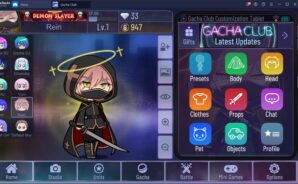
Gacha Club is a bright, creative playground from Lunime where you build your own anime-style crew and tell the stories you’ve been imagining. It blends a super flexible character creator with a Studio for scene-making, plus a light battle system and bite-size mini-games—all wrapped in a Casual vibe. Want to tinker on your phone or set it up on PC with BlueStacks for comfy clicks? Either way, you’re set.

Game Features

  • Deep Character Creator: Craft 10 mains and keep 90 extras on standby. Tweak hairstyles, eyes, outfits, and more, then recolor almost anything to match your aesthetic.

  • Tons of Poses: Pick from hundreds of poses to show attitude, action, or quiet moments—perfect for screenshots and scene work.

  • Pets and Props: Add adorable pets and a huge variety of objects to give your characters personality and boost certain stats in battle.

  • Studio Mode Tools: Drop up to 10 characters into a scene, layer backgrounds and foregrounds, and use text boxes (even for pets). Add a Narrator, save multiple setups, and use face presets for quick expression swaps.

  • Gacha and Battle: Collect over 180 units and 150 pets, hunt for rare finds, and enhance or awaken characters with materials. Jump into Story, Training, Tower, or Shadows of Corruption for quick sessions.

  • Mini-Games for Rewards: Play quick challenges like Usagi vs Neko or Mascot Whack to earn gems and bytes you can spend on more pulls.

  • Share and Trade: Import and export character data with friends to swap designs or collaborate on scenes.

  • Play Your Way: No in-app purchases, offline-friendly, and designed for easy grinding if you want to unlock things at your own pace.

Ready to top the leaderboard? We bet you do. Let precise controls and sharp visuals optimized on BlueStacks lead you to victory.


Game Features

Game controls

  • Tap Spots

Enhancements

  • Macros
  • Multi Instance
  • Script
  • Repeated Tap
  • Game controls
  • Enhancements
Tap Spots
Macros

Macros

Automate the predictable in Gacha Club and transform your gameplay with Macros. Get access to inventive Macros in the BlueStacks Macro Community
Multi Instance

Multi Instance

Play Gacha Club on one window. And chat with your friend on the other. Press CTRL + Shift + 8 to open the Multi-Instance Manager. And start creating fresh instances or clone an existing one.
Script

Script

Script your way to gaming glory in Gacha Club with BlueStacks Script. Write and run a set of commands to automate repeated tasks. Trigger the command by assigning it to any key.
Repeated Tap

Repeated Tap

BlueStacks lets you master Gacha Club with useful features like the Repeated Tap. Now you do not have to press the same key repeatedly to initiate an action. Just assign it to one key and you are good to go.
Read More

How to Download and Play Gacha Club on PC or Mac

  • Download and install BlueStacks on your PC or Mac

  • Complete Google sign-in to access the Play Store, or do it later

  • Look for Gacha Club in the search bar at the top right corner

  • Click to install Gacha Club from the search results

  • Complete Google sign-in (if you skipped step 2) to install Gacha Club

  • Click the Gacha Club icon on the home screen to start playing

video
Watch Video

Minimum System Requirements

With BlueStacks 5, you can get started on a PC that fulfills the following requirements.

  • Operating System

    Microsoft Windows 7 or above, macOS 11 (Big Sur) or above

  • Processor

    Intel, AMD or Apple Silicon Processor

  • RAM

    at least 4GB

  • HDD

    10GB Free Disk Space

Note:

* You must be an Administrator on your PC. Up to date graphics drivers from Microsoft or the chipset vendor.

Gacha Club - FAQs

  • How to play Gacha Club on Windows PC & Mac?

    Play Gacha Club on your PC or Mac by following these simple steps.

    • Click on 'Play Gacha Club on PC’ to download BlueStacks
    • Install it and log-in to Google Play Store
    • Launch and play the game.
  • Why is BlueStacks the fastest and safest platform to play games on PC?

    BlueStacks respects your privacy and is always safe and secure to use. It does not carry any malware, spyware, or any sort of additional software that could harm your PC.

    It is engineered to optimize speed and performance for a seamless gaming experience.

  • What are Gacha Club PC requirements?

    Minimum requirement to run Gacha Club on your PC

    • OS: Microsoft Windows 7 or above MacOS 11 (Big Sur) or above
    • Processor: Intel, AMD or Apple Silicon Processor
    • RAM: Your PC must have at least 4GB of RAM. (Note that having 4GB or more disk space is not a substitute for RAM)
    • HDD: 10GB Free Disk Space.
    • You must be an Administrator on your PC.