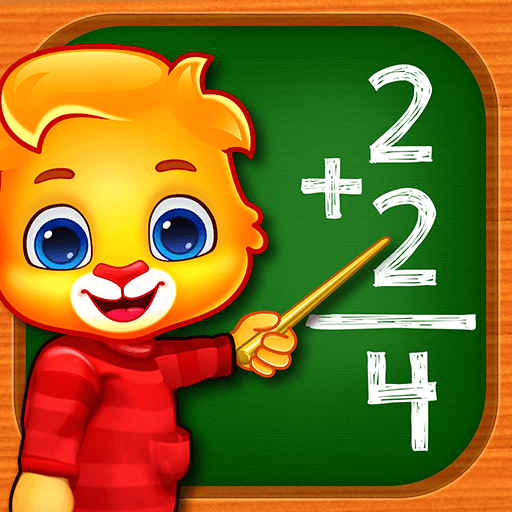
Panda Preschool Baby Games

Panda Preschool Baby Games

Educational

| IDZ Digital Private Limited

Play on PC with BlueStacks or from our cloud

  • Overview
  • Game Features
  • How to Play

Page Modified On: May 05, 2026

Play Panda Preschool Baby Games on PC or Mac

Step into the World of Panda Preschool Baby Games, a thrilling Educational game from the house of IDZ Digital Private Limited. Play this Android game on BlueStacks App Player and experience immersive gaming on PC or Mac.

About the Game

Panda Preschool Baby Games is an Educational collection made for curious toddlers and preschoolers. It turns early lessons—letters, numbers, shapes, and more—into playful moments with cheerful panda pals and lots of hands-on activities. Kids tap, trace, match, and solve little challenges at their own pace, with friendly feedback every step of the way from IDZ Digital Private Limited.

Game Features

  • Panda Pals as Guides: Cute panda characters cheer kids on and keep them engaged while they learn.
  • A Ton of Mini‑Games: Well over a hundred activities cover ABCs, counting, shapes, patterns, matching, puzzles, and easy tracing.
  • Built for Little Hands: Big buttons, clear prompts, and simple tap controls help kids explore without constant help.
  • Learn Anywhere: Download activities for offline play—great for trips, waiting rooms, or anywhere Wi‑Fi is spotty.
  • Bright Visuals + Happy Sounds: Colorful animations and playful audio make lessons lively and easy to follow.
  • Parent Peace of Mind: A Parental Gate keeps settings and purchases tucked safely out of tiny hands.
  • Self‑Paced Progress: Children can replay favorites, practice skills, and build confidence without pressure.
  • Fresh Content Over Time: New activities are added regularly, so there’s always something new to try.
  • Ad and Premium Options: The free version includes ads; a premium plan removes them for a cleaner play space.
  • Better Than Passive Screen Time: Interactive learning keeps kids thinking, tapping, and discovering.
  • Big‑Screen Friendly: Prefer co‑playing on a computer? Use BlueStacks to enjoy larger visuals while guiding your little learner.

Make your gaming sessions memorable with precise controls that give you an edge in close combats and visuals that pop up, bringing every character to life.


Game Features

Enhancements

  • Macros
  • Multi Instance
  • Multi Instance Sync
  • Script
  • Enhancements
Macros

Macros

Automate the predictable in Panda Preschool Baby Games and transform your gameplay with Macros. Get access to inventive Macros in the BlueStacks Macro Community
Multi Instance

Multi Instance

Play Panda Preschool Baby Games on one window. And chat with your friend on the other. Press CTRL + Shift + 8 to open the Multi-Instance Manager. And start creating fresh instances or clone an existing one.
Multi Instance Sync

Multi Instance Sync

Play Panda Preschool Baby Games with the power of Multi-Instance Sync. Replicate what you are doing on the main instance on all other instances. Level up faster, play more.
Script

Script

Script your way to gaming glory in Panda Preschool Baby Games with BlueStacks Script. Write and run a set of commands to automate repeated tasks. Trigger the command by assigning it to any key.
Read More

How to Download and Play Panda Preschool Baby Games on PC or Mac

  • Download and install BlueStacks on your PC or Mac

  • Complete Google sign-in to access the Play Store, or do it later

  • Look for Panda Preschool Baby Games in the search bar at the top right corner

  • Click to install Panda Preschool Baby Games from the search results

  • Complete Google sign-in (if you skipped step 2) to install Panda Preschool Baby Games

  • Click the Panda Preschool Baby Games icon on the home screen to start playing

video
Watch Video

Minimum System Requirements

With BlueStacks 5, you can get started on a PC that fulfills the following requirements.

  • Operating System

    Microsoft Windows 7 or above, macOS 11 (Big Sur) or above

  • Processor

    Intel, AMD or Apple Silicon Processor

  • RAM

    at least 4GB

  • HDD

    10GB Free Disk Space

Note:

* You must be an Administrator on your PC. Up to date graphics drivers from Microsoft or the chipset vendor.

Panda Preschool Baby Games - FAQs

  • How to play Panda Preschool Baby Games on Windows PC & Mac?

    Play Panda Preschool Baby Games on your PC or Mac by following these simple steps.

    • Click on 'Play Panda Preschool Baby Games on PC’ to download BlueStacks
    • Install it and log-in to Google Play Store
    • Launch and play the game.
  • Why is BlueStacks the fastest and safest platform to play games on PC?

    BlueStacks respects your privacy and is always safe and secure to use. It does not carry any malware, spyware, or any sort of additional software that could harm your PC.

    It is engineered to optimize speed and performance for a seamless gaming experience.

  • What are Panda Preschool Baby Games PC requirements?

    Minimum requirement to run Panda Preschool Baby Games on your PC

    • OS: Microsoft Windows 7 or above MacOS 11 (Big Sur) or above
    • Processor: Intel, AMD or Apple Silicon Processor
    • RAM: Your PC must have at least 4GB of RAM. (Note that having 4GB or more disk space is not a substitute for RAM)
    • HDD: 10GB Free Disk Space.
    • You must be an Administrator on your PC.