Adventure Seekers: Waters

Adventure Seekers: Waters

Puzzle

| Do Games Limited

Play on PC with BlueStacks or from our cloud

  • Overview
  • Game Features
  • How to Play

Page Modified On: September 18, 2026

Play Adventure Seekers: Waters on PC or Mac

Adventure Seekers: Waters brings the Puzzle genre to life, and throws up exciting challenges for gamers. Developed by Do Games Limited, this Android game is best experienced on BlueStacks, the World’s #1 app player for PC and Mac users.

About the Game

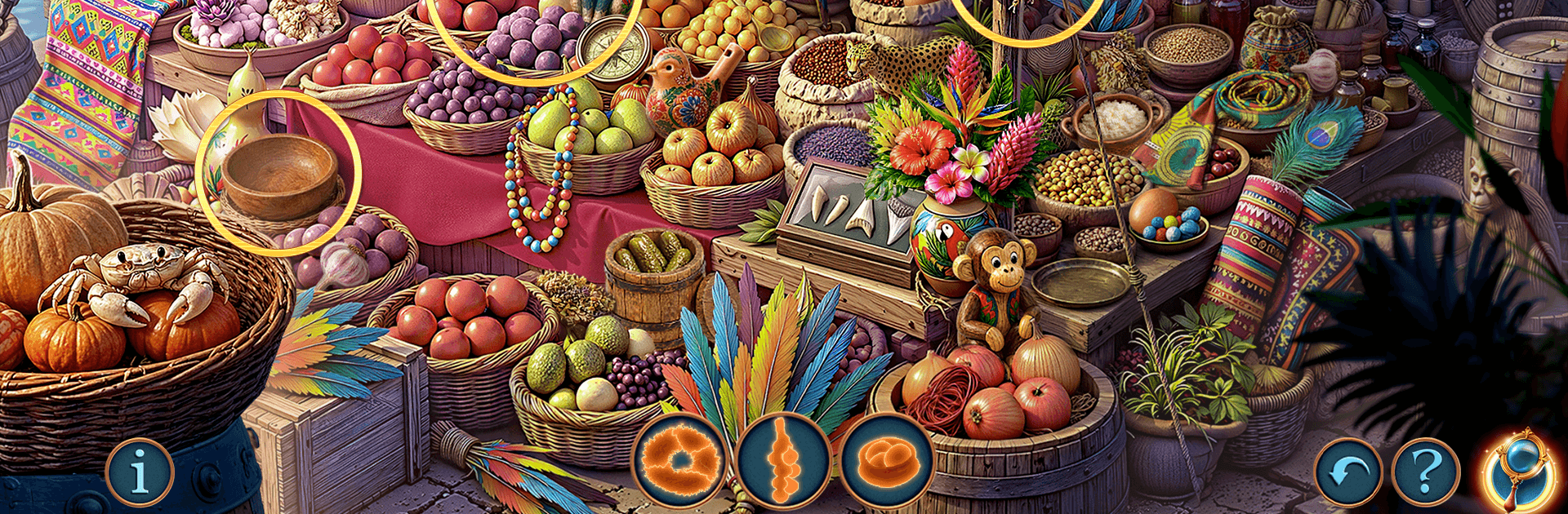
Adventure Seekers: Waters is a Puzzle game that mixes hidden-object sleuthing with a tense island mystery. You’ll join Raphael and Inara in the tropical port of Santa Marilla, where talk of a “guardian” whale has the whole town on edge. Follow the rumors, sift through legends, and pick apart clues as you chase a stolen relic and the truth behind a city that seems scared of the sea.

Game Features

  • Story-Driven Hunt: Track Raphael and Inara’s investigation from the first shattered fishing boats to the last whisper of an ancient oath, meeting wary sailors and poring over the uneasy testimony of Captain Esteban Ruiz.
  • Atmospheric Locations: Search sunbaked docks, quiet chapels, a storm-battered lighthouse island, and the husks of wrecked merchant ships—every stop layered with puzzles and secrets.
  • Hidden-Object Scenes: Spot cleverly tucked-away items in richly detailed scenes, using sharp observation to reveal what the ocean and its keepers are trying to hide.
  • Spot-the-Difference Moments: Take quick, satisfying breaks to compare scenes and catch the tiny changes that move the case forward.
  • Smart, Varied Puzzles: Decode symbols, piece together broken mechanisms, and solve logic challenges that naturally fit the mystery rather than distract from it.
  • Legends Meet Reality: Follow old records and local myths to separate superstition from intent, uncovering why the “whale” strikes with such uncanny precision.
  • Underwater Past, Present Stakes: Trace a stolen relic to a submerged sanctuary and connect it to the fate of a forgotten civilization—with consequences that ripple into Santa Marilla’s present.
  • Exploration at Your Pace: Check every corner for clues, revisit areas as new leads surface, and use gentle guidance when you want a nudge, not a hand-hold.
  • Clean PC Play on BlueStacks: Enjoy crisp visuals and click-friendly controls that make scanning scenes and solving puzzles feel smooth and precise.

Ready to top the leaderboard? We bet you do. Let precise controls and sharp visuals optimized on BlueStacks lead you to victory.


Game Features

Enhancements

  • Macros
  • Multi Instance
  • Multi Instance Sync
  • Script
  • Enhancements
Macros

Macros

Automate the predictable in Adventure Seekers: Waters and transform your gameplay with Macros. Get access to inventive Macros in the BlueStacks Macro Community
Multi Instance

Multi Instance

Play Adventure Seekers: Waters on one window. And chat with your friend on the other. Press CTRL + Shift + 8 to open the Multi-Instance Manager. And start creating fresh instances or clone an existing one.
Multi Instance Sync

Multi Instance Sync

Play Adventure Seekers: Waters with the power of Multi-Instance Sync. Replicate what you are doing on the main instance on all other instances. Level up faster, play more.
Script

Script

Script your way to gaming glory in Adventure Seekers: Waters with BlueStacks Script. Write and run a set of commands to automate repeated tasks. Trigger the command by assigning it to any key.
Read More

How to Download and Play Adventure Seekers: Waters on PC or Mac

  • Download and install BlueStacks on your PC or Mac

  • Complete Google sign-in to access the Play Store, or do it later

  • Look for Adventure Seekers: Waters in the search bar at the top right corner

  • Click to install Adventure Seekers: Waters from the search results

  • Complete Google sign-in (if you skipped step 2) to install Adventure Seekers: Waters

  • Click the Adventure Seekers: Waters icon on the home screen to start playing

video
Watch Video

Minimum System Requirements

With BlueStacks 5, you can get started on a PC that fulfills the following requirements.

  • Operating System

    Microsoft Windows 7 or above, macOS 11 (Big Sur) or above

  • Processor

    Intel, AMD or Apple Silicon Processor

  • RAM

    at least 4GB

  • HDD

    10GB Free Disk Space

Note:

* You must be an Administrator on your PC. Up to date graphics drivers from Microsoft or the chipset vendor.

Adventure Seekers: Waters - FAQs

  • How to play Adventure Seekers: Waters on Windows PC & Mac?

    Play Adventure Seekers: Waters on your PC or Mac by following these simple steps.

    • Click on 'Play Adventure Seekers: Waters on PC’ to download BlueStacks
    • Install it and log-in to Google Play Store
    • Launch and play the game.
  • Why is BlueStacks the fastest and safest platform to play games on PC?

    BlueStacks respects your privacy and is always safe and secure to use. It does not carry any malware, spyware, or any sort of additional software that could harm your PC.

    It is engineered to optimize speed and performance for a seamless gaming experience.

  • What are Adventure Seekers: Waters PC requirements?

    Minimum requirement to run Adventure Seekers: Waters on your PC

    • OS: Microsoft Windows 7 or above MacOS 11 (Big Sur) or above
    • Processor: Intel, AMD or Apple Silicon Processor
    • RAM: Your PC must have at least 4GB of RAM. (Note that having 4GB or more disk space is not a substitute for RAM)
    • HDD: 10GB Free Disk Space.
    • You must be an Administrator on your PC.