Enchanted Stories 2: Extra

Enchanted Stories 2: Extra

Puzzle

| Do Games Limited

Play on PC with BlueStacks or from our cloud

  • Overview
  • Game Features
  • How to Play

Page Modified On: September 18, 2026

Play Enchanted Stories 2: Extra on PC or Mac

Play Enchanted Stories 2: Extra by Do Games Limited on PC or Mac with BlueStacks. Use a bigger screen, mouse and keyboard controls, and smoother performance while you play.

About the Game

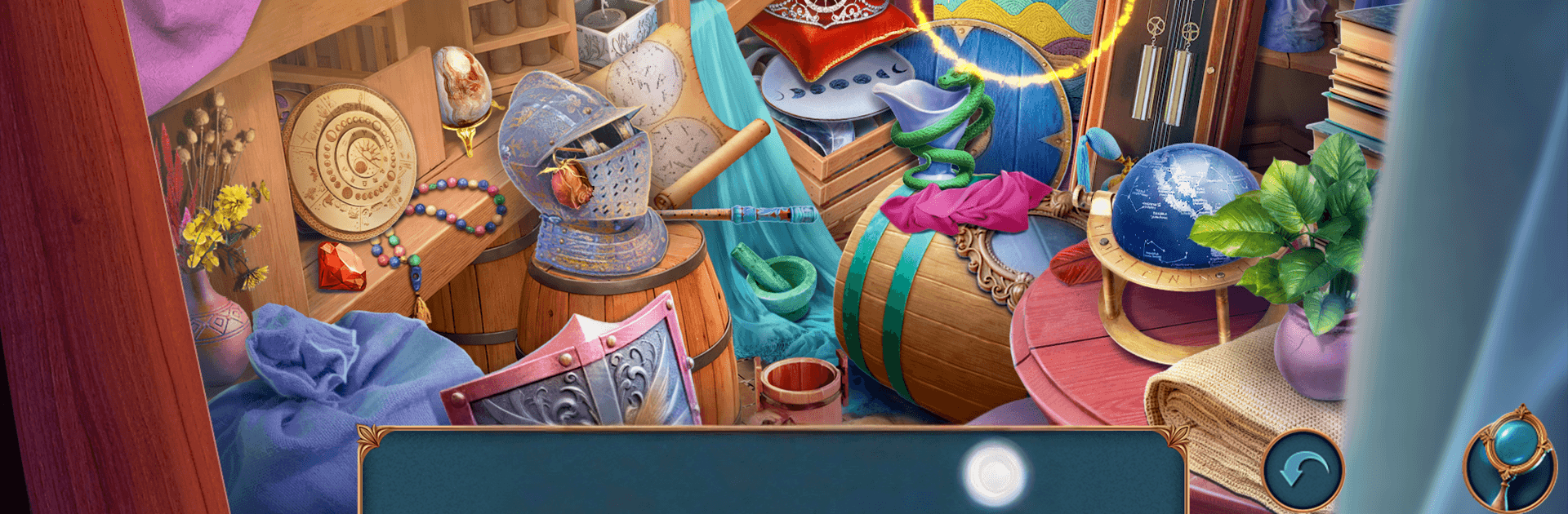
Enchanted Stories 2: Extra drops you into a tense, story-first hunt through the shadowy corners of Castelia. Felicia and Diego chase missing traders, masked figures, and a cult that doesn’t like being seen—let alone questioned. It’s a narrative-driven Puzzle experience with hidden-object searches, clever mini-games, and choices that nudge the investigation in different directions. Prefer playing on a larger screen? It runs smoothly on PC with BlueStacks.

Game Features

  • Two perspectives, one case: Swap between Felicia’s big-picture instincts and Diego’s streetwise leads to piece together a tangled conspiracy from both sides.
  • Castelia’s secret layers: Creep through foggy docks, guarded warehouses, and torchlit tunnels while tracking clues that connect the city above to what’s brewing below.
  • Hidden-object scenes with bite: Search detailed locations where items link together, clues reappear in new ways, and careful observation actually pays off.
  • Infiltration your way: Disguise yourself, tail suspects, or decode symbols; different approaches open fresh angles—and sometimes fresh trouble.
  • Timed stakes without the stress: The looming midnight ritual raises tension, yet exploration stays steady and readable, even when the pressure ramps up.
  • Mini-games that matter: Align mechanisms, match sigils, and untangle logic chains that feel woven into the investigation rather than tossed in.
  • Choice-driven routes: Follow whispers in the alleys or crack sealed letters first; your order of operations subtly reshapes scenes and dialogue.
  • Tools for sharp sleuths: An interactive map, tidy notes, and smart hinting keep you moving without spoiling the aha moments.
  • Moody storytelling: Atmospheric art, eerie sound cues, and well-paced reveals turn every corridor into a question mark.
  • Optional collectibles (and a certain feline): Keep an eye out for curios—and yes, there’s a cat to find if you’re thorough enough.

BlueStacks gives you more room to focus on the game and less time adjusting around mobile limitations.


Game Features

Enhancements

  • Macros
  • Multi Instance
  • Multi Instance Sync
  • Script
  • Enhancements
Macros

Macros

Automate the predictable in Enchanted Stories 2: Extra and transform your gameplay with Macros. Get access to inventive Macros in the BlueStacks Macro Community
Multi Instance

Multi Instance

Play Enchanted Stories 2: Extra on one window. And chat with your friend on the other. Press CTRL + Shift + 8 to open the Multi-Instance Manager. And start creating fresh instances or clone an existing one.
Multi Instance Sync

Multi Instance Sync

Play Enchanted Stories 2: Extra with the power of Multi-Instance Sync. Replicate what you are doing on the main instance on all other instances. Level up faster, play more.
Script

Script

Script your way to gaming glory in Enchanted Stories 2: Extra with BlueStacks Script. Write and run a set of commands to automate repeated tasks. Trigger the command by assigning it to any key.
Read More

How to Download and Play Enchanted Stories 2: Extra on PC or Mac

  • Download and install BlueStacks on your PC or Mac

  • Complete Google sign-in to access the Play Store, or do it later

  • Look for Enchanted Stories 2: Extra in the search bar at the top right corner

  • Click to install Enchanted Stories 2: Extra from the search results

  • Complete Google sign-in (if you skipped step 2) to install Enchanted Stories 2: Extra

  • Click the Enchanted Stories 2: Extra icon on the home screen to start playing

video
Watch Video

Minimum System Requirements

With BlueStacks 5, you can get started on a PC that fulfills the following requirements.

  • Operating System

    Microsoft Windows 7 or above, macOS 11 (Big Sur) or above

  • Processor

    Intel, AMD or Apple Silicon Processor

  • RAM

    at least 4GB

  • HDD

    10GB Free Disk Space

Note:

* You must be an Administrator on your PC. Up to date graphics drivers from Microsoft or the chipset vendor.

Enchanted Stories 2: Extra - FAQs

  • How to play Enchanted Stories 2: Extra on Windows PC & Mac?

    Play Enchanted Stories 2: Extra on your PC or Mac by following these simple steps.

    • Click on 'Play Enchanted Stories 2: Extra on PC’ to download BlueStacks
    • Install it and log-in to Google Play Store
    • Launch and play the game.
  • Why is BlueStacks the fastest and safest platform to play games on PC?

    BlueStacks respects your privacy and is always safe and secure to use. It does not carry any malware, spyware, or any sort of additional software that could harm your PC.

    It is engineered to optimize speed and performance for a seamless gaming experience.

  • What are Enchanted Stories 2: Extra PC requirements?

    Minimum requirement to run Enchanted Stories 2: Extra on your PC

    • OS: Microsoft Windows 7 or above MacOS 11 (Big Sur) or above
    • Processor: Intel, AMD or Apple Silicon Processor
    • RAM: Your PC must have at least 4GB of RAM. (Note that having 4GB or more disk space is not a substitute for RAM)
    • HDD: 10GB Free Disk Space.
    • You must be an Administrator on your PC.