Belt And Go
Belt And Go

Belt And Go

Puzzle

| Monster Kick Game

Play on PC with BlueStacks or from our cloud

  • Overview
  • Game Features
  • How to Play

Page Modified On: October 16, 2026

Play Belt And Go on PC or Mac

Bring your A-game to Belt And Go, the Puzzle game sensation from Monster Kick Game. Give your gameplay the much-needed boost with precise game controls, high FPS graphics, and top-tier features on your PC or Mac with BlueStacks.

About the Game

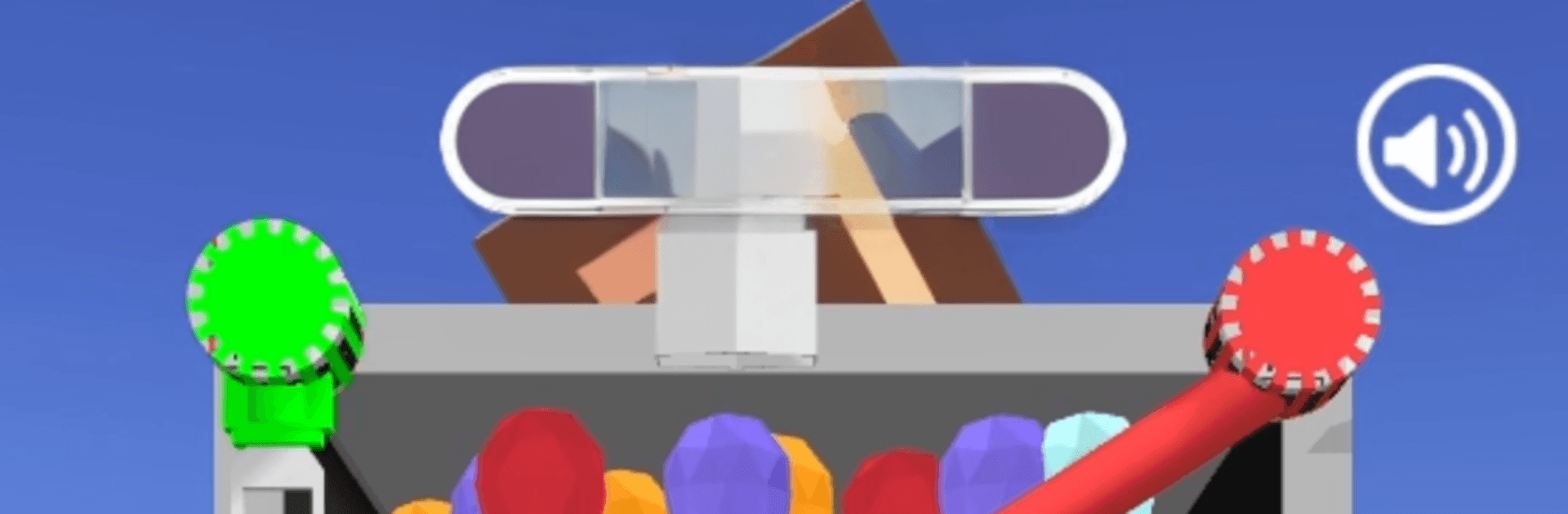
Belt And Go is a Puzzle about turning everyday strapping skills into clever, satisfying challenges. Match belts to the right buckles, balance odd-shaped cargo, and keep everything steady as each vehicle rumbles, brakes, and takes corners. Want a roomier view and smooth performance? It plays nicely on BlueStacks, too.

Game Features

  • Snap-and-secure play: Drag belts into place, line up the right buckles, and lock them with a crisp snap.
  • Vehicles with personality: Work across a mini van, an ice-cream truck, and even a trolley—each with unique layouts and anchor points.
  • Physics that keeps you honest: Sudden stops, tight turns, and bumps will test whether your setup can actually hold.
  • Short stages, quick retries: Levels are bite-sized and restart instantly, so experimenting never feels like a chore.
  • Score-chasing goals: Use fewer straps, finish faster, and protect every crate to rack up better ratings.
  • Multiple ways to win: There’s rarely one perfect layout—improvise, cross belts creatively, and find solutions that fit your style.
  • Helpful nudges (only if you want them): Stuck on a knotty layout? Optional hints give direction without spoiling the fun.
  • Clear visuals and feedback: Clean colors, readable paths, and satisfying sounds make it easy to see what’s secure—and what isn’t.

Get ready for a buttery smooth, high-performance gaming action only on BlueStacks.

Game Features

Enhancements

  • Macros
  • Multi Instance
  • Multi Instance Sync
  • Script
  • Enhancements
Macros

Macros

Automate the predictable in Belt And Go and transform your gameplay with Macros. Get access to inventive Macros in the BlueStacks Macro Community
Multi Instance

Multi Instance

Play Belt And Go on one window. And chat with your friend on the other. Press CTRL + Shift + 8 to open the Multi-Instance Manager. And start creating fresh instances or clone an existing one.
Multi Instance Sync

Multi Instance Sync

Play Belt And Go with the power of Multi-Instance Sync. Replicate what you are doing on the main instance on all other instances. Level up faster, play more.
Script

Script

Script your way to gaming glory in Belt And Go with BlueStacks Script. Write and run a set of commands to automate repeated tasks. Trigger the command by assigning it to any key.
Read More

How to Download and Play Belt And Go on PC or Mac

  • Download and install BlueStacks on your PC or Mac

  • Complete Google sign-in to access the Play Store, or do it later

  • Look for Belt And Go in the search bar at the top right corner

  • Click to install Belt And Go from the search results

  • Complete Google sign-in (if you skipped step 2) to install Belt And Go

  • Click the Belt And Go icon on the home screen to start playing

video
Watch Video

Minimum System Requirements

With BlueStacks 5, you can get started on a PC that fulfills the following requirements.

  • Operating System

    Microsoft Windows 7 or above, macOS 11 (Big Sur) or above

  • Processor

    Intel, AMD or Apple Silicon Processor

  • RAM

    at least 4GB

  • HDD

    10GB Free Disk Space

Note:

* You must be an Administrator on your PC. Up to date graphics drivers from Microsoft or the chipset vendor.

Belt And Go - FAQs

  • How to play Belt And Go on Windows PC & Mac?

    Play Belt And Go on your PC or Mac by following these simple steps.

    • Click on 'Play Belt And Go on PC’ to download BlueStacks
    • Install it and log-in to Google Play Store
    • Launch and play the game.
  • Why is BlueStacks the fastest and safest platform to play games on PC?

    BlueStacks respects your privacy and is always safe and secure to use. It does not carry any malware, spyware, or any sort of additional software that could harm your PC.

    It is engineered to optimize speed and performance for a seamless gaming experience.

  • What are Belt And Go PC requirements?

    Minimum requirement to run Belt And Go on your PC

    • OS: Microsoft Windows 7 or above MacOS 11 (Big Sur) or above
    • Processor: Intel, AMD or Apple Silicon Processor
    • RAM: Your PC must have at least 4GB of RAM. (Note that having 4GB or more disk space is not a substitute for RAM)
    • HDD: 10GB Free Disk Space.
    • You must be an Administrator on your PC.