Connected Hearts: Beauty

Connected Hearts: Beauty

Puzzle

| Do Games Limited

Play on PC with BlueStacks or from our cloud

  • Overview
  • Game Features
  • How to Play

Page Modified On: September 21, 2026

Play Connected Hearts: Beauty on PC or Mac

Bring your A-game to Connected Hearts: Beauty, the Puzzle game sensation from Do Games Limited. Give your gameplay the much-needed boost with precise game controls, high FPS graphics, and top-tier features on your PC or Mac with BlueStacks.

About the Game

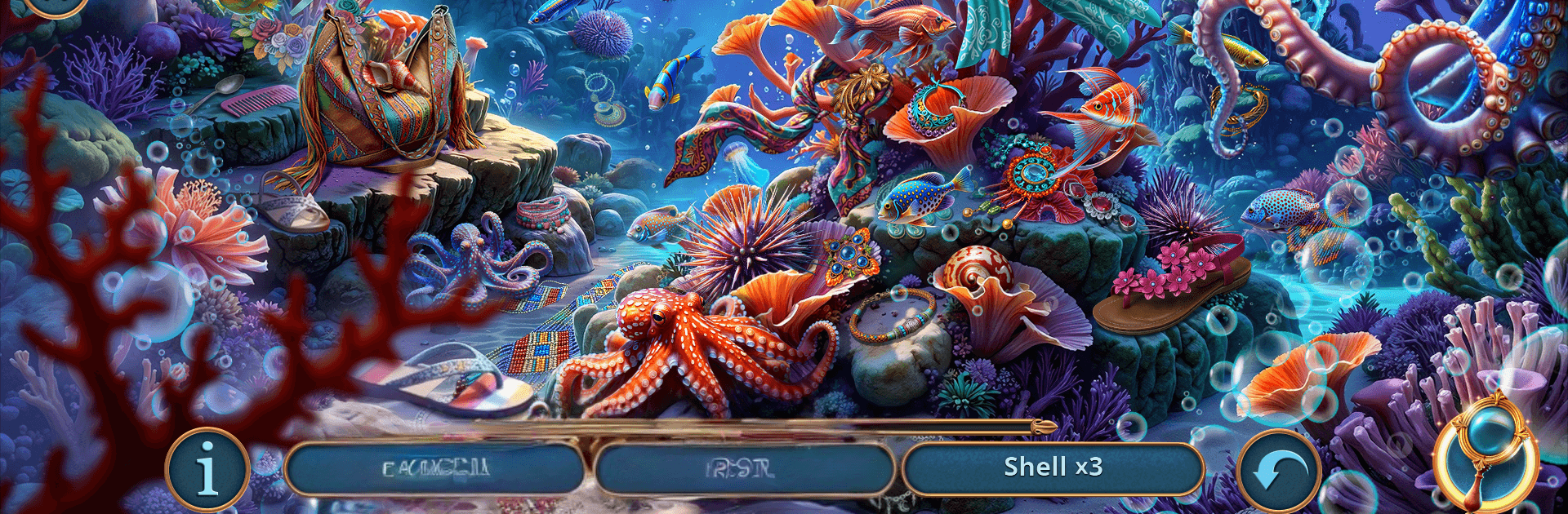
Connected Hearts: Beauty is a Puzzle mystery that drops you into a missing-persons case on a windswept coast with more secrets than streetlights. You’ll comb through atmospheric scenes, swap between two leads, and piece together a story that keeps tightening its grip the deeper you go. Prefer a clearer view while you investigate? It plays comfortably on PC with BlueStacks.

Game Features

  • Two Leads, One Investigation: Switch between Eli and Jules and see the case from both sides, noticing different clues, reactions, and leads that a single perspective would miss.
  • A Coast Full of Secrets: Roam Seabridge Bay’s abandoned hotels, misty forest paths, and buried passageways as each location quietly nudges you toward the truth.
  • Search That Tells a Story: Hidden-object scenes aren’t just lists to clear—they feed the narrative, with items you uncover linking back to people, places, and motives.
  • Smart, Fair Challenges: Tackle logic twists and tactile brainteasers that make sense in the world—decode symbols, trace patterns, and connect evidence without busywork.
  • Follow the Cult’s Trail: Track the influence of Caleb Morrow and his circle by sifting through journals, photographs, and ritual artifacts that reveal who was chosen—and why.
  • Choices With Consequences: Your calls matter; a key decision can save lives or tip the town further into darkness, leading to outcomes that feel earned.
  • Eerie, Lived-In Atmosphere: From salt-stained docks to echoing tunnels, every scene is layered with small details and quiet sounds that raise the hairs on your neck.

Start your journey now. Download the game on BlueStacks, invite your friends, and march on a new adventure.


Game Features

Enhancements

  • Macros
  • Multi Instance
  • Multi Instance Sync
  • Script
  • Enhancements
Macros

Macros

Automate the predictable in Connected Hearts: Beauty and transform your gameplay with Macros. Get access to inventive Macros in the BlueStacks Macro Community
Multi Instance

Multi Instance

Play Connected Hearts: Beauty on one window. And chat with your friend on the other. Press CTRL + Shift + 8 to open the Multi-Instance Manager. And start creating fresh instances or clone an existing one.
Multi Instance Sync

Multi Instance Sync

Play Connected Hearts: Beauty with the power of Multi-Instance Sync. Replicate what you are doing on the main instance on all other instances. Level up faster, play more.
Script

Script

Script your way to gaming glory in Connected Hearts: Beauty with BlueStacks Script. Write and run a set of commands to automate repeated tasks. Trigger the command by assigning it to any key.
Read More

How to Download and Play Connected Hearts: Beauty on PC or Mac

  • Download and install BlueStacks on your PC or Mac

  • Complete Google sign-in to access the Play Store, or do it later

  • Look for Connected Hearts: Beauty in the search bar at the top right corner

  • Click to install Connected Hearts: Beauty from the search results

  • Complete Google sign-in (if you skipped step 2) to install Connected Hearts: Beauty

  • Click the Connected Hearts: Beauty icon on the home screen to start playing

video
Watch Video

Minimum System Requirements

With BlueStacks 5, you can get started on a PC that fulfills the following requirements.

  • Operating System

    Microsoft Windows 7 or above, macOS 11 (Big Sur) or above

  • Processor

    Intel, AMD or Apple Silicon Processor

  • RAM

    at least 4GB

  • HDD

    10GB Free Disk Space

Note:

* You must be an Administrator on your PC. Up to date graphics drivers from Microsoft or the chipset vendor.

Connected Hearts: Beauty - FAQs

  • How to play Connected Hearts: Beauty on Windows PC & Mac?

    Play Connected Hearts: Beauty on your PC or Mac by following these simple steps.

    • Click on 'Play Connected Hearts: Beauty on PC’ to download BlueStacks
    • Install it and log-in to Google Play Store
    • Launch and play the game.
  • Why is BlueStacks the fastest and safest platform to play games on PC?

    BlueStacks respects your privacy and is always safe and secure to use. It does not carry any malware, spyware, or any sort of additional software that could harm your PC.

    It is engineered to optimize speed and performance for a seamless gaming experience.

  • What are Connected Hearts: Beauty PC requirements?

    Minimum requirement to run Connected Hearts: Beauty on your PC

    • OS: Microsoft Windows 7 or above MacOS 11 (Big Sur) or above
    • Processor: Intel, AMD or Apple Silicon Processor
    • RAM: Your PC must have at least 4GB of RAM. (Note that having 4GB or more disk space is not a substitute for RAM)
    • HDD: 10GB Free Disk Space.
    • You must be an Administrator on your PC.