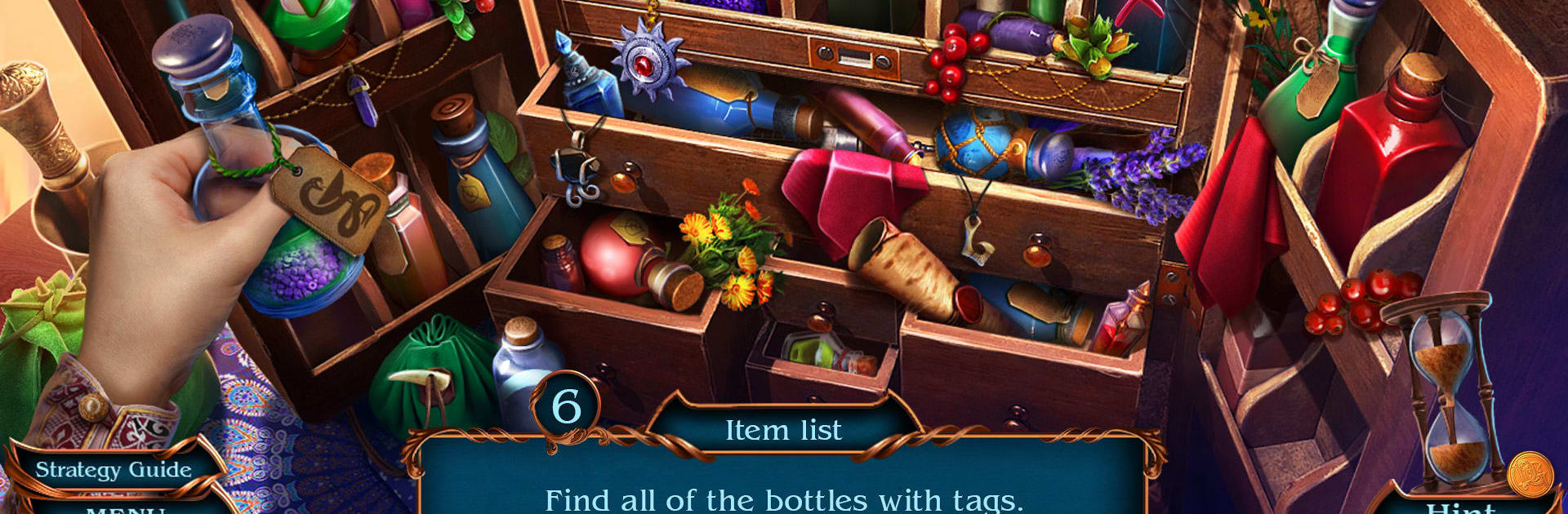
Spirit Legends 4 f2p

Spirit Legends 4 f2p

Puzzle

| Do Games Limited

Play on PC with BlueStacks or from our cloud

  • Overview
  • Game Features
  • How to Play

Page Modified On: August 03, 2026

Play Spirit Legends 4 f2p on PC or Mac

Bring your A-game to Spirit Legends 4 f2p, the Puzzle game sensation from Do Games Limited. Give your gameplay the much-needed boost with precise game controls, high FPS graphics, and top-tier features on your PC or Mac with BlueStacks.

About the Game

Spirit Legends 4 f2p throws you into a magical mess on day one of the job. You play as Aileen, a fresh recruit to the Guardians of Harmony, and your welcome party includes a rogue assassin, a secretive brotherhood, and spirits being twisted to someone’s will. Expect a story-first Puzzle adventure with hidden-object scenes, spellwork, and plenty of clever mini-games that keep you guessing.

Game Features

  • Story-driven mystery: Unravel a kingdom-wide conspiracy as Aileen tracks an assassin and faces a shadowy order bent on chaos.
  • Hidden-object hunts: Search richly illustrated locations, spot morphing items, and gather artifacts that push the plot forward.
  • Magic and your Bestiary: Learn spells, consult your Bestiary, and use what you’ve learned to tame or outsmart powerful spirits.
  • Brainy mini-games: Match runes, decode patterns, and mix the right healing potion when things get dire—each puzzle feels distinct and purposeful.
  • Save the forest: Stand up to Queen Magret’s destructive plans and lend a hand to nymphs, dryads, and other woodland allies.
  • Bonus chapter: Keep playing after the main story with an extra chapter full of fresh scenes, puzzles, and twists.
  • Collectibles galore: Snag spirited items, rare artifacts, and curious tools—from a griffin saddle to a well-worn magic staff.
  • Achievements and replay: Go for challenge feats like finishing a scene without hints, and revisit memorable cutscenes and tracks whenever you like.
  • Free-to-play flexibility: Enjoy the full hidden-object quest at your own pace on mobile—or kick back on a bigger screen with BlueStacks.

Get ready for a buttery smooth, high-performance gaming action only on BlueStacks.

Game Features

Enhancements

  • Macros
  • Multi Instance
  • Multi Instance Sync
  • Script
  • Enhancements
Macros

Macros

Automate the predictable in Spirit Legends 4 f2p and transform your gameplay with Macros. Get access to inventive Macros in the BlueStacks Macro Community
Multi Instance

Multi Instance

Play Spirit Legends 4 f2p on one window. And chat with your friend on the other. Press CTRL + Shift + 8 to open the Multi-Instance Manager. And start creating fresh instances or clone an existing one.
Multi Instance Sync

Multi Instance Sync

Play Spirit Legends 4 f2p with the power of Multi-Instance Sync. Replicate what you are doing on the main instance on all other instances. Level up faster, play more.
Script

Script

Script your way to gaming glory in Spirit Legends 4 f2p with BlueStacks Script. Write and run a set of commands to automate repeated tasks. Trigger the command by assigning it to any key.
Read More

How to Download and Play Spirit Legends 4 f2p on PC or Mac

  • Download and install BlueStacks on your PC or Mac

  • Complete Google sign-in to access the Play Store, or do it later

  • Look for Spirit Legends 4 f2p in the search bar at the top right corner

  • Click to install Spirit Legends 4 f2p from the search results

  • Complete Google sign-in (if you skipped step 2) to install Spirit Legends 4 f2p

  • Click the Spirit Legends 4 f2p icon on the home screen to start playing

video
Watch Video

Minimum System Requirements

With BlueStacks 5, you can get started on a PC that fulfills the following requirements.

  • Operating System

    Microsoft Windows 7 or above, macOS 11 (Big Sur) or above

  • Processor

    Intel, AMD or Apple Silicon Processor

  • RAM

    at least 4GB

  • HDD

    10GB Free Disk Space

Note:

* You must be an Administrator on your PC. Up to date graphics drivers from Microsoft or the chipset vendor.

Spirit Legends 4 f2p - FAQs

  • How to play Spirit Legends 4 f2p on Windows PC & Mac?

    Play Spirit Legends 4 f2p on your PC or Mac by following these simple steps.

    • Click on 'Play Spirit Legends 4 f2p on PC’ to download BlueStacks
    • Install it and log-in to Google Play Store
    • Launch and play the game.
  • Why is BlueStacks the fastest and safest platform to play games on PC?

    BlueStacks respects your privacy and is always safe and secure to use. It does not carry any malware, spyware, or any sort of additional software that could harm your PC.

    It is engineered to optimize speed and performance for a seamless gaming experience.

  • What are Spirit Legends 4 f2p PC requirements?

    Minimum requirement to run Spirit Legends 4 f2p on your PC

    • OS: Microsoft Windows 7 or above MacOS 11 (Big Sur) or above
    • Processor: Intel, AMD or Apple Silicon Processor
    • RAM: Your PC must have at least 4GB of RAM. (Note that having 4GB or more disk space is not a substitute for RAM)
    • HDD: 10GB Free Disk Space.
    • You must be an Administrator on your PC.