Zen Sweeper (Minesweeper)

Zen Sweeper (Minesweeper)

Puzzle

| Ucdevs Interaction

Play on PC with BlueStacks or from our cloud

  • Overview
  • Game Features
  • How to Play

Page Modified On: September 19, 2025

Play Zen Sweeper (Minesweeper) on PC or Mac

Join millions to experience Zen Sweeper (Minesweeper), an exciting Puzzle game from ucdevs. With BlueStacks App Player, you are always a step ahead of your opponent, ready to outplay them with faster gameplay and better control with the mouse and keyboard on your PC or Mac.

About the Game

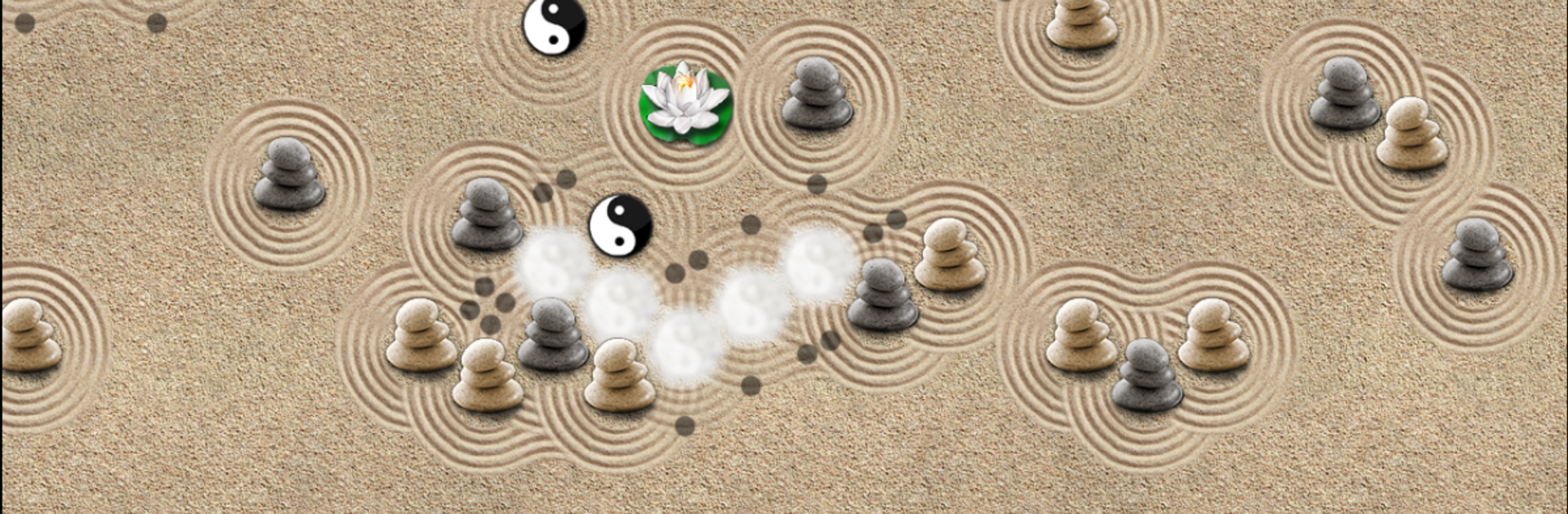
Zen Sweeper (Minesweeper) takes the classic logic challenge and sets it in a calm, stone-garden vibe. You’ll open safe spaces, read subtle clues, and place smooth stones where Yin–Yang spots are hiding. It’s thoughtful and relaxed—mistakes don’t end your run, they just nudge your score.

Game Features

  • Zen Minesweeper twist: Open empty cells while committing stones to suspected Yin–Yang cells. Errors bring a penalty, not a game over, so you can keep thinking things through.
  • Hex-based board: A honeycomb layout changes how you read neighbors and makes patterns feel fresh and satisfying.
  • Massive playfields: Tackle compact puzzles or go huge—boards can stretch up to 120×100 cells for long, meditative sessions.
  • Edges start open: The perimeter is already revealed, so corners won’t trap you at the start.
  • Clear, minimalist clues: Dots on opened cells tell you how many Yin–Yang spots touch that cell, guiding your next move.
  • Lotus helper: Drop a Lotus on any closed cell to reveal surrounding tiles and auto-place stones. It can even patch a mistake, and unused Lotuses add to your final score.
  • Irreversible stones: Once a stone is placed, it stays—every choice matters, but it’s never punishing.
  • Serene presentation: Gentle sounds and soft animations create a calm headspace perfect for focused play.
  • Smooth navigation: Zoom in for precision, scroll effortlessly, and enjoy clean controls that get out of the way.
  • PC-friendly via BlueStacks: Prefer a larger view for those giant boards? Playing through BlueStacks feels great without changing the Puzzle flow.

Created by ucdevs, Zen Sweeper (Minesweeper) keeps the spirit of the genre while leaning into a slower, more mindful Puzzle experience.

Ready to top the leaderboard? We bet you do. Let precise controls and sharp visuals optimized on BlueStacks lead you to victory.


Game Features

Enhancements

  • Macros
  • Multi Instance
  • Multi Instance Sync
  • Script
  • Enhancements
Macros

Macros

Automate the predictable in Zen Sweeper (Minesweeper) and transform your gameplay with Macros. Get access to inventive Macros in the BlueStacks Macro Community
Multi Instance

Multi Instance

Play Zen Sweeper (Minesweeper) on one window. And chat with your friend on the other. Press CTRL + Shift + 8 to open the Multi-Instance Manager. And start creating fresh instances or clone an existing one.
Multi Instance Sync

Multi Instance Sync

Play Zen Sweeper (Minesweeper) with the power of Multi-Instance Sync. Replicate what you are doing on the main instance on all other instances. Level up faster, play more.
Script

Script

Script your way to gaming glory in Zen Sweeper (Minesweeper) with BlueStacks Script. Write and run a set of commands to automate repeated tasks. Trigger the command by assigning it to any key.
Read More

How to Download and Play Zen Sweeper (Minesweeper) on PC or Mac

  • Download and install BlueStacks on your PC or Mac

  • Complete Google sign-in to access the Play Store, or do it later

  • Look for Zen Sweeper (Minesweeper) in the search bar at the top right corner

  • Click to install Zen Sweeper (Minesweeper) from the search results

  • Complete Google sign-in (if you skipped step 2) to install Zen Sweeper (Minesweeper)

  • Click the Zen Sweeper (Minesweeper) icon on the home screen to start playing

video
Watch Video

Minimum System Requirements

With BlueStacks 5, you can get started on a PC that fulfills the following requirements.

  • Operating System

    Microsoft Windows 7 or above, macOS 11 (Big Sur) or above

  • Processor

    Intel, AMD or Apple Silicon Processor

  • RAM

    at least 4GB

  • HDD

    10GB Free Disk Space

Note:

* You must be an Administrator on your PC. Up to date graphics drivers from Microsoft or the chipset vendor.

Zen Sweeper (Minesweeper) - FAQs

  • How to play Zen Sweeper (Minesweeper) on Windows PC & Mac?

    Play Zen Sweeper (Minesweeper) on your PC or Mac by following these simple steps.

    • Click on 'Play Zen Sweeper (Minesweeper) on PC’ to download BlueStacks
    • Install it and log-in to Google Play Store
    • Launch and play the game.
  • Why is BlueStacks the fastest and safest platform to play games on PC?

    BlueStacks respects your privacy and is always safe and secure to use. It does not carry any malware, spyware, or any sort of additional software that could harm your PC.

    It is engineered to optimize speed and performance for a seamless gaming experience.

  • What are Zen Sweeper (Minesweeper) PC requirements?

    Minimum requirement to run Zen Sweeper (Minesweeper) on your PC

    • OS: Microsoft Windows 7 or above MacOS 11 (Big Sur) or above
    • Processor: Intel, AMD or Apple Silicon Processor
    • RAM: Your PC must have at least 4GB of RAM. (Note that having 4GB or more disk space is not a substitute for RAM)
    • HDD: 10GB Free Disk Space.
    • You must be an Administrator on your PC.