Formula Speed Racing Car Games

Formula Speed Racing Car Games

Racing

| Terafort IEG

Play on PC with BlueStacks or from our cloud

  • Overview
  • Game Features
  • How to Play

Page Modified On: August 03, 2026

Play Formula Speed Racing Car Games on PC or Mac

Bring your A-game to Formula Speed Racing Car Games, the Racing game sensation from Terafort IEG. Give your gameplay the much-needed boost with precise game controls, high FPS graphics, and top-tier features on your PC or Mac with BlueStacks.

About the Game

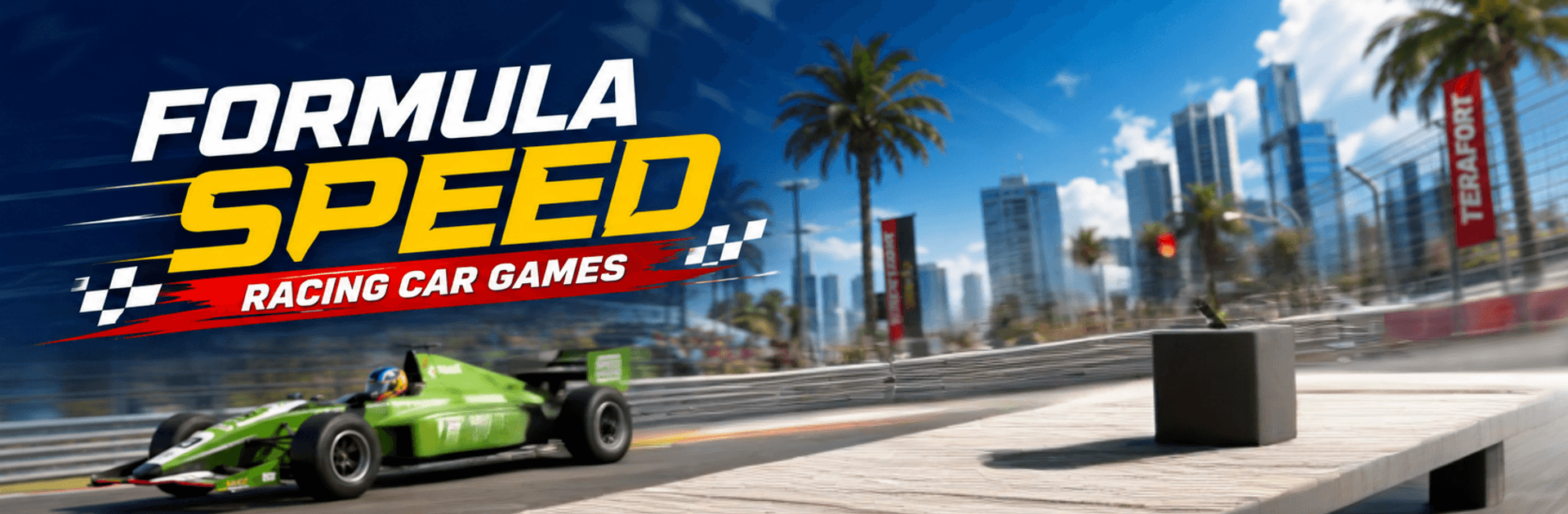
Formula Speed Racing Car Games throws you into the cockpit of a brutal, low-slung open‑wheel machine and lets the tires do the talking. It’s a fast, clean, no‑nonsense Racing experience where precision matters just as much as bravery. Learn the line, time your passes, and squeeze every last tenth from technical corners and full‑throttle straights.

Game Features

  • Pure open‑wheel speed: Feel the immediacy of lightweight formula cars built for grip, balance, and ridiculous acceleration.
  • Circuits with personality: Tackle tracks that mix tight chicanes, off‑camber turns, and long straights that dare you to brake late.
  • Smarter rivals: AI drivers react to your moves—defend your spot, plan the overtake, and expect a fight to the checkered flag.
  • Weather that changes everything: Dry, damp, or downright slippery—adapting to shifting conditions is half the thrill.
  • Cars with character: Unlock multiple machines, each tuned with its own acceleration, top speed, and cornering feel.
  • Upgrades that count: Improve handling, grip, and power to build a garage that actually feels faster, not just different.
  • Controls your way: Pick the setup that clicks—tilt, buttons, or steering assist—for smooth laps on mobile.
  • Events and championships: Work through escalating challenges, rack up rewards, and climb into tougher grids.
  • Lap time obsession: Practice, shave seconds, and chase personal bests with each stint.
  • Trackside atmosphere: Clean visuals, crisp effects, and the hum of race day keep the tension high from lights out.
  • Play on a bigger screen: Prefer the desk setup? It runs great on BlueStacks for PC play with comfy controls.

Ready to top the leaderboard? We bet you do. Let precise controls and sharp visuals optimized on BlueStacks lead you to victory.


Game Features

Enhancements

  • Macros
  • Multi Instance
  • Multi Instance Sync
  • Script
  • Enhancements
Macros

Macros

Automate the predictable in Formula Speed Racing Car Games and transform your gameplay with Macros. Get access to inventive Macros in the BlueStacks Macro Community
Multi Instance

Multi Instance

Play Formula Speed Racing Car Games on one window. And chat with your friend on the other. Press CTRL + Shift + 8 to open the Multi-Instance Manager. And start creating fresh instances or clone an existing one.
Multi Instance Sync

Multi Instance Sync

Play Formula Speed Racing Car Games with the power of Multi-Instance Sync. Replicate what you are doing on the main instance on all other instances. Level up faster, play more.
Script

Script

Script your way to gaming glory in Formula Speed Racing Car Games with BlueStacks Script. Write and run a set of commands to automate repeated tasks. Trigger the command by assigning it to any key.
Read More

How to Download and Play Formula Speed Racing Car Games on PC or Mac

  • Download and install BlueStacks on your PC or Mac

  • Complete Google sign-in to access the Play Store, or do it later

  • Look for Formula Speed Racing Car Games in the search bar at the top right corner

  • Click to install Formula Speed Racing Car Games from the search results

  • Complete Google sign-in (if you skipped step 2) to install Formula Speed Racing Car Games

  • Click the Formula Speed Racing Car Games icon on the home screen to start playing

video
Watch Video

Minimum System Requirements

With BlueStacks 5, you can get started on a PC that fulfills the following requirements.

  • Operating System

    Microsoft Windows 7 or above, macOS 11 (Big Sur) or above

  • Processor

    Intel, AMD or Apple Silicon Processor

  • RAM

    at least 4GB

  • HDD

    10GB Free Disk Space

Note:

* You must be an Administrator on your PC. Up to date graphics drivers from Microsoft or the chipset vendor.

Formula Speed Racing Car Games - FAQs

  • How to play Formula Speed Racing Car Games on Windows PC & Mac?

    Play Formula Speed Racing Car Games on your PC or Mac by following these simple steps.

    • Click on 'Play Formula Speed Racing Car Games on PC’ to download BlueStacks
    • Install it and log-in to Google Play Store
    • Launch and play the game.
  • Why is BlueStacks the fastest and safest platform to play games on PC?

    BlueStacks respects your privacy and is always safe and secure to use. It does not carry any malware, spyware, or any sort of additional software that could harm your PC.

    It is engineered to optimize speed and performance for a seamless gaming experience.

  • What are Formula Speed Racing Car Games PC requirements?

    Minimum requirement to run Formula Speed Racing Car Games on your PC

    • OS: Microsoft Windows 7 or above MacOS 11 (Big Sur) or above
    • Processor: Intel, AMD or Apple Silicon Processor
    • RAM: Your PC must have at least 4GB of RAM. (Note that having 4GB or more disk space is not a substitute for RAM)
    • HDD: 10GB Free Disk Space.
    • You must be an Administrator on your PC.